Brand: Miele
Category: Cooktop
Document Type: Manual
Language: EN
Brand: Miele
Category: Cooktop
Document Type: Manual
Language: EN
Uploaded: Nov. 21, 2025, 7 p.m.
Manual Publish Date: null
null
The control panel uses electronic sensors that respond to touch. Touch the desired sensor area to operate burners. A signal confirms a command.
\nYou can choose to cook with or without auto-heat.
\nA table provides recommended power levels for various cooking tasks, from melting butter to boiling large quantities of water, with options for standard and extended power levels.
\nWhen activated, the burner starts at the highest setting and then switches to a selected continued power level. The heat-up time varies based on the chosen power level. Removing the pan interrupts the function but can be resumed if the pan is replaced within 3 minutes.
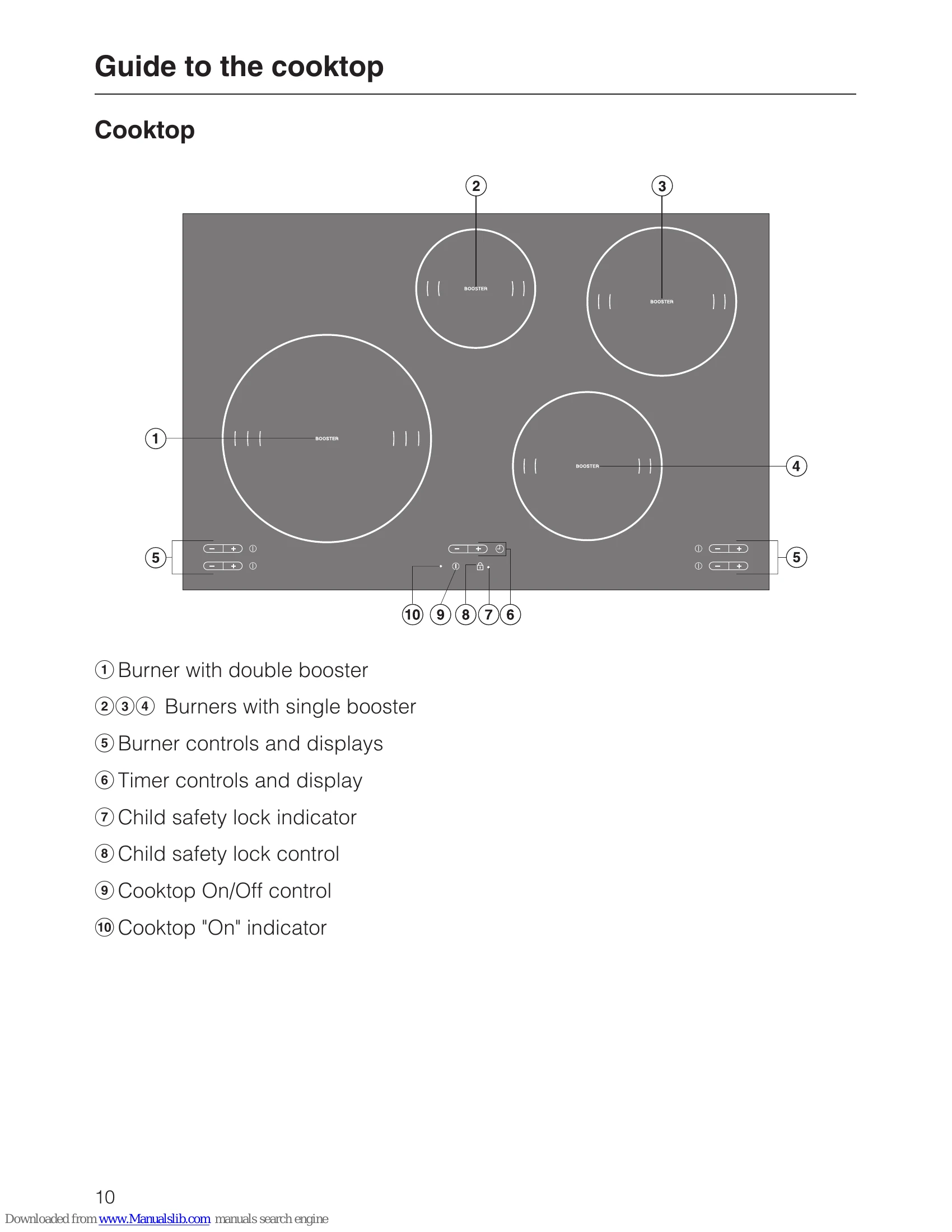
\nTemporarily increases the power level for quick heating, ideal for boiling water. The front left burner has a double booster. A maximum of two booster functions can be used simultaneously. Burners are networked in pairs for energy distribution.
\n| Symptom | Possible Cause | Remedy |
|---|---|---|
| Display shows - | Cooktop switched on, but no burner selected. | Select a burner and power level. |
| Burner display shows 0 | Burner switched on, but no pan or unsuitable pan. | Place a suitable pan on the burner. |
| Burner display shows U | No pan on burner or pan unsuitable. | Place a suitable pan on the burner. |
| Burner display shows E | Residual heat. | Allow to cool. |
| Burner display flashes E | Residual heat. | Allow to cool. |
| Burner display flashes with 0 or last selected power level | Pan removed from burner while switched on, or unsuitable pan. | Replace pan or select new power level. If no suitable pan is used, the burner will switch off automatically after 3 minutes. |
| Burner display shows F | Fault. | Contact Miele Service. |
| Burner display shows A | Auto-heat with extended power level. | This is normal during the Auto-heat function. |
| Burner display shows P with numbers (e.g. P2) | Program selection. | Refer to "Programming" section. |
| Burner display shows S with numbers (e.g. S0) | Status display. | Refer to "Programming" section. |
| Whistling or cracking sounds | Pan construction (layered base). | This is normal and does not affect the function. Use pans with different base materials if possible. |
| Buzzing sound | Higher power settings. | This will decrease or cease when power setting is reduced. |
| Clicking sound | Electronic switches, especially at lower settings. | This is normal. |
| Whirring sound from cooling fan | Cooktop in use for a long period at high levels. | This is normal. The fan may continue to run after the cooktop is switched off. |