Brand: Miele
Category: Cooktop
Document Type: Manual
Language: EN
Brand: Miele
Category: Cooktop
Document Type: Manual
Language: EN
Uploaded: Nov. 21, 2025, 6:43 p.m.
Switching On: Turn the burner knob clockwise to the desired power setting. For knobs with a stop, turn to the desired setting; for knobs without a stop, turn 360°.
Switching Off: Turn the burner knob counter-clockwise to 0.
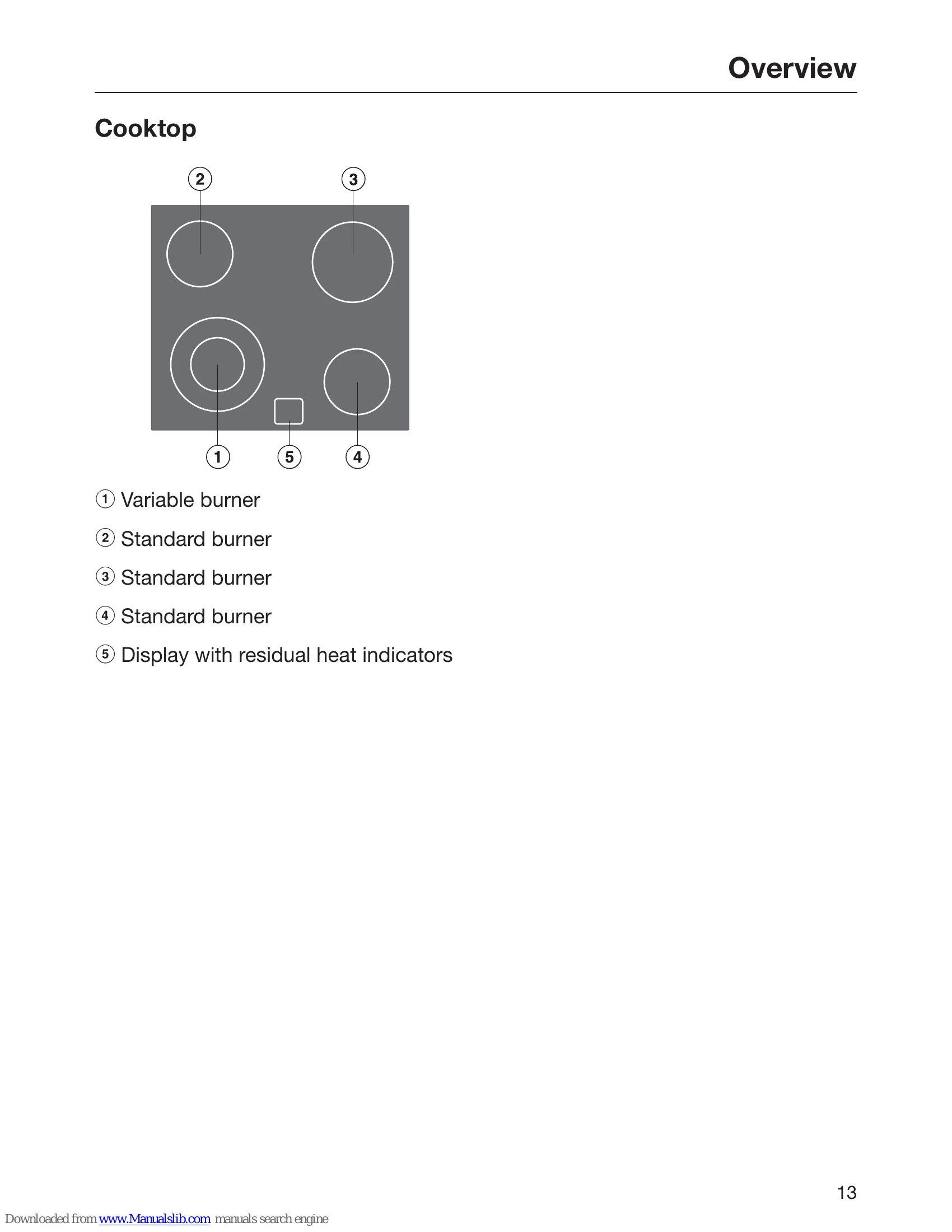
Residual Heat Indicator: Lights up when a burner is hot. Goes out when cooled. Note: Burner may still be hot even if indicator is off. Do not touch hot burners or place hot objects on residual heat indicator areas.
Second Heating Zones: For variable burners/casserole areas, turn knob clockwise past 12 to activate, then set power. Turn counter-clockwise to 0 to deactivate.
Overheat Protection: Automatically deactivates heating if burner overheats. Resumes when cooled. Triggered by: uncovered burner, empty cookware, incorrect pan placement, or poor heat conduction. Heat may cycle on/off at highest setting.
| Problem | Possible Cause | Solution |
|---|---|---|
| Cooktop is not working | Power supply interrupted | Check fuse or circuit breaker. |
| Burner not heating | Incorrect setting | Set power level correctly. |
| Residual heat indicator stays on | Burner is still hot | Allow to cool down completely. |
| Overheat protection repeatedly activates | Incorrect use (e.g. empty cookware, pan not flat) | Ensure correct use as per instructions. |
| Ceramic surface is damaged (chipped, cracked) | Physical damage | Immediately switch off, disconnect from power, and contact Miele. |