Brand: Miele
Category: Fridge-Freezer
Document Type: Manual
Language: EN
Brand: Miele
Category: Fridge-Freezer
Document Type: Manual
Language: EN
Uploaded: Nov. 21, 2025, 6:07 p.m.
None
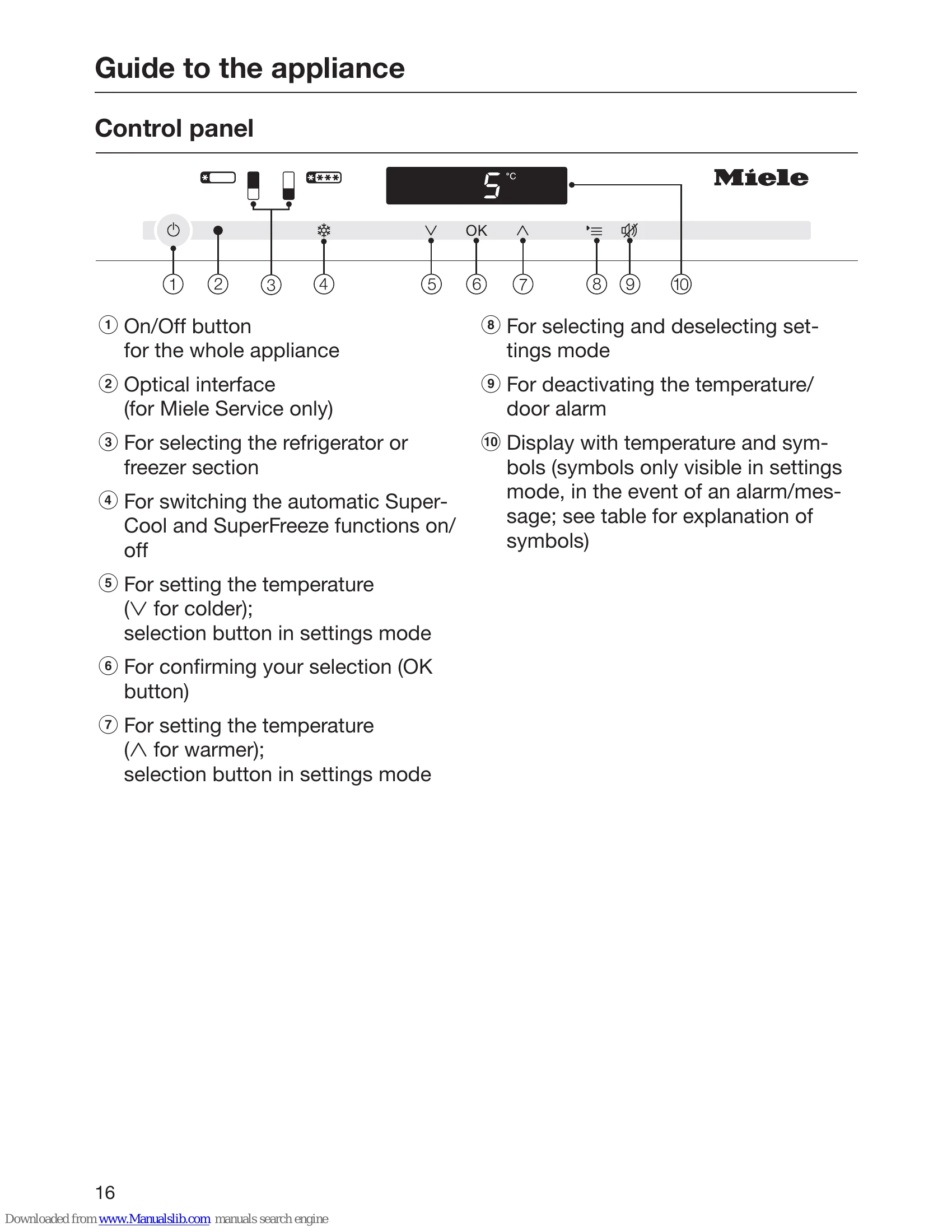
A light touch on the sensors is all that is required to operate this appliance. A tone will sound each time a sensor is touched. You can deactivate this if you wish (see "Selecting additional settings - Audible signals").
Once the appliance is connected to the electricity supply, the power supply symbol will soon appear on the display.

Touch the On/Off button.
The power connection symbol ℷ goes out and the appliance starts to cool down.
The sensor buttons for the available zones will appear on the control panel:

The Fridge Zone sensor button is highlighted in yellow and the current temperature in this zone appears on the display.
| Symbol | Meaning | Function |
|---|---|---|
| 🔒 | Safety lock | Prevents the user from unintentionally turning off the appliance, adjusting the temperature, turning on the automatic SuperCool/ SuperFreeze functions or entering settings |
| ♪♪ | Audible signals | Selection options for the button tone and the door and temperature alarm tone |
| ☼ | Display Brightness Settings | For adjusting the brightness of the display |
| ⚙️ | Carbon filter replacement indicator (Active AirClean) | This function must be activated after installing a carbon filter; it lights up to remind you to replace it |
| 🕧 | Sabbath Mode | For turning Sabbath mode on and off |
| 🔌 | Power supply | Confirms that the appliance is connected to the electricity supply when it is not switched on; flashes when there is a power outage |
| ⚠️ | Alarm | Lights up when there is a door alarm; flashes when there is a temperature alarm, power outage or other malfunctions |
| | Demo mode (only visible when Demo mode is active) | For turning off Demo mode |