Brief instructions
The headings numbered (1, 2, 3 ...) show the operating sequence and can be used as a brief guide to using your dryer.
- Sort the laundry
To ensure an even drying result separate out the washed laundry and sort it according to:
- the drying level required
- the type of fibre or weave
- size
- the moisture content after spinning.
Make sure that objects e.g. detergent dispensing balls have been removed from the laundry. They could melt, and cause damage to the dryer or the laundry.
- Check seams and stitching to ensure that padding and linings are intact.
- Fasten duvet covers and pillow cases to prevent small items from being trapped inside them.
- Fasten hooks and eyes etc.
- Tie fabric belts and apron strings.
- Sew in or remove underwiring from bras.
- Turn on the tumble dryer
Switch the dryer on by pressing the I-On/0-Off button in.
The tumble dryer may be switched on after loading, saving energy as the light will not come on.
- Load the tumble dryer
Press the Door button to open the door.
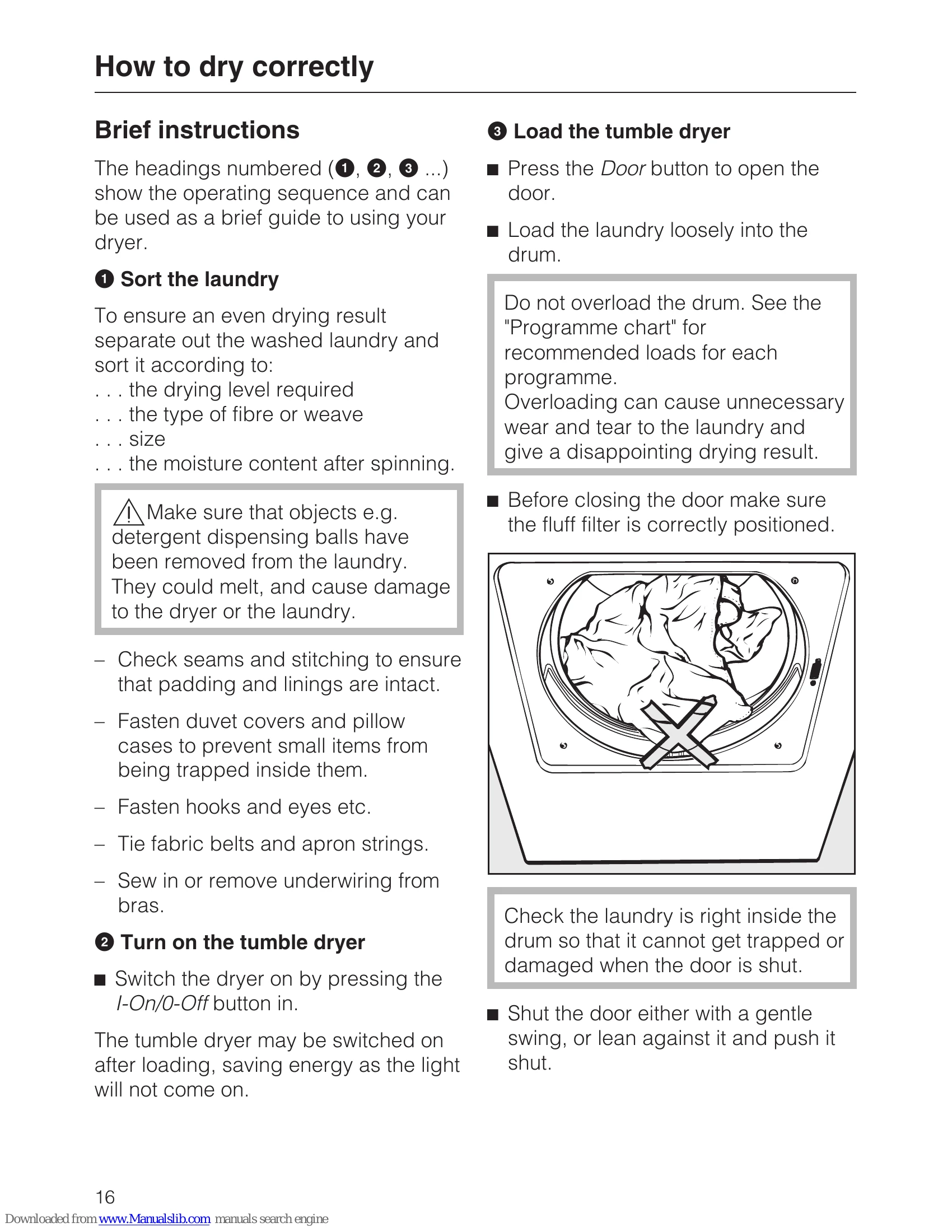
Load the laundry loosely into the drum.
Do not overload the drum. See the "Programme chart" for recommended loads for each programme.
Overloading can cause unnecessary wear and tear to the laundry and give a disappointing drying result.
Before closing the door make sure the fluff filter is correctly positioned.
Check the laundry is right inside the drum so that it cannot get trapped or damaged when the door is shut.
Shut the door either with a gentle swing, or lean against it and push it shut.
- Select a programme
Select the programme you want. The programme name will appear in the display.
Drying levels programmes
Cottons, Minimum iron, Delicates, Outdoor, Automatic+, Shirts, Denim
Press the left or right hand Menu button repeatedly until the drying level you want appears in the display. You can select different drying levels for individual programmes.
Important: Please note that the programme duration shown in the display will vary according to the programme selected (see "Programme duration/Estimated time remaining").
With the following programmes
Smoothing, Woollens handcare, Silks handcare, the duration cannot be changed.
Further programmes
Press the left hand Menu button under Continue repeatedly until the programme you want appears.
Confirm your selection of the programme by pressing the right hand Menu button under OK.
- Standard pillows, Large pillows: cannot be altered.
- Sportswear: Select a drying level as described previously.
- Basket programme: see below.
Select the duration of a timed drying programme
Press the Menu buttons under Increase or Decrease to lengthen or shorten the duration of the timed drying programmes.
- Cool air: 20 min - 1 h
- Warm air: 20 min - 2 h
- Basket programme*: 40 min - 2:30 h
* the Miele drying basket (optional accessory) must be used with this programme.
- Select any Extra options / Delay start
Select any extra options or delay start by pressing the appropriate button (see "Extra options" and "Delay start" for more details).
- Start the programme
The indicator light for the Start/Stop button will flash when a programme is being selected. The flashing indicates that a programme can be started.
Press the Start/Stop button.
The indicator light for the Start/Stop button will now light up constantly.
Drying will appear in the display and the time remaining will start counting down.
With programmes with drying levels, e.g. Machine iron, Hand iron etc. the drying level reached will be shown in the display later on.
Before the end of a programme
There is a cooling down phase at the end of the drying sequence: Cooling down will appear in the display. The programme is not finished until the cooling down phase has been completed.
Remove the laundry when the programme has finished
Anti-crease (if selected) and Finished will appear in the display to indicate that the programme has finished. The buzzer (if selected) will sound at intervals.
There is no anti-crease phase at the end of the the Woollens handcare programme.
The dryer has a standby mode: After the programme has finished, the display will go out and the indicator light for the Start/Stop button will start to flash slowly (see also "Settings menu Standby display" at the end of this booklet).
If the Anti-crease function has been selected, the drum will rotate at intervals to prevent laundry creasing. In this instance, the display going dark and the drum only rotating at intervals (standby mode) do not indicate a fault with the dryer.
Press the Door button to open the drum door.
Remove the laundry.
Check that all items have been removed from the drum. If items are left in the dryer, they could be damaged by overdrying when the dryer is next used.
If the dryer is switched on at the mains and the door is opened, the drum lighting will come on. It will go out a few minutes later to save energy.
Switch the dryer off by pressing the I-On/0-Off button.
Clean the fluff filters in the door and the door opening.
Close the door.
Empty the condensed water container (unless the dryer has been connected for external drainage).