Brand: Miele
Category: Tumble Dryer
Document Type: Manual
Language: EN
Brand: Miele
Category: Tumble Dryer
Document Type: Manual
Language: EN
Uploaded: Nov. 21, 2025, 8:26 p.m.
Miele cannot be held liable for damage caused by non-compliance with these Warning and Safety instructions.
Make sure that objects, e.g. detergent dispensing balls, have been removed from the laundry. They could melt and cause damage to the dryer or the laundry.
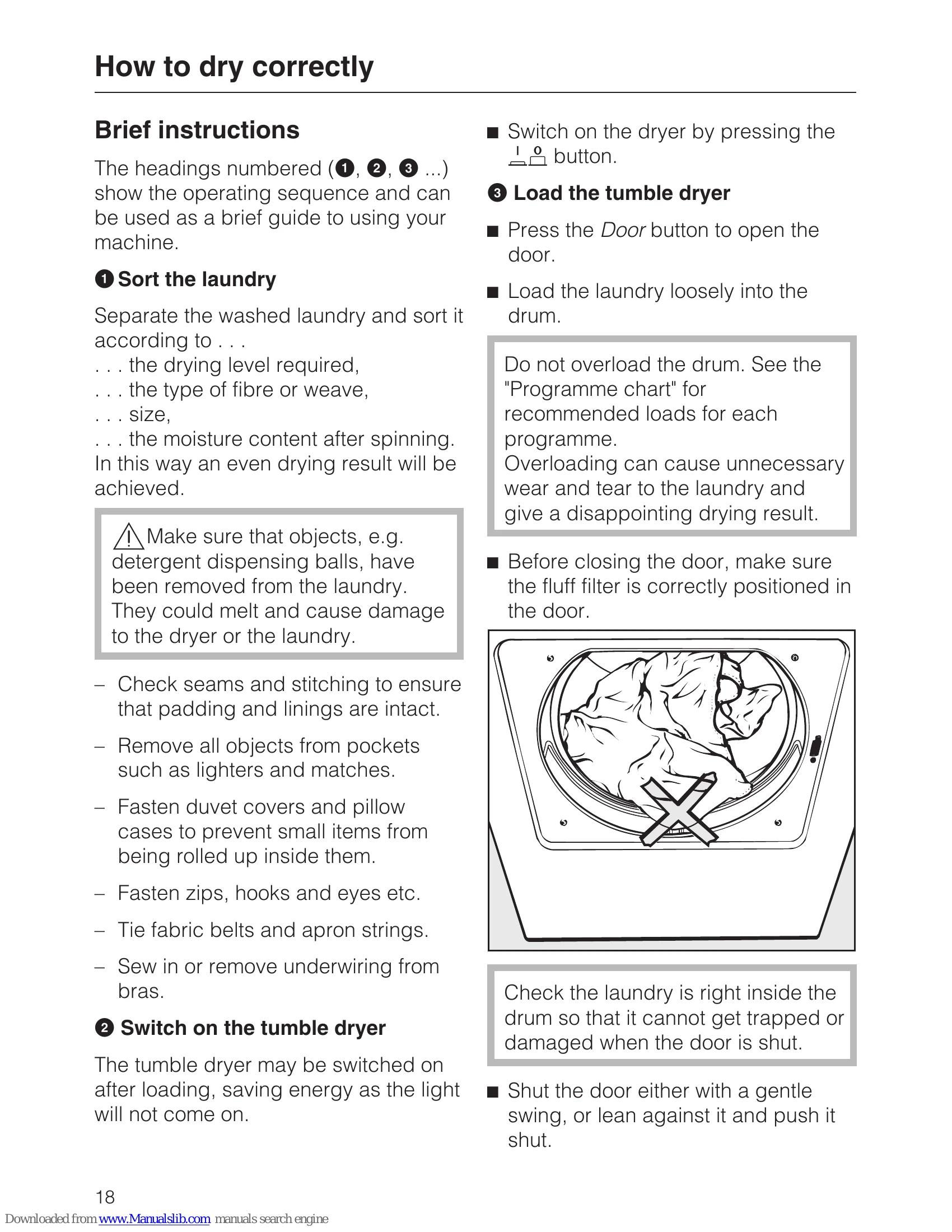
Do not overload the drum. See the "Programme chart" for recommended loads for each programme.
Overloading can cause unnecessary wear and tear to the laundry and give a disappointing drying result.


Note
You can extend the range of drying levels for some of the programmes (see "Programmable functions"). Woollens handcare, Gentle smoothing – this programme cannot be changed. Select Cool air/Warm air duration The indicator light for the Delay start button will flash when this function is selected.Perfect Dry only flashes/illuminates during programmes with drying levels. It remains dark during time controlled programmes (see "Operating the tumble dryer").
Note: The duration shown in the display is only an estimate and can change.
Before the end of a programme The heating phase is followed by a cooling down phase (Cooling down lights up). The programme is not finished until the cooling down phase has been completed. There is no cooling down phase with Woollens handcare.After the programme has finished, the drum will continue to rotate for 2 hours at intervals if the garments are not immediately removed. This reduces creasing.
There is no anti-crease with: Woollens handcare.
Check that all items have been removed from the drum. If items are left in the dryer, they could be damaged by overdrying when the dryer is next used.
If the dryer is switched on and the door is opened, the drum lighting will come on. It will go out a few minutes later to save energy.
Using the Cottons Normal Plus programme is recommended for a mixed cotton load and is the programme used in energy consumption tests to AS/NZS 2442 (Refer to www.energyrating.gov.au website for consumption data).
| Problem | Possible cause | Solution |
|---|---|---|
| The dryer does not switch on. | The appliance is not switched on. | Switch the dryer on. |
| The door is not closed correctly. | Close the door. | |
| The programme has not been selected. | Select a programme. | |
| The Start/Stop button has not been pressed. | Press the Start/Stop button. | |
| Power failure. | Check the mains fuse or circuit breaker. | |
| The programme does not start. | Delay start has been set. | Wait until the Delay start time has expired or cancel the Delay start. |
| The laundry has not been removed after the previous programme. | Remove the laundry. | |
| The fluff filters are clogged. | Clean the fluff filters. | |
| The condensed water container is full. | Empty the condensed water container. | |
| The condenser unit is dirty. | Clean the condenser unit. | |
| The dryer switches off during the programme. | The programme has finished. | The programme has finished. |
| Power failure. | Check the mains fuse or circuit breaker. | |
| The fluff filters are clogged. | Clean the fluff filters. | |
| The condensed water container is full. | Empty the condensed water container. | |
| The condenser unit is dirty. | Clean the condenser unit. | |
| The laundry is not dry. | The drying level has been set incorrectly. | Select a higher drying level. |
| The programme selected is unsuitable for the type of laundry. | Select a more intensive programme. | |
| The laundry has not been spun sufficiently. | Spin the laundry for longer. | |
| The load is too large. | Reduce the load size. | |
| The fluff filters are clogged. | Clean the fluff filters. | |
| The condenser unit is dirty. | Clean the condenser unit. | |
| The room temperature is too low. | Ensure the room temperature is between +2°C and +35°C. | |
| The laundry is creased. | The load is too large. | Reduce the load size. |
| The laundry has not been removed immediately after the programme finished. | Remove the laundry immediately after the programme has finished. | |
| The programme selected is unsuitable for the type of laundry. | Select a programme with an anti-crease phase. | |
| The fluff filters are clogged. | Clean the fluff filters. | |
| The condensed water container is full. | Empty the condensed water container. | |
| The condenser unit is dirty. | Clean the condenser unit. | |
| Unpleasant smell. | The laundry has not been washed thoroughly. | Wash the laundry again. |
| The dryer is dirty. | Clean the dryer. | |
| The dryer is noisy. | The dryer is not level. | Level the dryer. |
| There are foreign objects in the drum. | Remove foreign objects. | |
| The drum is overloaded. | Reduce the load size. | |
| The display shows a fault code. | Fault in the appliance. | Refer to the "Check and fault messages in the display" section. |