Brand: MITSUBISHI ELECTRIC
Category: Other
Document Type: Manual
Language: EN
Brand: MITSUBISHI ELECTRIC
Category: Other
Document Type: Manual
Language: EN
Uploaded: Nov. 21, 2025, 7:46 p.m.
None
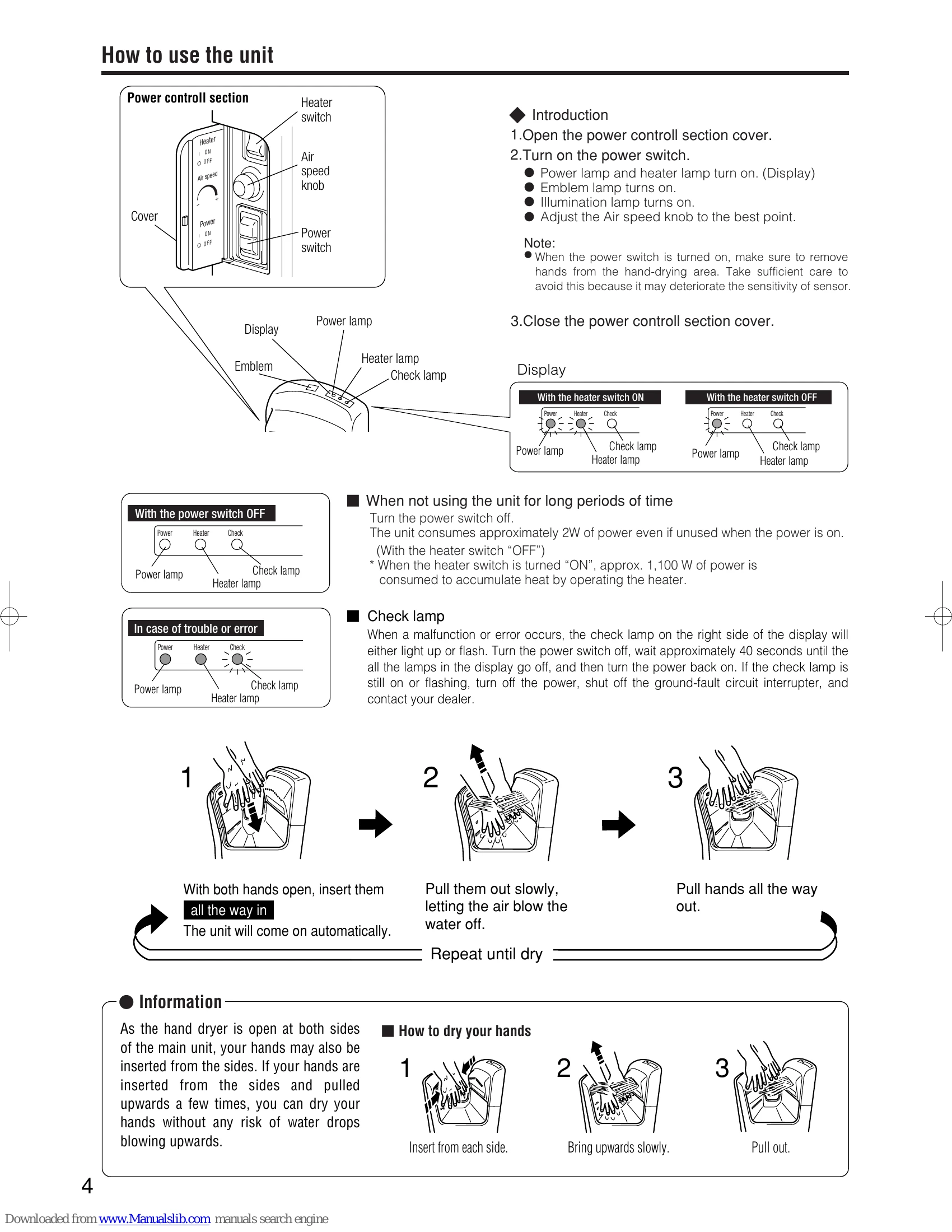
How to use the unit
How to dry your hands
| Problem | Check | Fix |
|---|---|---|
| No air blows even if hands are inserted | Are any lamps in the display on? Has a blackout occurred? Are you putting your hands in all the way? Hasn't the power switch been turned on while hands are inserted in the hand-drying area? Is the sensor blocked by dirt or dust? Isn't the black wall area fouled in white in the hand-drying area? | Turn the ground-fault circuit interrupter on. Turn the power switch on. Place hands all the way in. Turn OFF the power switch. After the power lamp at the display has turned off, remove foreign substances or fouling. Wait at least for 40 seconds and then turn the power switch to ON again. |
| Air does not stop blowing | N/A | N/A |
| No hot air comes out | Isn't the heater switch turned OFF? | Turn the heater switch to ON. |
| Check lamp is flashing | Any problems with the power supply will cause the lamp to go on or flash. | Turn the power switch off, check that all the lamps in the display have gone off (around 40 seconds), and then turn the power back on. |
| During initialization, smoke and odors emanate from the hot air outlet vent. | N/A | This is due to oil and dust accumulated on the heater burning, and is not a malfunction. |