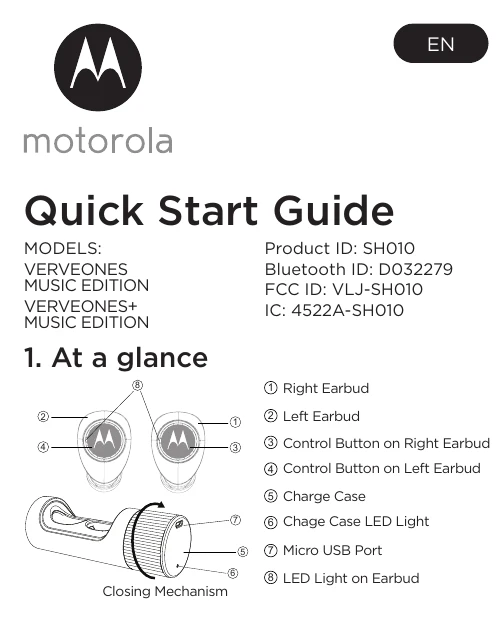
1. Charge the earbuds and case using the MicroUSB port. The LED lights indicate charging status.
2. Remove protective stickers before first use. Charge for 2 hours.
3. Take out the R Earbud (master), insert in right ear, and long press the control button to power on. Voice prompt: 'VerveOnes is ready to pair'.
4. Turn on Bluetooth on your device and select 'VerveOnes ME' or 'VerveOnes+ ME' to pair.
5. Take out the L Earbud (slave), wear, and long press to power on. It will automatically link with the R Earbud.
6. After first-time pairing, earbuds will auto-reconnect to the device when powered on and nearby.
7. Control playback, volume, calls, and voice commands using the buttons on the earbuds.
8. Download the 'Hubble Connect for VerveLife' app for additional features like last connected location and help.