Manual for VerveCam

Manual for VerveCam

Brand: Motorola

Category: Body Worn Camera

Document Type: Manual

Language: EN
Uploaded: Nov. 21, 2025, 8:06 p.m.

Warranty Information

This limited warranty covers the product for one year for consumer products and ninety days for accessories, covering defects in materials and workmanship.

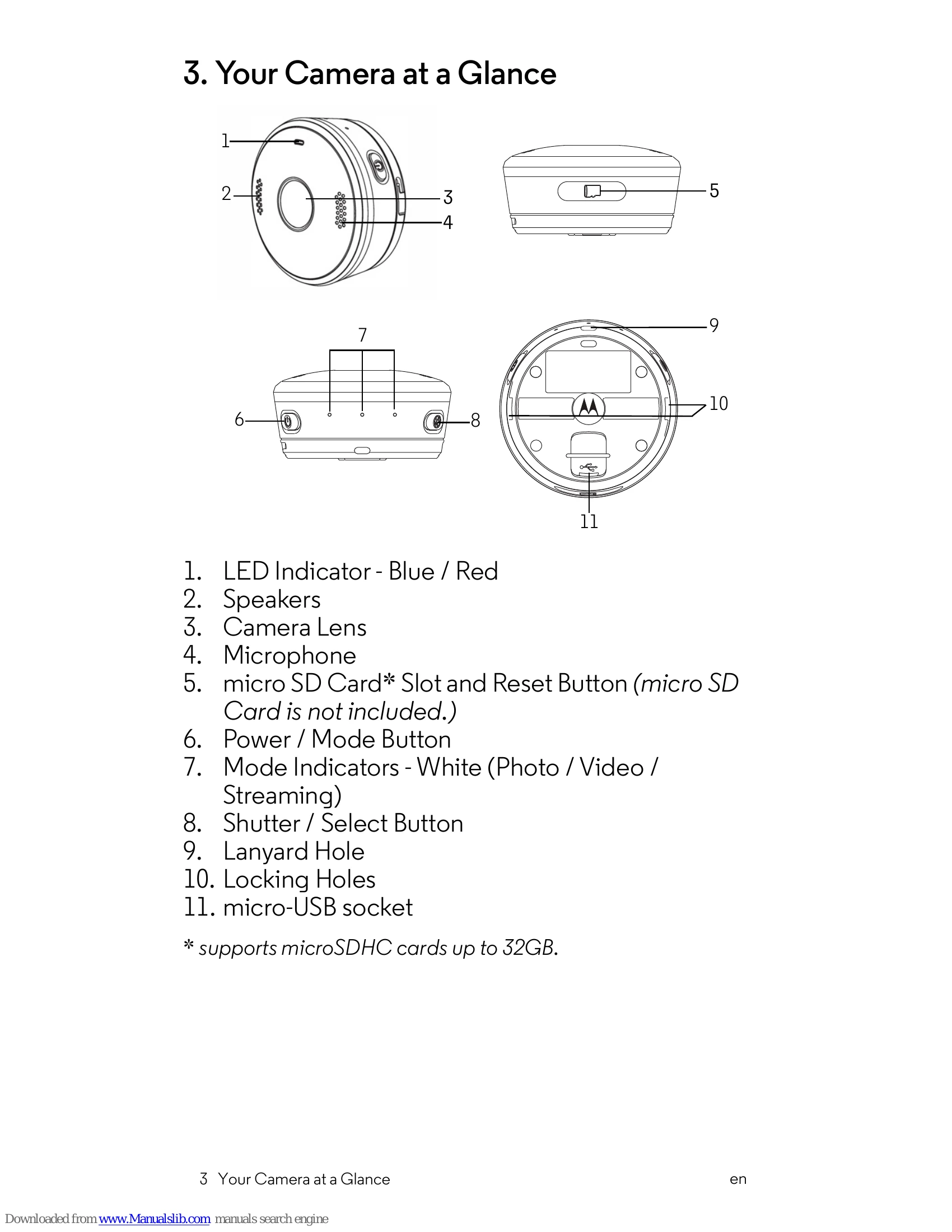
Charging: Connect the power adapter to an electrical outlet and insert the plug into the micro-USB socket. The LED indicator lights up red while charging and goes off when fully charged. It takes about 6 hours for the first full charge.
Powering On/Off: Hold the POWER/MODE button for 3 seconds. The LED indicator lights up blue when on.
Taking Photos: Switch to photo mode using the POWER/MODE button (white camera icon). Press the SHUTTER/SELECT button to take a photo.
Recording Videos: Switch to video mode using the POWER/MODE button (white video camera icon). Press the SHUTTER/SELECT button to start recording. Press again to stop.
Connecting to App: Download and install the Hubble Connect for VerveCam app. Open the app and follow instructions to connect using the Camera ID and default password (00000000).

Troubleshooting and error codes

Function Setting
Photo 4MP 133+- 3 degree FOV
Video 2560 x 1440 @ 30fps
Streaming Streaming: 1280 x 720 @30fps / Video recording: OFF
Time Lapse Interval: 5sec / Duration: 60 mins
Loop Recording 5 mins
Connection WiFi: OFF; BLE: ON
Privacy Policy