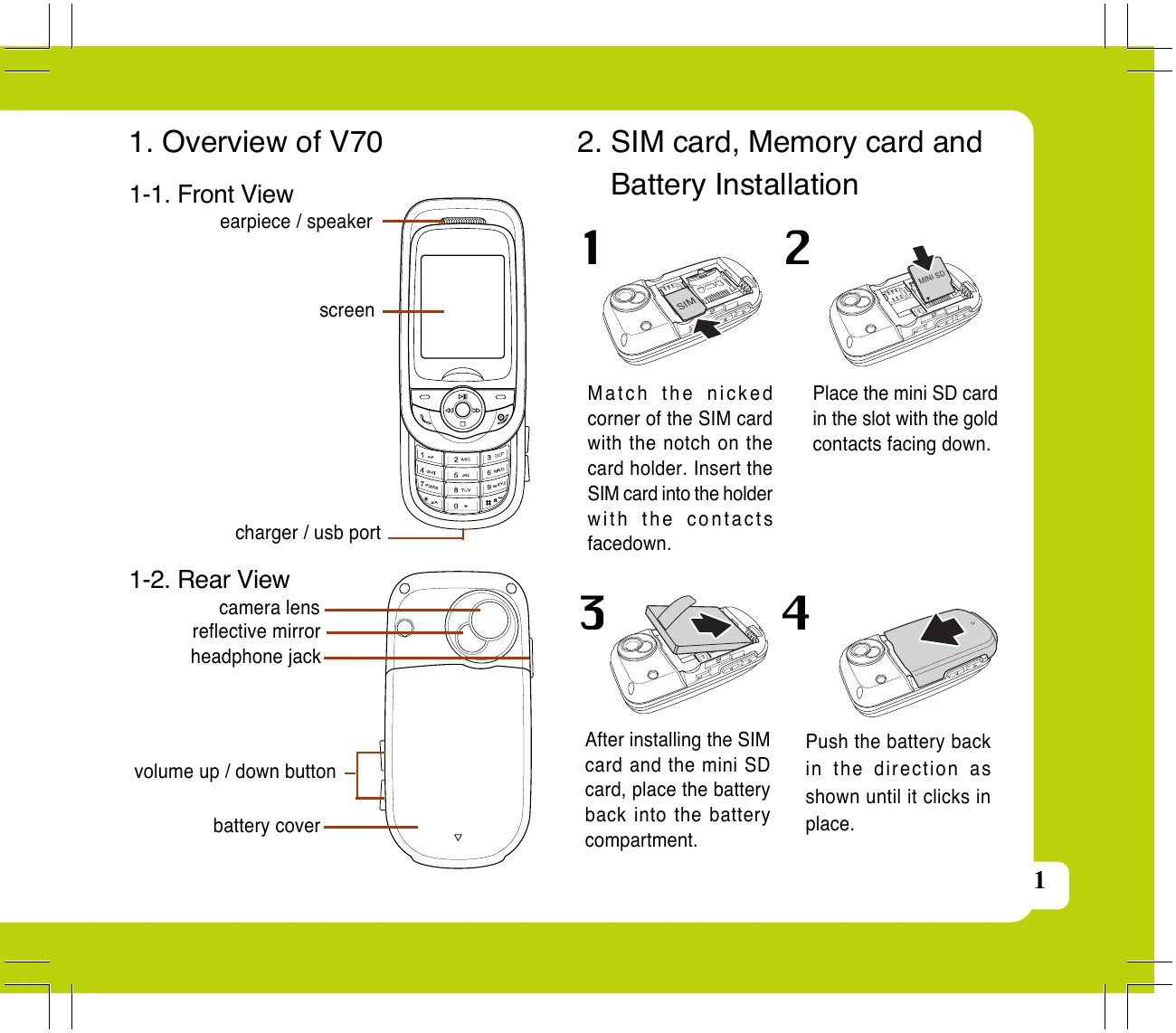
1. **SIM Card, Memory Card, and Battery Installation:** Insert SIM and mini SD cards into designated slots. Place the battery into the compartment, ensuring it clicks into place.
2. **Battery Charging:** Ensure the battery is installed, then connect the charger to the phone's bottom port and then to the wall outlet.
3. **Main Menu Navigation:** From standby mode, press the right soft key to enter the main menu. Use navigation keys to select icons and press OK to select items. Power/End key exits menus.
4. **Making a Call:** Slide open the phone, enter the number, and press the call key. Store numbers to the phone book after dialing by pressing the store key.
5. **Receiving a Call:** Press the answer key when a call comes in. Calls can be answered by any key if configured in User Profile settings.
6. **Settings:** Access settings via the Main Menu to configure Date/Time, Wallpaper, User Profiles, Tone Settings, and more.
7. **SMS/MMS:** Compose and send SMS and MMS messages through the Messages menu. Attach images and audio to MMS messages.
8. **Audio Player:** Play MP3 music files via the Multimedia > Audio Player option. Adjust volume and navigate through songs.
9. **Camera:** Capture photos by entering Multimedia > Camera and pressing the capture key.
10. **Video Recording:** Record videos by entering Multimedia > Video Recorder and pressing the record key. Pause, continue, stop, and save videos as needed.