Brand: Motorola
Category: Telephone
Document Type: Manual
Language: EN
Brand: Motorola
Category: Telephone
Document Type: Manual
Language: EN
Uploaded: Nov. 21, 2025, 7:50 p.m.
This product comes with a 1-year warranty for consumer products and 90 days for accessories.
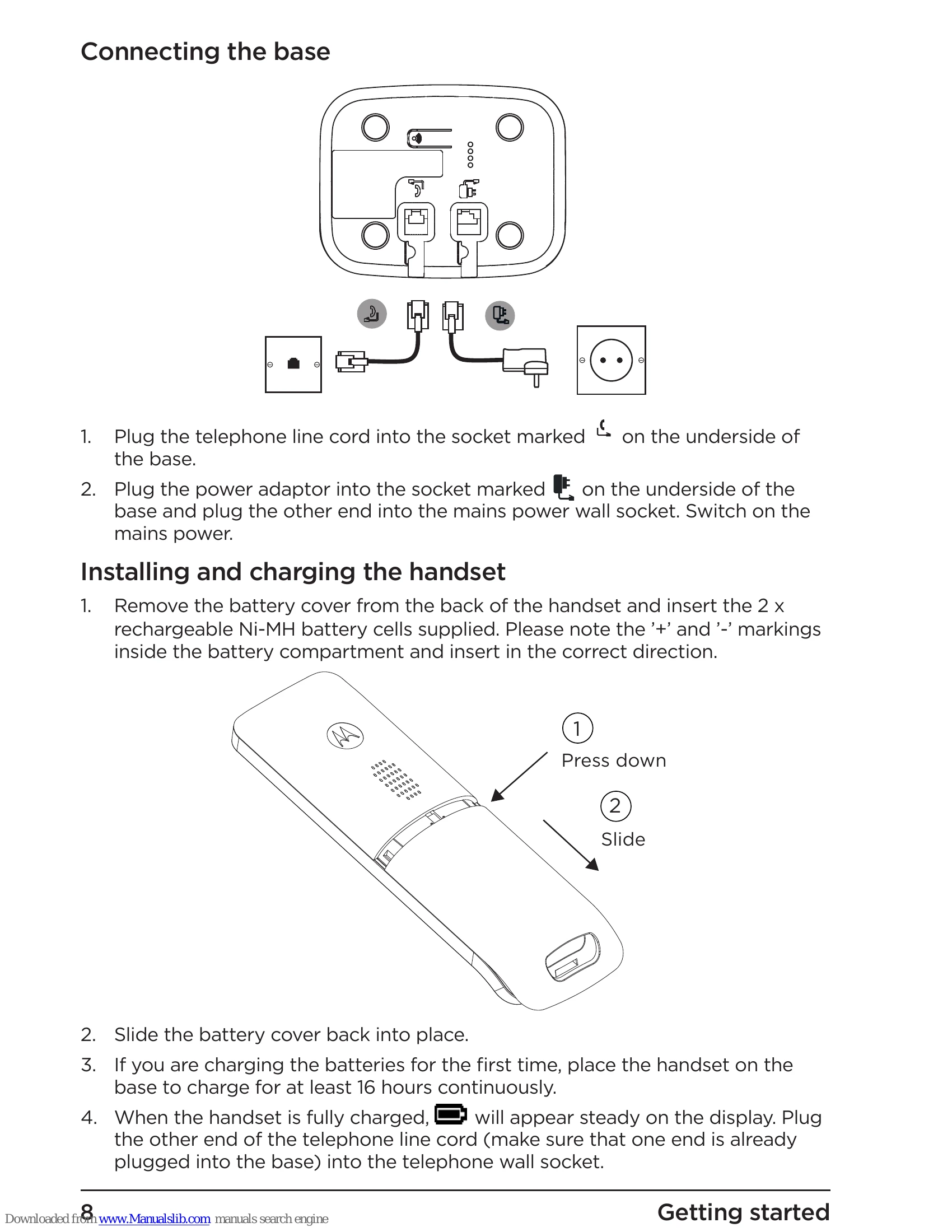
1. Connect the base station to the power outlet and telephone line.
2. Install rechargeable batteries in the handset.
3. Charge the handset for at least 16 hours.
4. Set the date and time if Caller ID is not automatically set.
Making Calls: Press the call button, dial the number, and press call again. To end a call, press the end button or place the handset on the base.
Answering Calls: Press the call button when the phone rings.
Volume Control: Use the scroll buttons during a call to adjust volume.
Phonebook: Access via the 'Names' menu to store and retrieve contacts.
Settings: Customize ringtones, volume, and other preferences via the 'Settings' menu.
| Problem | Solution |
|---|---|
| No dial tone | Check line cord connection, mains power, and ensure only supplied cords are used. |
| No display | Check batteries, ensure handset is switched on, reset base by removing batteries and power. |
| Icon flashes | Handset is out of range, move closer. Ensure handset is registered and mains power is connected. |
| Keypad does not work | Check if keypad lock is on. |
| Icon not scrolling during charge | Adjust handset on base, clean charging contacts, check mains power. |
| No Caller ID | Check subscription with network operator, ensure number is correctly stored in phonebook with area code. |
| Forgotten PIN | Reset handset by removing battery and holding '*' button, then replacing battery and pressing OK. PIN defaults to 0000. |
| Cannot register handset | Ensure batteries are charged, PIN is correct, and you are close to the base. You may need to de-register a handset if 4 are already registered. |
| Handset does not ring | Check if handset ringer volume is set to Off. |
| Noise interference | Place the phone at least 1 metre away from electrical appliances or metal obstructions. |