Brand: Motorola
Category: Telephone
Document Type: Manual
Language: EN
Brand: Motorola
Category: Telephone
Document Type: Manual
Language: EN
Uploaded: Nov. 21, 2025, 6:58 p.m.
Motorola branded products have a 2-year warranty for consumer products and 90 days for accessories.
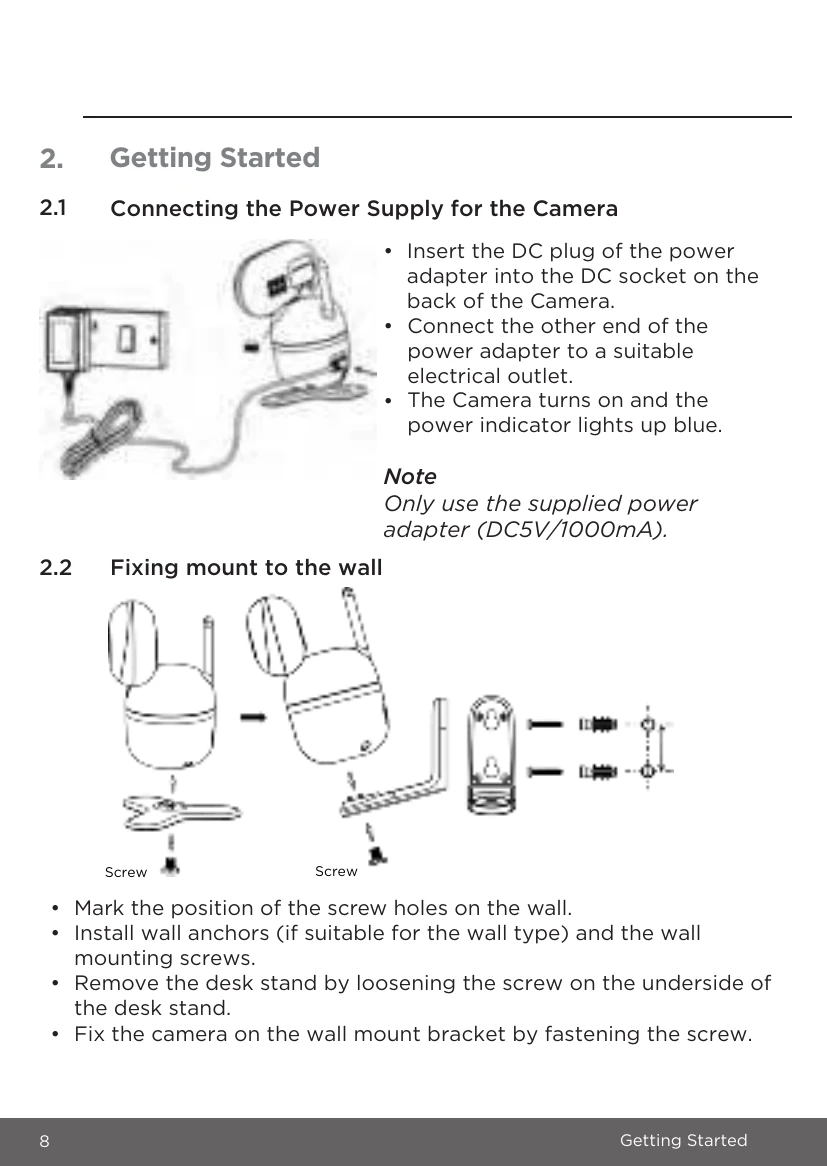
Setting Up: Place the Camera in a convenient location (e.g., on a table) and point the camera lens towards the area you want to monitor. Ensure the camera is not within the baby's reach.
Night Vision Mode: The camera automatically activates 8 infrared LEDs to provide clear images in the dark when low ambient light is detected.
Talk Mode: Use the Motorola Nursery app on your smartphone to speak to your baby through the camera's built-in speaker.
Pan and Tilt: Remotely control the camera's viewing angle using the Motorola Nursery app.
Lullaby, Audio Book and Personal Sound Recording: Play lullabies, audio books, or your own recordings through the camera's speaker via the app.
Temperature Display: Monitor the room temperature using the sensor on the back of the camera, displayed in the Motorola Nursery app.
| Issue | Possible Solution |
|---|---|
| Fail to pair with your Wi-Fi router |
|
| Noise interference on your device |
|
| Lost connection |
|
| Forgot the password | Tap 'Forgot Password' in the app and submit your email address for a password reset. |