Manual for Dterm Cordless II

Manual for Dterm Cordless II

Brand: NEC

Category: Cordless Telephone

Document Type: Manual

Language: EN
Uploaded: Nov. 21, 2025, 7:47 p.m.

Manual Publish Date: 2001-01-01

Warranty Information

None

Making a Call

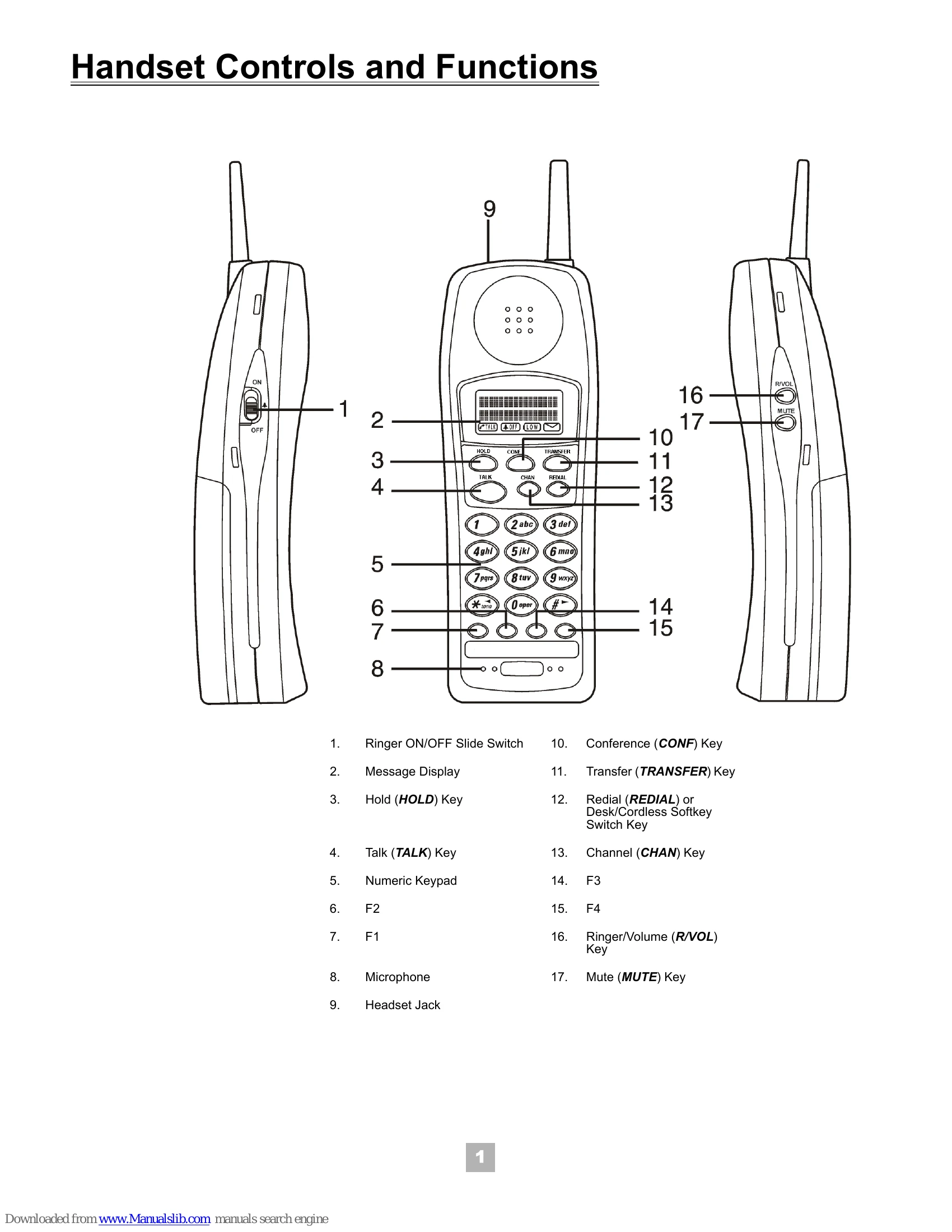
  1. Lift handset or press TALK.
  2. Enter number when dial tone is heard.
  3. Press TALK to disconnect.

Receiving a Call

  1. Lift handset or press any key when ringing.
  2. Press F1-F4 to establish connection if needed.
  3. Press TALK to disconnect.

Holding a Call

  1. Press HOLD during a call.
  2. Press the associated line key (F1~F4) to return.

Transferring a Call

  1. Press TRANSFER during a call.
  2. Dial transfer destination number.
  3. Wait for answer (optional).
  4. Press TALK to complete.

Muting

  1. Press MUTE during conversation. 'TALK' icon blinks.
  2. Press MUTE again to cancel.

Conferencing

  1. Press CONF during a conversation.
  2. Dial number for second party.
  3. Press CONF again to establish 3-party conference.

Volume Control

Press R/VOL during conversation for receiver volume. In standby, press R/VOL for ring tone/volume.

Troubleshooting and error codes

Problem Possible Cause Solution
No dial tone Handset not connected to base unit. Check connection.
Cannot make or receive calls Out of range. Move closer to base unit.
Cannot make or receive calls No service. Check line connection.
Low battery Battery needs charging. Place handset on charging unit.
Privacy Policy