Placing Outside Calls
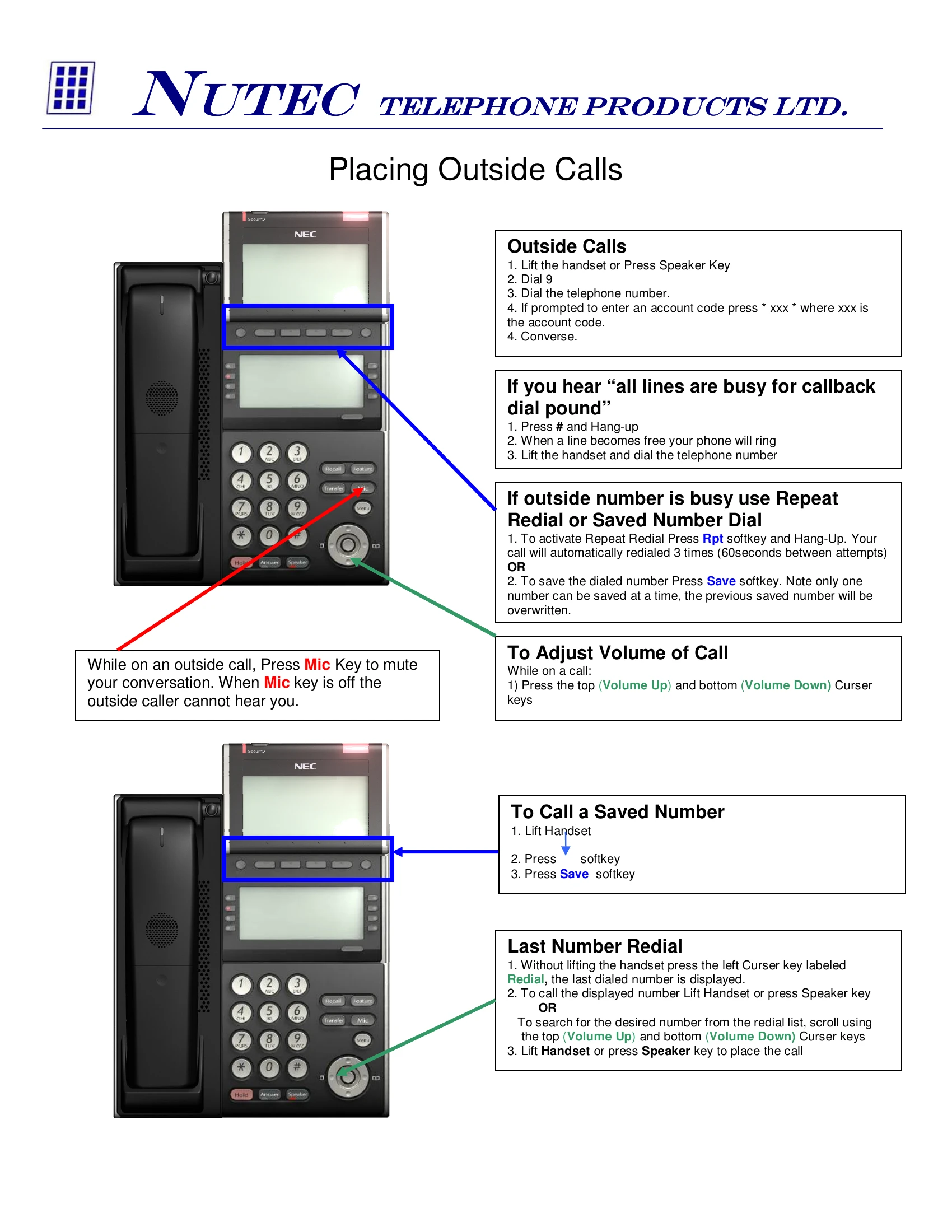
Lift handset or press Speaker Key, dial 9, then the telephone number. If prompted for an account code, press * xxx *.
Handling Busy Lines
If all lines are busy, press # and hang up. The phone will ring when a line is free. Lift the handset and dial the telephone number.
Repeat Redial or Saved Number Dial
Press Rpt softkey and hang up for automatic redial 3 times. To save a number, press Save softkey.
Adjusting Call Volume
While on a call, use the top (Volume Up) and bottom (Volume Down) cursor keys.
Muting Microphone
Press the Mic Key to mute your conversation. The outside caller will not hear you.
Answering Incoming Calls
Lift handset or press Speaker key. Notice the Green LED on the CAP key.
Answering a Second Incoming Call
While on a call, press the Answer key. The original call is placed on hold.
Answering a Co-Worker's Call
Lift handset or press Speaker key, dial ** followed by the co-worker's extension.
Personal Hold
With a call in progress, press the Hold key and hang up. Notice the Green LED flashing on the CAP key. To pick up, press the flashing CAP key.
Park and Page
With a call in progress, press Park key, then InPg softkey, then 1 (for page zone 1). Announce page and hang up.
Transferring Calls
With a call in progress, press the Transfer key, dial the station number, announce the call (optional), and replace the handset.
Retrieving a Call from Park
Lift Handset and press Park Key, then Converse. Or, press the Park P.U. softkey, dial the 2-digit park zone (01-64), then Converse.