Brand: NEC
Category: Cordless Telephone
Document Type: Manual
Language: EN
Brand: NEC
Category: Cordless Telephone
Document Type: Manual
Language: EN
Uploaded: Nov. 21, 2025, 7:24 p.m.
Manual Publish Date: 2004-01-01
None
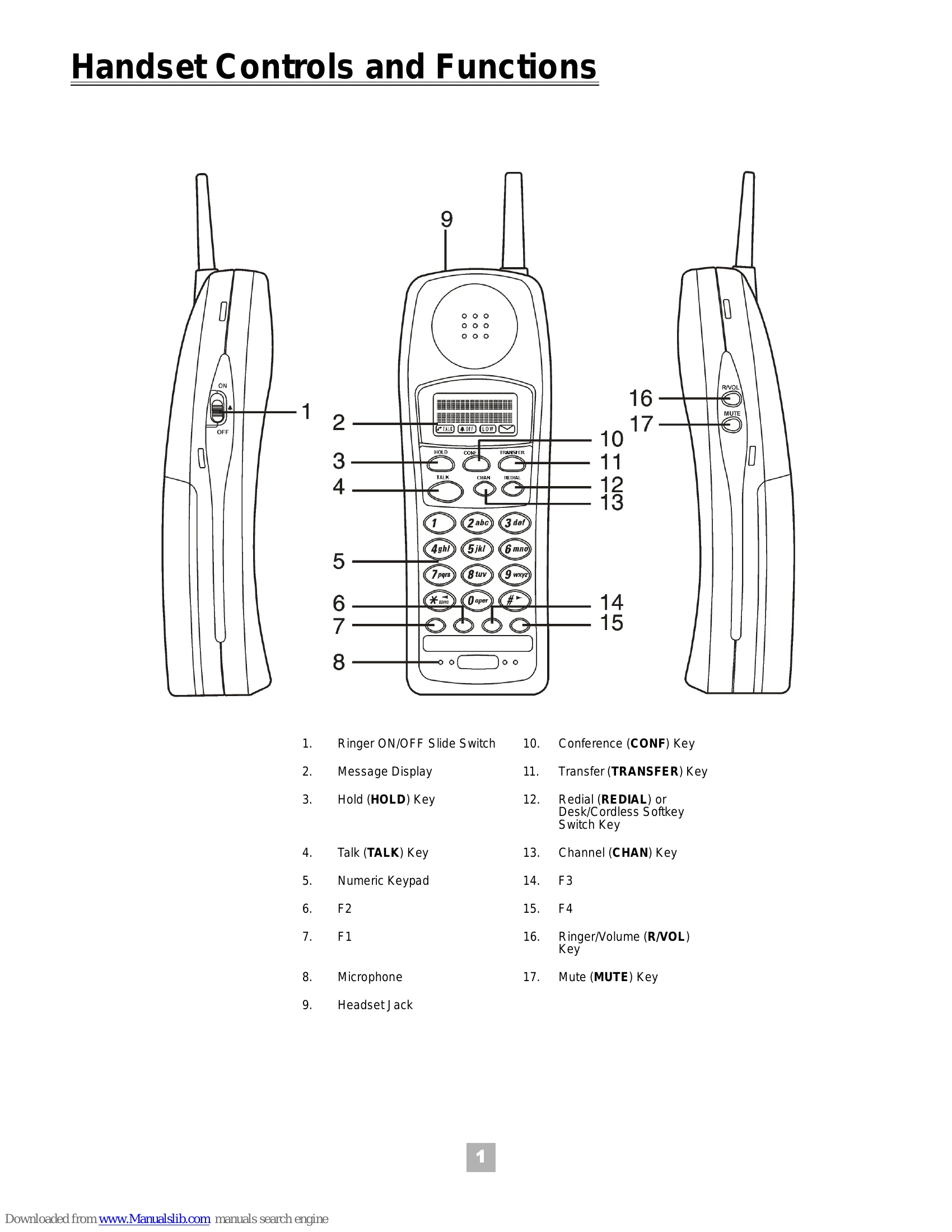
1. Lift the handset and/or press TALK. 'AQUIRING LINK' blinks while connecting. The 'Talk' icon appears when connected.
2. Enter the number when dial tone is heard. The number dialed appears on the display.
3. To disconnect, press TALK and replace the handset to the charging unit.
1. While the telephone is ringing, lift the handset and/or press any key.
2. 'AQUIRING LINK' blinks while connecting. Press F1-F4 to establish connection. 'TALK' icon appears, and the calling party's number may appear.
3. To disconnect, press TALK and replace the handset to the charging unit.