Brand: NEC
Category: Cordless Telephone
Document Type: Manual
Language: EN
Brand: NEC
Category: Cordless Telephone
Document Type: Manual
Language: EN
Uploaded: Nov. 21, 2025, 7:20 p.m.
Manual Publish Date: 2016-10
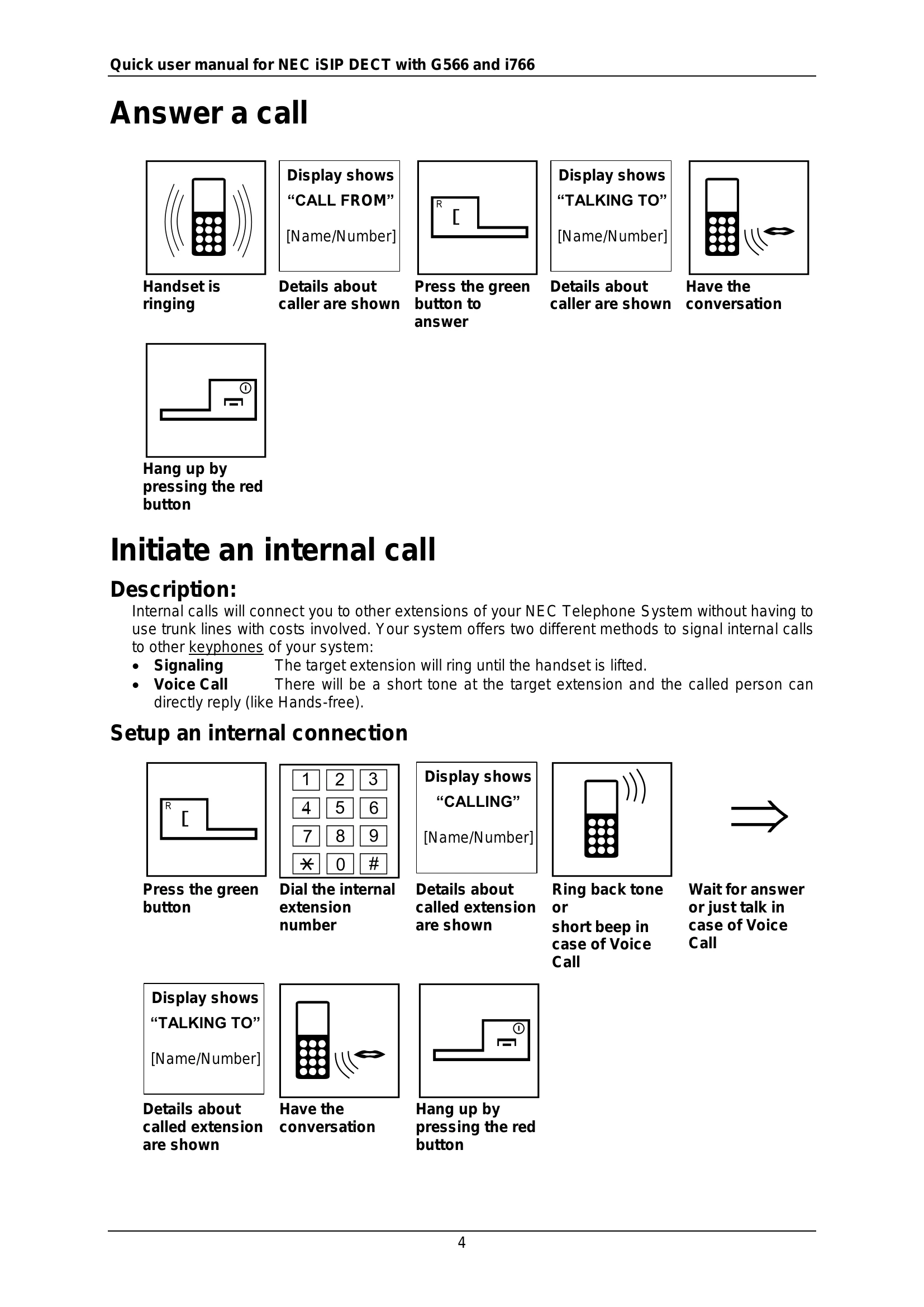
When the handset rings, the display shows "CALL FROM". Press the green button to answer. The display then shows "TALKING TO". To hang up, press the red button.
Press the green button, then dial the internal extension number. The display will show "CALLING". Once answered, the display shows "TALKING TO". Hang up by pressing the red button.
Several methods are available:
To redial the last number, press the green button and dial service code 816. To delete the last number memory, press the green button and dial service code 876.
While in a call, press the Park key to place the call on hold. To retrieve the call, press the Park key again.
For screened transfer, press the Park key, dial the target extension, announce the transfer, and press the "Transfer" softkey. For unscreened transfer, press the Park key, dial the target extension, and press the "Transfer" softkey. The call will ring the target extension.