Brand: NEC
Category: Laptop
Document Type: Manual
Language: EN
Brand: NEC
Category: Laptop
Document Type: Manual
Language: EN
Uploaded: Nov. 21, 2025, 6:29 p.m.
Manual Publish Date: 1996-09-01
NEC Corporation warrants products according to the terms of the Warranty Statement accompanying each product.
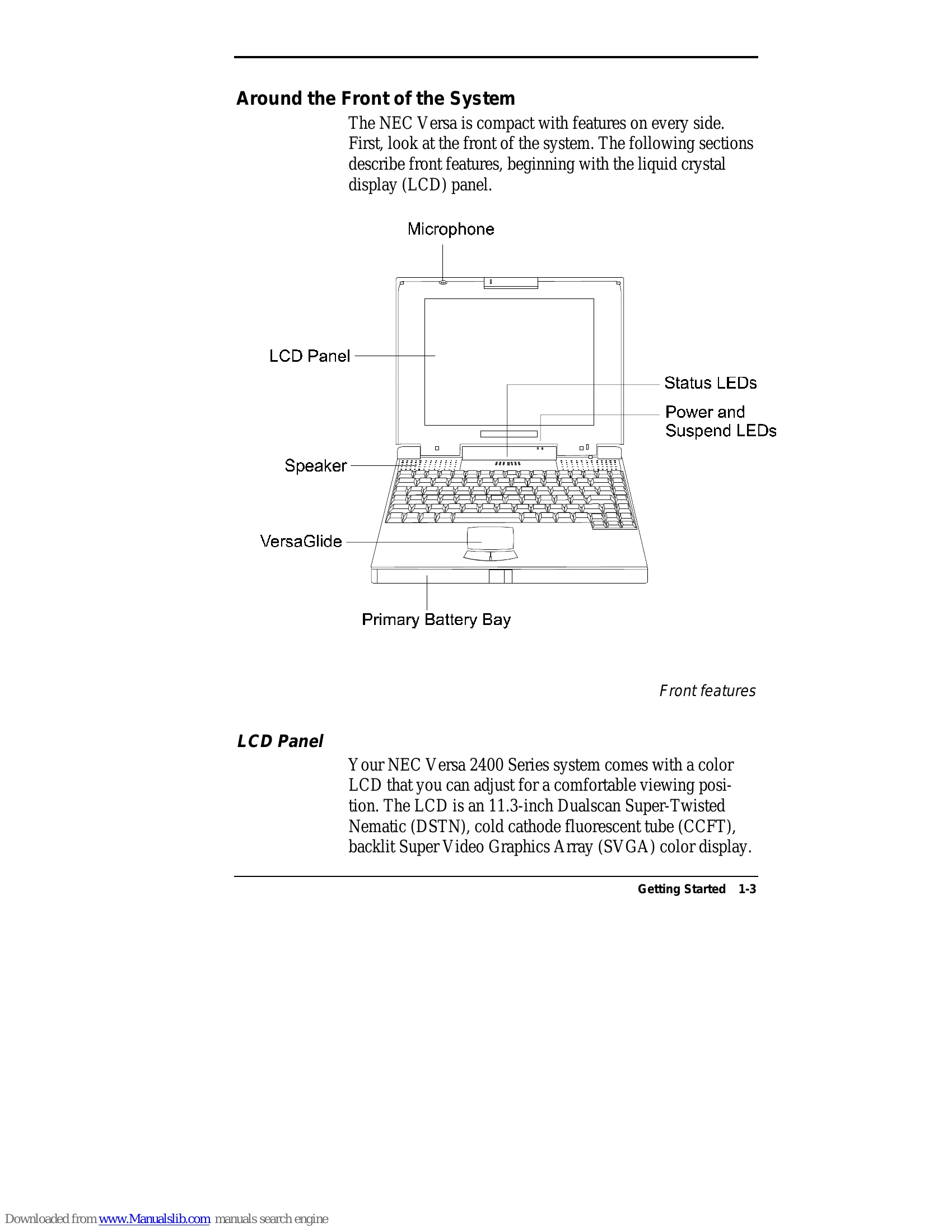
This guide provides information to maximize the use of your NEC Versa 2400 Series notebook computer. It covers system hardware, software, setup and power management, features and functionality, multimedia, travel tips, and problem-solving.
| Problem Checklist |
|---|
| Turn off the computer and wait 5 seconds before turning it back on. |
| Use a pointed object to push the Reset button if the system locks up. |
| Refer to POST Error Messages for troubleshooting. |
| Contact NEC support if you need assistance. |