Brand: NEC
Category: Laptop
Document Type: Manual
Language: EN
Brand: NEC
Category: Laptop
Document Type: Manual
Language: EN
Uploaded: Nov. 21, 2025, 8:56 p.m.
Manual Publish Date: 1999-05-01
None
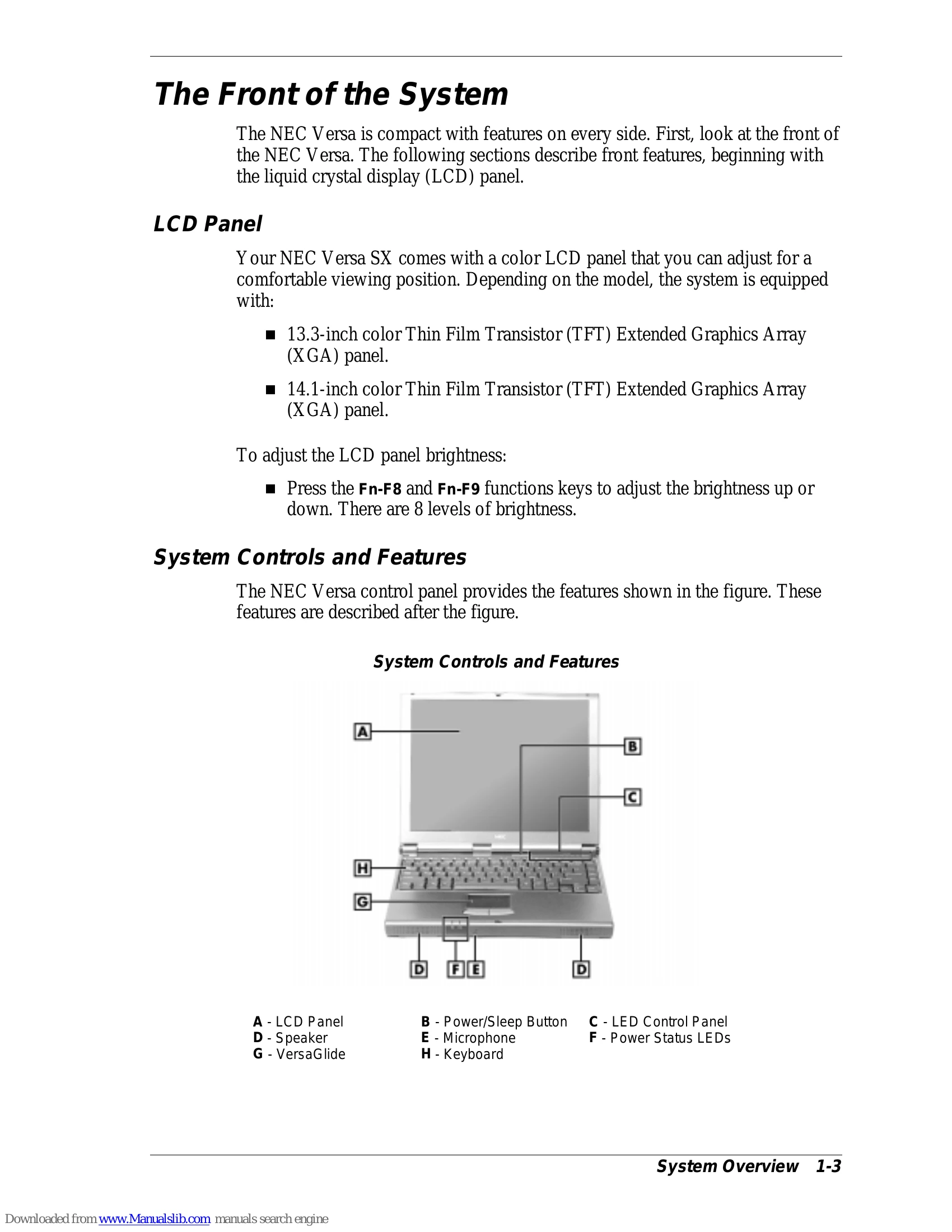
The NEC Versa SX is a portable computer designed for home, business, or travel. It features a powerful Intel Pentium processor, PCI architecture, a high-performance hard disk drive, and support for various drives like diskette, SuperDisk, and CD-ROM or DVD. The system is equipped with a color LCD panel, adjustable brightness, and various controls and features on the front, back, left, and right sides. The bottom of the system houses the battery and memory expansion bay.
This section covers power sources (AC adapter, main battery), battery status and handling, and BIOS setup. It details how to enter BIOS setup, navigate its menus, and configure system parameters. It also guides users through updating the BIOS and utilizing NEC CSD utilities for customization. Software applications and drivers can be installed from the provided CD-ROM.
Provides instructions for disassembling and reassembling the NEC Versa SX. It lists required tools and details the steps for removing and replacing components such as the battery, hard drive, keyboard, LCD panel, and main board.
Illustrates the layout of the system board, LED status board, and VersaGlide assembly.
Details a breakdown of the parts of the NEC Versa SX.
Offers guidance on cleaning the notebook's exterior and interior, protecting disk drives, handling the battery pack, and maintaining LCD quality.
Provides quick troubleshooting steps and helpful questions to address common issues.
Lists contact information for NEC CSD services, including web site, FTP site, email/fax, bulletin board, and customer assistance center.
Includes details on system components, pin assignments, connector locations, memory map, and interrupt controllers.