Manual for e101

Manual for e101

Brand: NEC

Category: Mobile Phone

Document Type: Manual

Language: EN

Uploaded: Nov. 21, 2025, 6 p.m.

Warranty Information

Contact your service provider for warranty information.
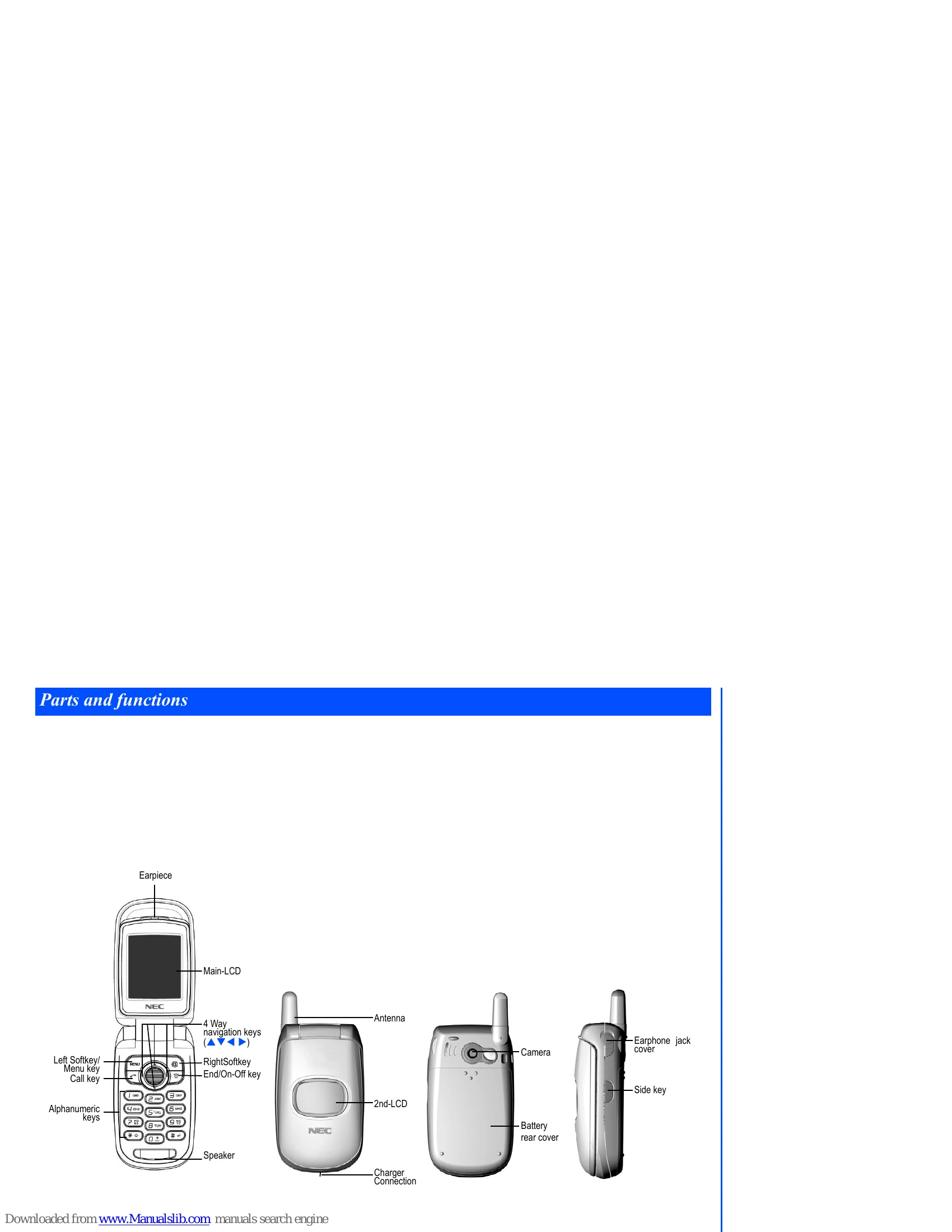
  • Powering On/Off: Press and hold the power key for at least two seconds.
  • Inserting SIM Card: Ensure the phone is off, remove the rear cover and battery, slide the SIM card into the holder, and reassemble.
  • Charging Battery: Connect the charger to the phone and a power socket. The battery icon will animate during charging.
  • Basic Calls: Dial numbers using the keypad and press the Call key. Use navigation keys and softkeys to manage calls, lists, and menus.
  • Messaging: Access SMS, EMS, and MMS functions from the Main Menu.
  • Phonebook: Store and manage contacts. Access via Main Menu > Phonebook or shortcut key.
  • Settings: Customize phone features like sound, display, and network via Main Menu > Settings.
Privacy Policy