Manual for ME403U/ME423W/ME383W/MC423W/MC393W/ME453X/MC453X

Manual for ME403U/ME423W/ME383W/MC423W/MC393W/ME453X/MC453X

Brand: NEC

Category: Other

Document Type: Manual

Language: EN
Uploaded: Nov. 21, 2025, 7:08 p.m.

Warranty Information

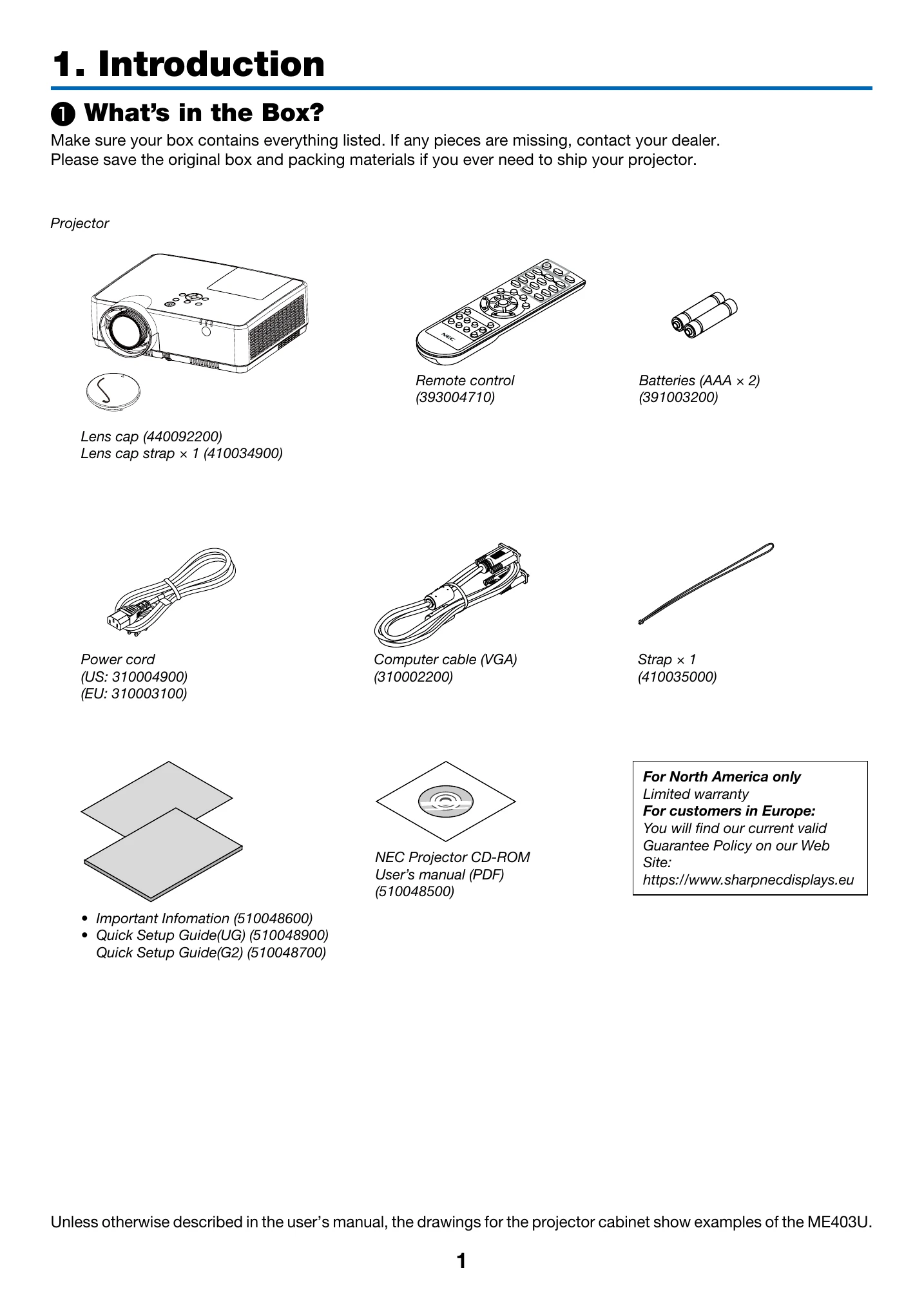
Limited warranty for North America. For Europe, check the website for Guarantee Policy.

1. **Connect your computer:** Connect the computer cable (VGA) between the projector’s COMPUTER IN terminal and the computer’s port. 2. **Connect the power cord:** Plug the projector’s power cord into the AC IN terminal and then into the wall outlet. The power indicator will start blinking orange. 3. **Turn on the projector:** Remove the lens cap. Press the POWER button on the projector or remote control. The POWER indicator will blink and the projector will be ready to use. 4. **Select a source:** Press the INPUT button to automatically search for input sources, or use the remote control buttons (Computer, HDMI1, HDMI2, etc.) to select the input source. 5. **Adjust picture size and position:** Use the adjustable tilt foot, zoom lever, and focus ring to adjust the image. 6. **Turn off the projector:** Press the POWER or STANDBY button. Confirm the power off message by pressing ENTER or the POWER/STANDBY button again.

Troubleshooting and error codes

POWER STATUS LAMP Projector status Procedure
Off Off Off Power is off
Orange (Blink) Off Off Standby(Normal)
Orange (Blink) Off Off Standby(Network)
Orange (Blink) Off Off Standby(Sleep)
Green (Blink) Off Off Cooling
Green Off Off Power Save Standy
Blue Off Green Lamp ON(Lamp Normal)
Blue Off Green (Blink) Lamp ON(Lamp ECO)
Blue (Blink) Off Off Warm Up
Privacy Policy