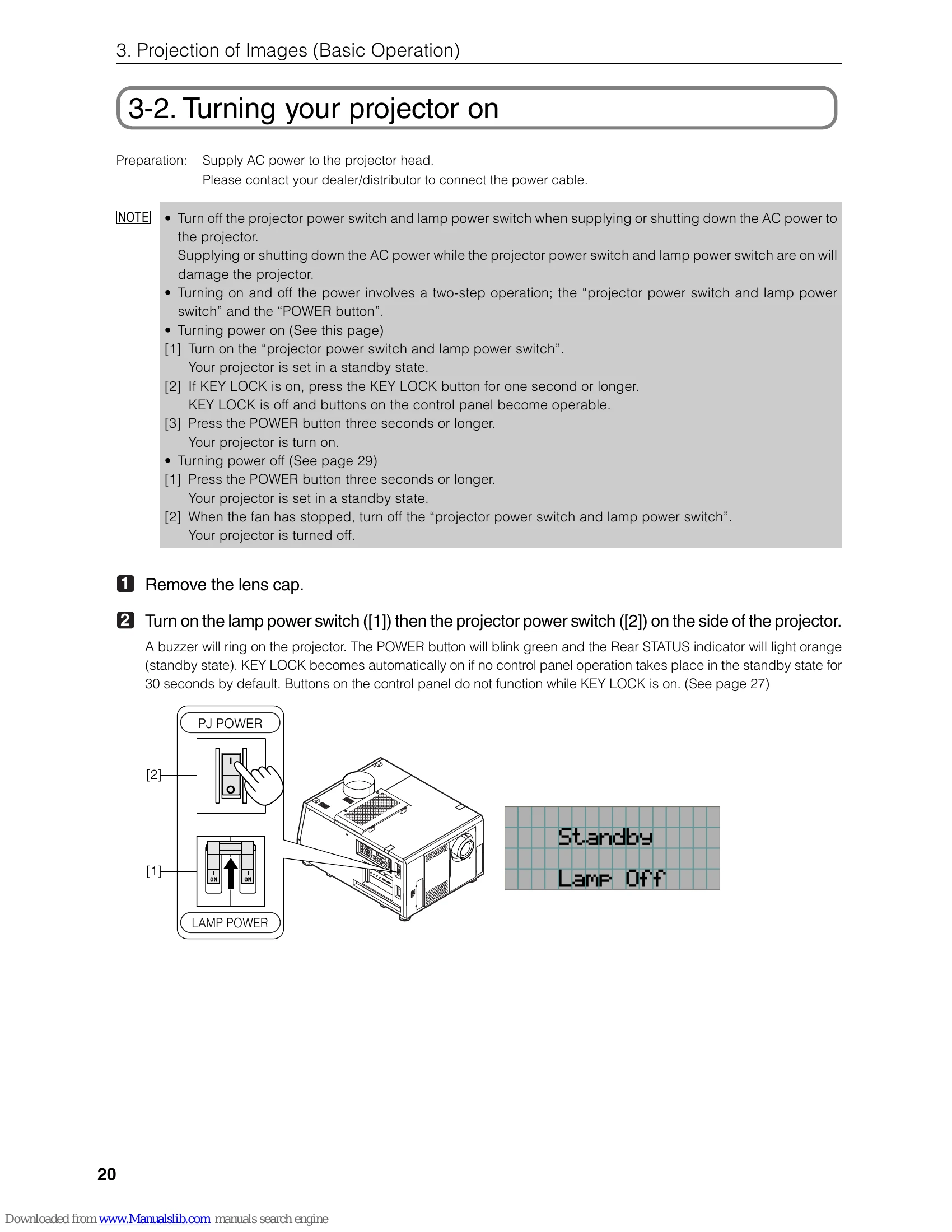
1. Turn on the projector: Ensure AC power is supplied. Turn on the "projector power switch and lamp power switch." If Key Lock is on, disable it. Press the "POWER button" for three seconds.
2. Turn on the lamp: Press the "LAMP ON/OFF button" for five seconds or longer. The lamp will turn on, and the screen will illuminate.
3. Select input signal: Press the "MENU button." Navigate to "Title Select" using the left/right buttons. Use the down button to view input titles and select the desired one.
4. Adjust screen: Adjust the position and size of the projected screen as needed.
5. Turn off the projector: Press the "POWER button" for three seconds to put the projector in standby. Once the cooling fan stops, turn off the "projector power switch and lamp power switch."