Brand: NEC
Category: Other
Document Type: Installation Guide
Language: EN
Brand: NEC
Category: Other
Document Type: Installation Guide
Language: EN
Uploaded: Nov. 21, 2025, 7:29 p.m.
Manual Publish Date: 2016-05-01
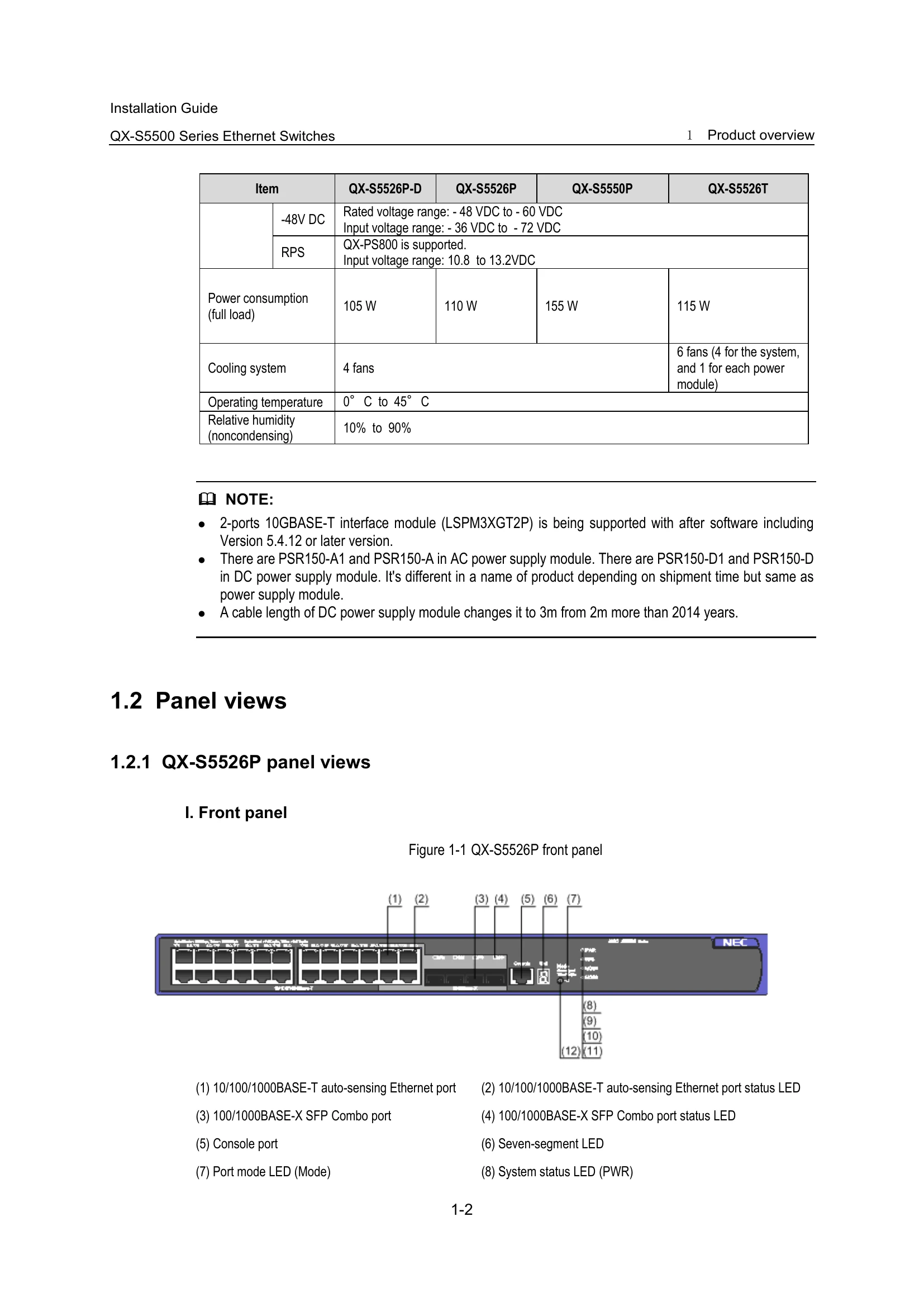
| PWR | Steady green | The switch is started normally. (powered on) |
|---|---|---|
| PWR | Flashing green (1 Hz) | The system is performing Power-On Self Test (POST) or downloading software image. |
| PWR | Steady red | POST failed or other system failed. |
| PWR | Flashing yellow (1 Hz) | POST on some ports failed. |
| Off | The switch is powered off. |