Brand: NEC
Category: Television
Document Type: Manual
Language: EN
Brand: NEC
Category: Television
Document Type: Manual
Language: EN
Uploaded: Nov. 21, 2025, 9:17 p.m.
No specific warranty period is mentioned in the manual.
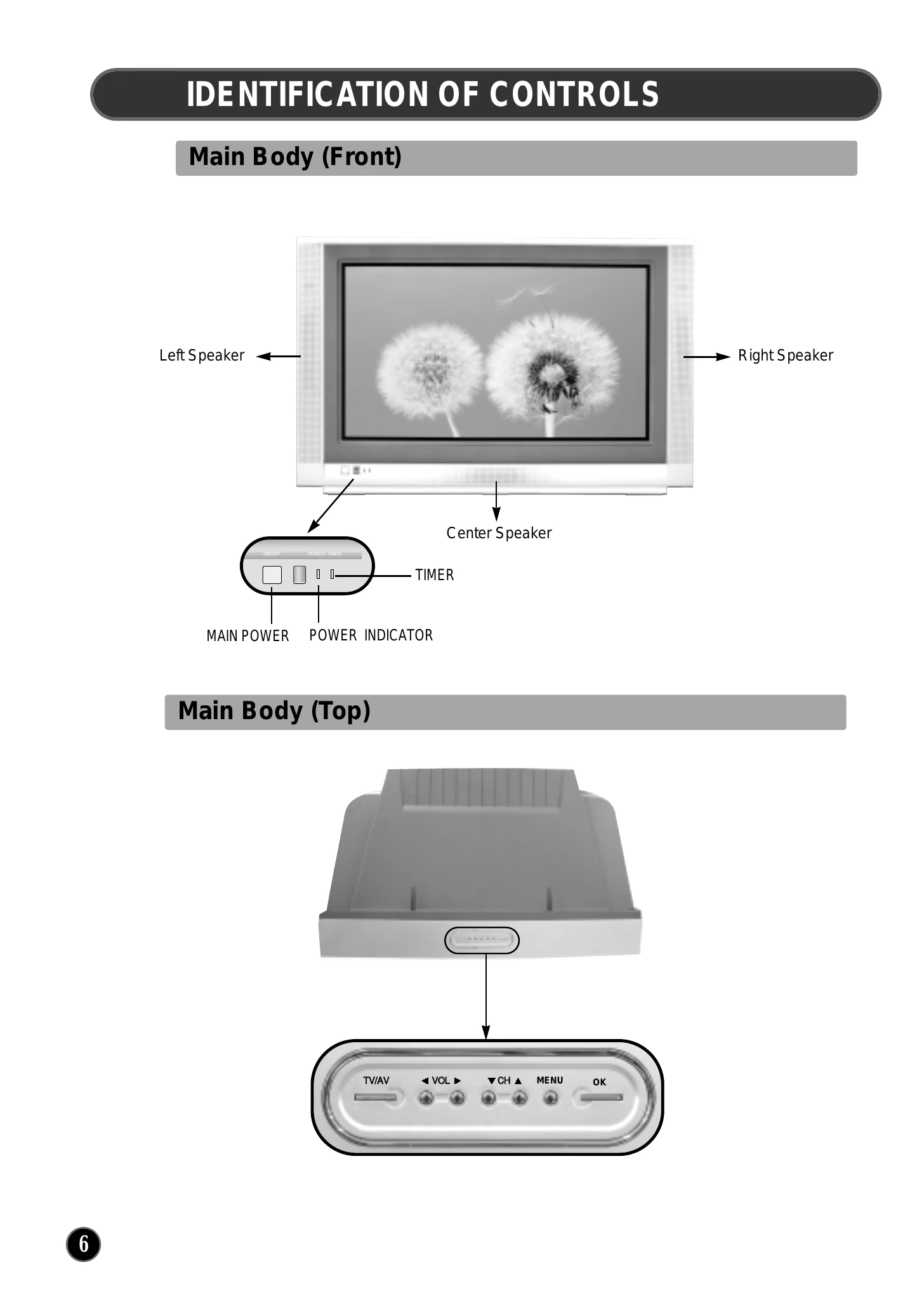
This manual provides comprehensive instructions for operating the NEC PF32WT100 television. Key operations include:
Refer to specific sections for detailed instructions on installation, remote control functions, and troubleshooting.
| Symptoms | Correction |
|---|---|
| Colour is not displayed and net pattern is displayed on the specific channel. | • Check the external antenna and cable TV conditions. • Check whether you select the correct channel. |
| Vertical and horizontal line and net pattern are displayed on the screen in a moment. Vibration is also displayed. | • Check the interference wave caused by car, neon sign, and high frequency. • Check the strong interference radio wave from wave of other devices or radio station. Please stop the use mobile phone, hair dryer, and electric drill. |
| Pictures are overlapped and white and black spots are displayed | • Check damage of antenna or connection of antenna cable. • Check the height and direction of antenna. If it is incorrect, please adjust the antenna. |
| • The original colours are not displayed in a screen in specific areas. | • Remove from magnetic fields or rotate set until purity error disappears. |
| • Picture is displayed irregularly. | • Check the connection of antenna cable (incorrect connection or disconnection). • Move this product to another location. |
| • No picture and sound | • Plug the power cord into the wall outlet securely. • Press the [TV / AV] button to change input mode. |
| • No sound | • [ ] button may be pressed. • Check the volume. • Check whether SPDIF is selected to one of the input or not (Refer to Page 15). Select SPDIF to NONE, if there is no digital audio input connected. |
| • The remote control does not work properly | • Check a stoppage of power supply • Check whether the power cord is plugged into the wall outlet • The batteries in remote control may be exhausted or loaded in wrong polarity. • Check whether the remote control is too far from the player and is not pointed at the remote sensor of the player. |