Manual for KeyMission 360

Manual for KeyMission 360

Brand: Nikon

Category: Digital Camera

Document Type: Manual

Language: EN
Uploaded: Aug. 10, 2025, 12:14 a.m.

Warranty Information

Refer to your product documentation for warranty information.

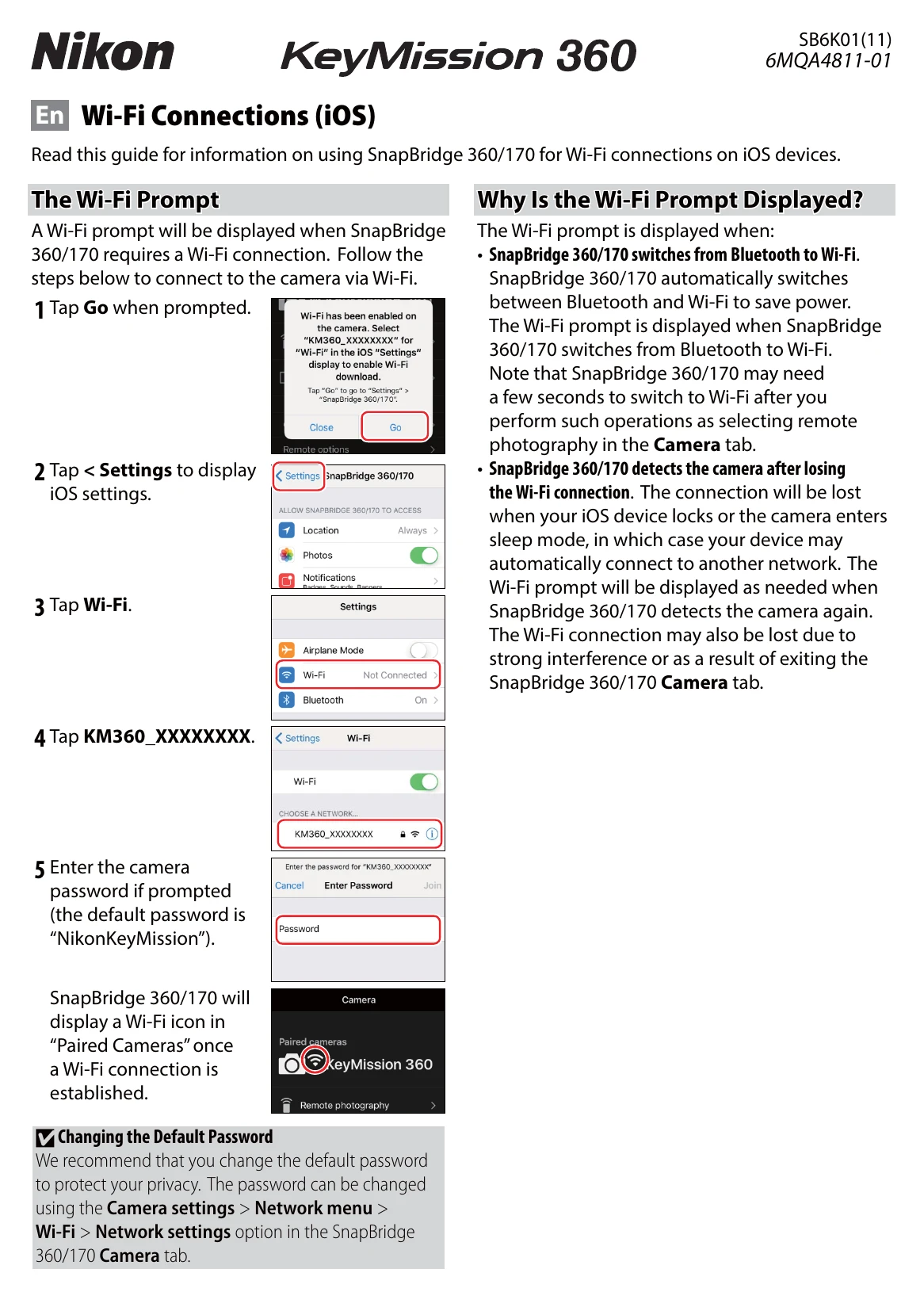
Connecting to your Camera

  1. Tap "Go" when the Wi-Fi prompt appears to go to iOS Settings.
  2. Tap "Settings" to display iOS settings.
  3. Tap "Wi-Fi" and then select "KM360_XXXXXXXX" to connect.
  4. Enter the camera password if prompted (default: "NikonKeyMission").
  5. A Wi-Fi icon will appear in "Paired Cameras" upon successful connection.

Re-establishing Pairing

  1. Open the "Connect" tab, select "Connection options," and tap "End pairing."
  2. Quit and restart SnapBridge 360/170.
  3. In iOS settings, tap "Bluetooth."
  4. Tap the "i" icon next to the camera name and select "Forget This Device."
  5. Restart SnapBridge 360/170 and tap "Connect options" in the "Connect" tab.
  6. Turn off the camera, then press and hold the movie button for seven seconds to initiate pairing.
  7. Tap the camera name when prompted, and select it as an accessory once the Bluetooth icon turns gray.

Connection Issues

If you experience issues, try switching tabs in the app, quitting and restarting the app, or re-pairing the device by forgetting it in iOS Bluetooth settings.

Privacy Policy