Brand: NTT docomo
Category: Mobile Phone
Document Type: Manual
Language: EN
Brand: NTT docomo
Category: Mobile Phone
Document Type: Manual
Language: EN
Uploaded: Nov. 21, 2025, 8:29 p.m.
Manual Publish Date: 2004-05-01
None
This manual, along with the "Applications Manual", provides instructions for the FOMA P900iV. Read both manuals carefully for correct and effective operation.
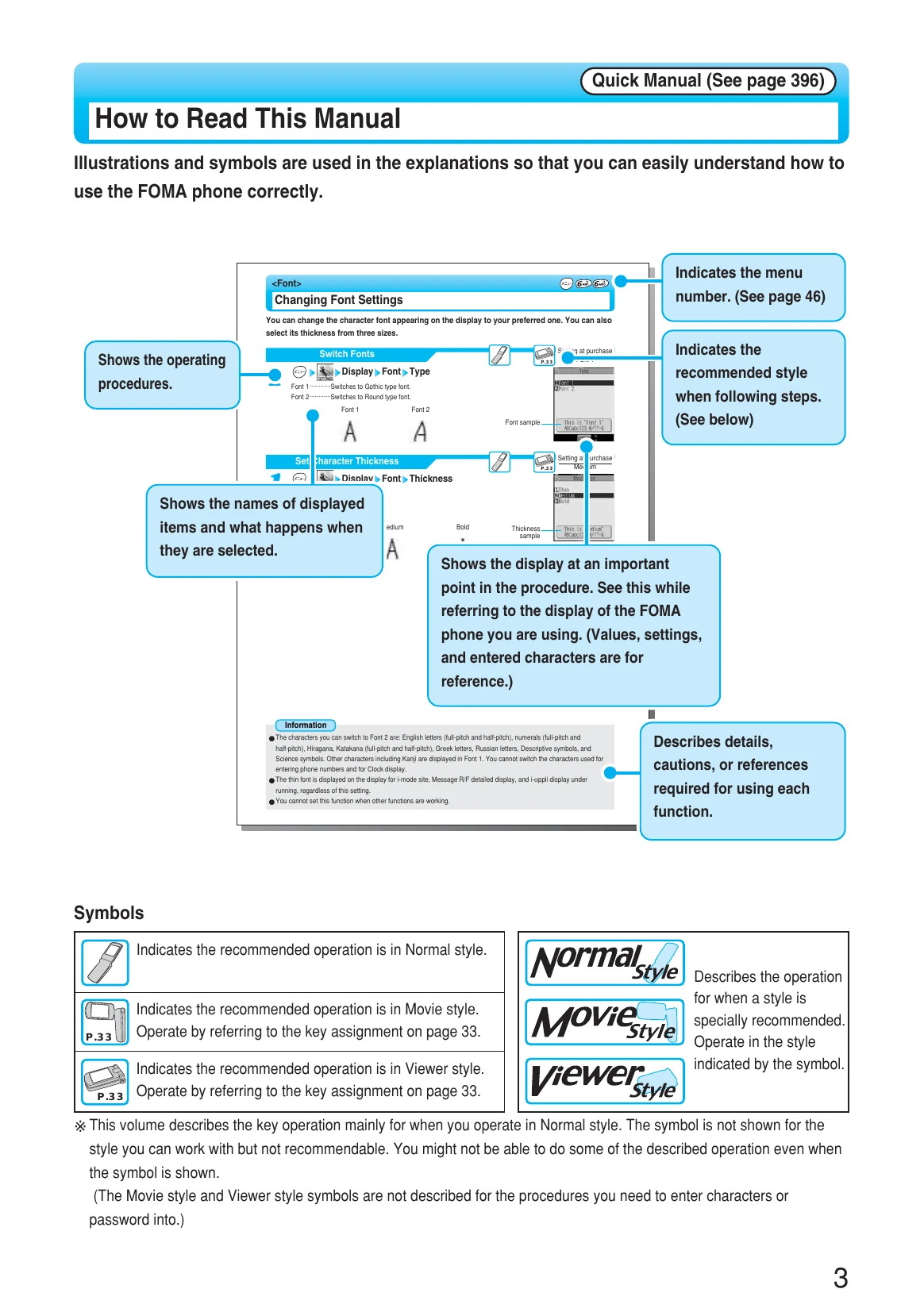
Illustrations and symbols are used for easy understanding. Pay attention to operating procedures, displayed items, menu numbers, and information boxes for details and cautions.
| Issue | Possible Cause | Solution |
|---|---|---|
| FOMA phone may affect high-precision electronic devices or devices using weak electronic signals. | The FOMA phone may possibly affect these devices to malfunction. | Turn off the FOMA phone when near these devices. Consult the manufacturer of the affected device if necessary. |
| Electronic devices and electronic medical appliances may be affected in airplanes and hospitals. | Use of mobile phones is prohibited. | Turn off the FOMA phone. Deactivate Auto Power ON if installed. Comply with regulations in medical facilities. |
| Implanted electronic medical equipment may be affected. | FOMA phone placed too close to the equipment. | Do not place the FOMA phone in a chest pocket or inner pocket when using such equipment. |
| Weak heart conditions may be affected by vibrator and ring volume. | Strong vibrations or loud rings. | Adjust vibrator and ring volume carefully. |
| Eyes may be affected by infrared data port. | Infrared data port pointed directly into eyes during transmission. | Do not point the infrared data port directly into the eyes. |
| Eyesight can be damaged. Accidents may occur if startled. | Photo light brought close to eyes and lit up. | Do not let the photo light bring close to eyes and light it up. |
| Dizziness and accidents may occur. | Photo light directed to a car driver, etc. | Do not let the photo light direct to a car driver. |
| Overheating, burst, or fire may occur. | FOMA phone or battery left near a fire or heat source. | Do not use or leave the battery near a fire, stove or other source of heat. |
| Itching, rash, or eczema. | Physical conditions or predisposition. | Stop using the FOMA phone immediately and seek medical attention if abnormality occurs. |
| Electronic devices in cars may be affected. Safety driving may be interrupted. | Using the FOMA phone inside a car. | Do not use the FOMA phone. Set Drive Mode if not switching power off. |
| Thunderbolt or electric shock may result. | Using the FOMA phone outdoors during thunder. | Turn the power off and move to a safe place. |
| Injury or malfunction may result. | Swinging the FOMA phone by its strap. | Do not swing the FOMA phone by its strap. |
| Overheating, electric shock, malfunction, or injury may occur. | FOMA phone gets wet. | Do not let the FOMA phone get wet. Pay attention to the place of use and handling. |
| Data on magnetic cards may be deleted. | Magnetic cards placed near the FOMA phone. | Do not place magnetic cards or similar objects near the FOMA phone. |
| Fire may result. | Strong sunlight focused on camera lens for a long period. | Do not let a strong light such as sun light focus on the camera lens for a long period. |
| Fire, electric shock, or malfunction may occur. | Foreign materials in UIM slot or miniSD card slot. | Do not put water or other liquids, or foreign materials in the UIM insertion slit or miniSD memory card slot. |