Manual for SH-01K

Manual for SH-01K

Brand: NTT docomo

Category: Mobile Phone

Document Type: Manual

Language: EN
Uploaded: Nov. 21, 2025, 7:54 p.m.

Warranty Information

The internal battery is not covered by warranty as it is a consumable product.

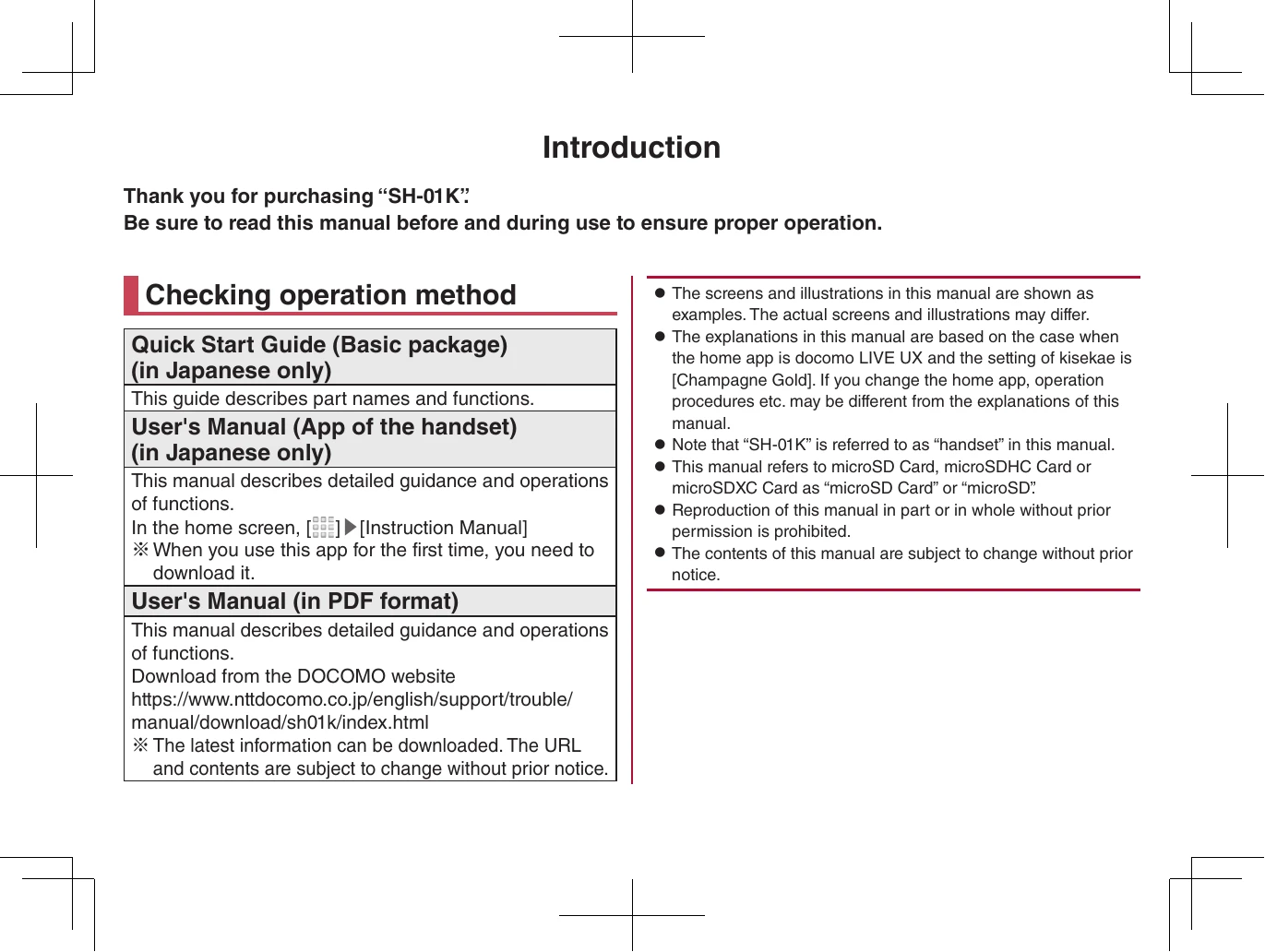
Checking operation method
  • Quick Start Guide (Basic package): Describes part names and functions.
  • User's Manual (App of the handset): Describes detailed guidance and operations of functions. This app needs to be downloaded if used for the first time.
  • User's Manual (in PDF format): Detailed guidance and operations of functions. Downloadable from the DOCOMO website.
Basic package contents:
  • SH-01K handset
  • Quick Start Guide (Japanese only)
  • Notes on usage (Japanese only)
Important Notes:
  • Screens and illustrations may differ.
  • Explanations are based on docomo LIVE UX with "Champagne Gold" kisekae setting.
  • SH-01K is referred to as "handset".
  • microSD Card, microSDHC Card, or microSDXC Card are referred to as "microSD Card" or "microSD".
  • Reproduction of this manual is prohibited without prior permission.
  • Contents are subject to change without prior notice.
Using the handset:
  • Supports LTE, W-CDMA, GSM/GPRS, and wireless LAN.
  • Cannot be used in areas with no signal or weak signal.
  • Radio wave usage is described, with notes on privacy and signal conversion.
  • Data backup to microSD Cards and PCs is recommended. DOCOMO is not liable for data loss.
  • User-installed apps and accessed websites may affect handset stability. Verify suppliers and operating conditions.
  • Supports FOMA Plus-Area and FOMA HIGH-SPEED Area.
  • Insufficient space may cause apps to malfunction.
  • Supports specific providers (sp-mode, mopera U, Business mopera Internet).
  • Supports only docomo nano UIM card.
  • Does not support Public Mode (Drive Mode).
  • Automatic communication for some functions (data sync, software updates). Large data usage incurs higher charges; Packet Pack recommended.
  • Wi-Fi connection may still incur data charges depending on app/service.
  • Software can be updated.
Precautions:
  • Read precautions carefully to prevent bodily injury and property damage.
  • Symbols indicate the degree of injury/damage (Danger, Warning, Caution).
  • Specific directions are indicated by symbols (e.g., prohibited action, wet hands).
  • Handling the handset, adapters, and UIM card involves specific safety instructions.
  • Avoid high temperatures, moisture, and strong impacts.
  • Do not disassemble or modify the equipment.
  • Do not expose to liquids, conductive materials, or extreme conditions.
  • Be careful with charging, especially near flammable gas.
  • Turn off the handset when near sensitive electronic devices or during certain situations (airplanes, hospitals).
  • Keep handset away from ears during calls with hands-free set.
  • Do not use damaged equipment.
  • Be careful with prolonged use or charging as the handset may become warm.
  • Do not throw the handset into fire or heat it.
  • Do not allow pets to bite the handset.
  • Do not use the handset while walking.
  • Ensure proper manners in public (manner mode, public mode, vibration, answering memo).
Checking charges, data volume, and subscription online:
  • Via handset (dmenu/My docomo) or PC (My docomo website).
  • Network security code or d ACCOUNT ID/Password may be required.
Inquiries from overseas:
  • Contact numbers for DOCOMO mobile phones and land-line phones are provided.
  • Steps for suspending use, and repair information are available.
General Inquiries and Repairs:
  • Contact information for DOCOMO Information Center and Repairs department.
  • Website for further information.
Privacy Policy