Mode Dial: Select shooting modes (AUTO, P, A, S, M, My Mode, SCENE) or Playback mode using the mode dial. Press the POWER switch to turn the camera on.
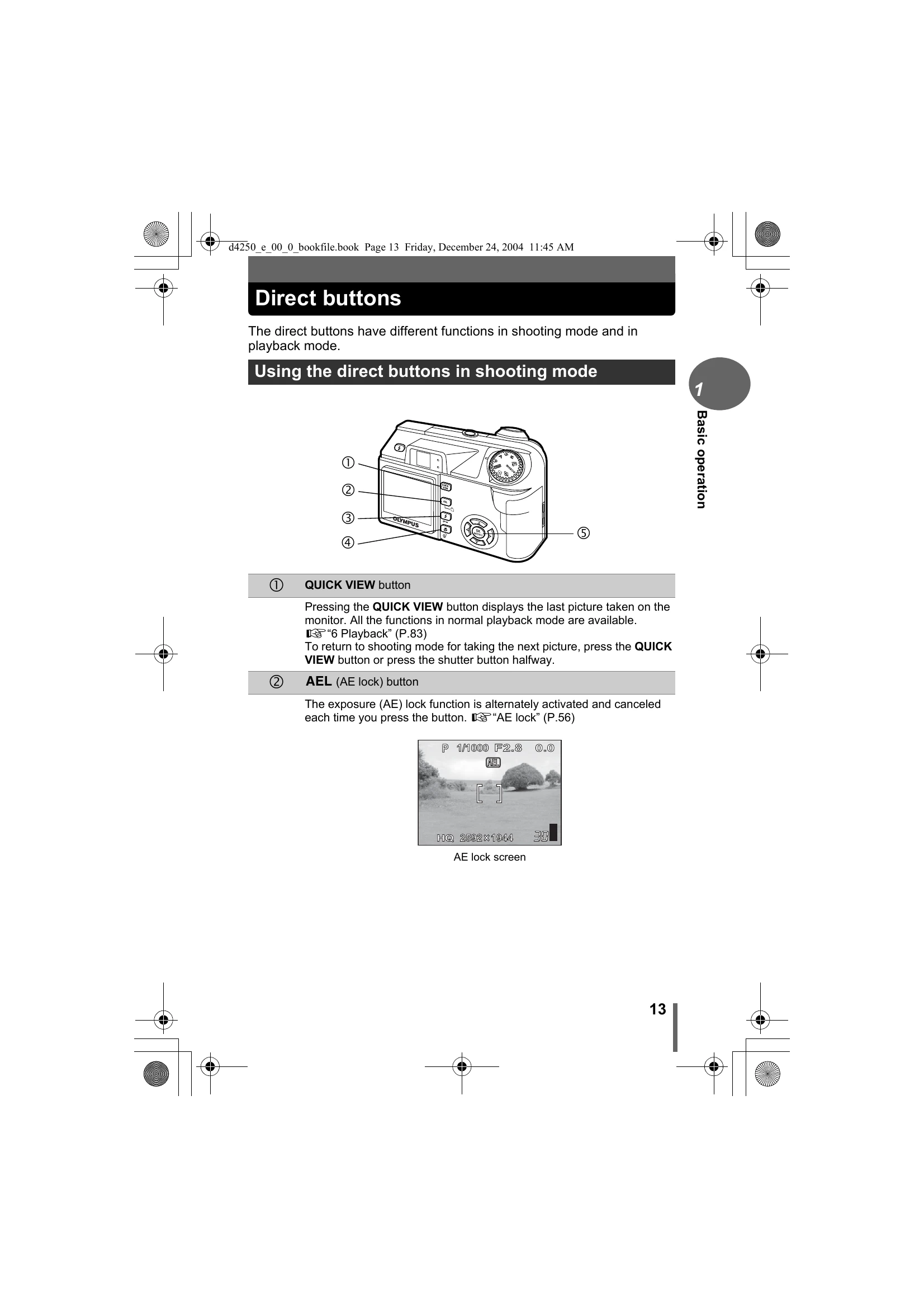
Direct Buttons: In shooting mode, use buttons for Quick View, AE Lock, Flash Mode, Macro, and Focus Mode. In playback mode, use buttons for Rotation, Protect, and Erase.
Menus: Press the OK/MENU button to access settings. Menus are divided into shortcut menus and mode menus. Navigate and select settings using the arrow pad and OK button.
Tips for Better Pictures: Hold the camera firmly with both hands to prevent blur. Explore different shooting modes and settings to achieve desired effects. Optimize image size for storage efficiency.