Brand: OLYMPUS
Category: Digital Camera
Document Type:
Language: EN
Brand: OLYMPUS
Category: Digital Camera
Document Type:
Language: EN
Uploaded: Aug. 9, 2025, 11:45 p.m.
Manual Publish Date: 2004-01-06
No specific warranty period is mentioned in the provided pages.
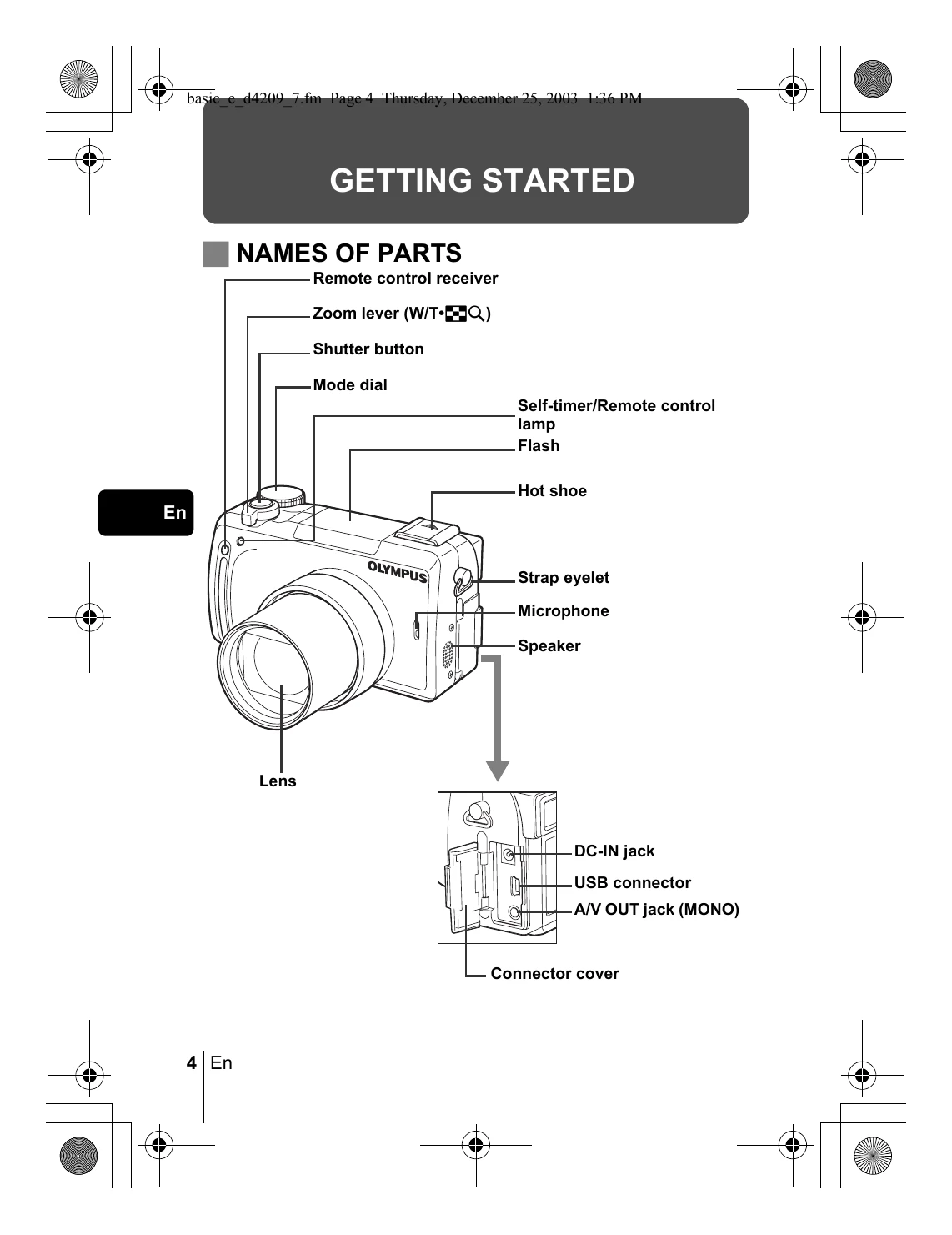
Getting Started: Attach the strap and lens cap. Charge the battery. Insert the battery and card. Turn the camera on by sliding the power switch. Select a language and set the date/time.
Shooting: Use the mode dial to select shooting modes (Still pictures, Movies). Press the shutter button to take pictures. Use the zoom lever for optical zoom. Utilize the flash as needed.
Playback: Slide the power switch to playback mode. Use the arrow pad to navigate through pictures and movies. QUICK VIEW allows checking results while shooting. Close-up playback enlarges images.
| Monitor indication | Possible cause | Corrective action |
|---|---|---|
| NO CARD | The card is not inserted, or it cannot be recognized. | Insert a card or insert a different card. If the problem persists, format the card. If the card cannot be formatted, it cannot be used. |
| CARD ERROR | There is a problem with the card. | Use a different card. Insert a new card. |
| WRITE-PROTECT | Writing to the card is prohibited. | The recorded image has been protected (read-only) on a PC. Download the image to a PC and cancel the read-only setting. |
| CARD FULL | The card is full. No more pictures, movies or information such as print reservations can be recorded. | Replace the card or erase unwanted pictures. Before erasing, download important images to a PC. |
| NO PICTURE | There are no pictures on the card. | The card contains no pictures. Record pictures. |
| PICTURE ERROR | There is a problem with the selected picture and it cannot be played back on this camera. | Use image processing software to view the picture on a PC. If that cannot be done, the image file is damaged. |
| CARD-COVER OPEN | The battery compartment/card cover is open. | Close the battery compartment/card cover. |
| (No monitor indication, but related to CARD SETUP) | The card is not formatted. | Format the card. All data on the card is deleted. |