Brand: Orange
Category: Mobile Broadband Router
Document Type: Quick Start Guide
Language: EN
Available Languages: EN , ES
Brand: Orange
Category: Mobile Broadband Router
Document Type: Quick Start Guide
Language: EN
Available Languages: EN , ES
Uploaded: April 20, 2026, 7:35 p.m.
No warranty information available in this document.
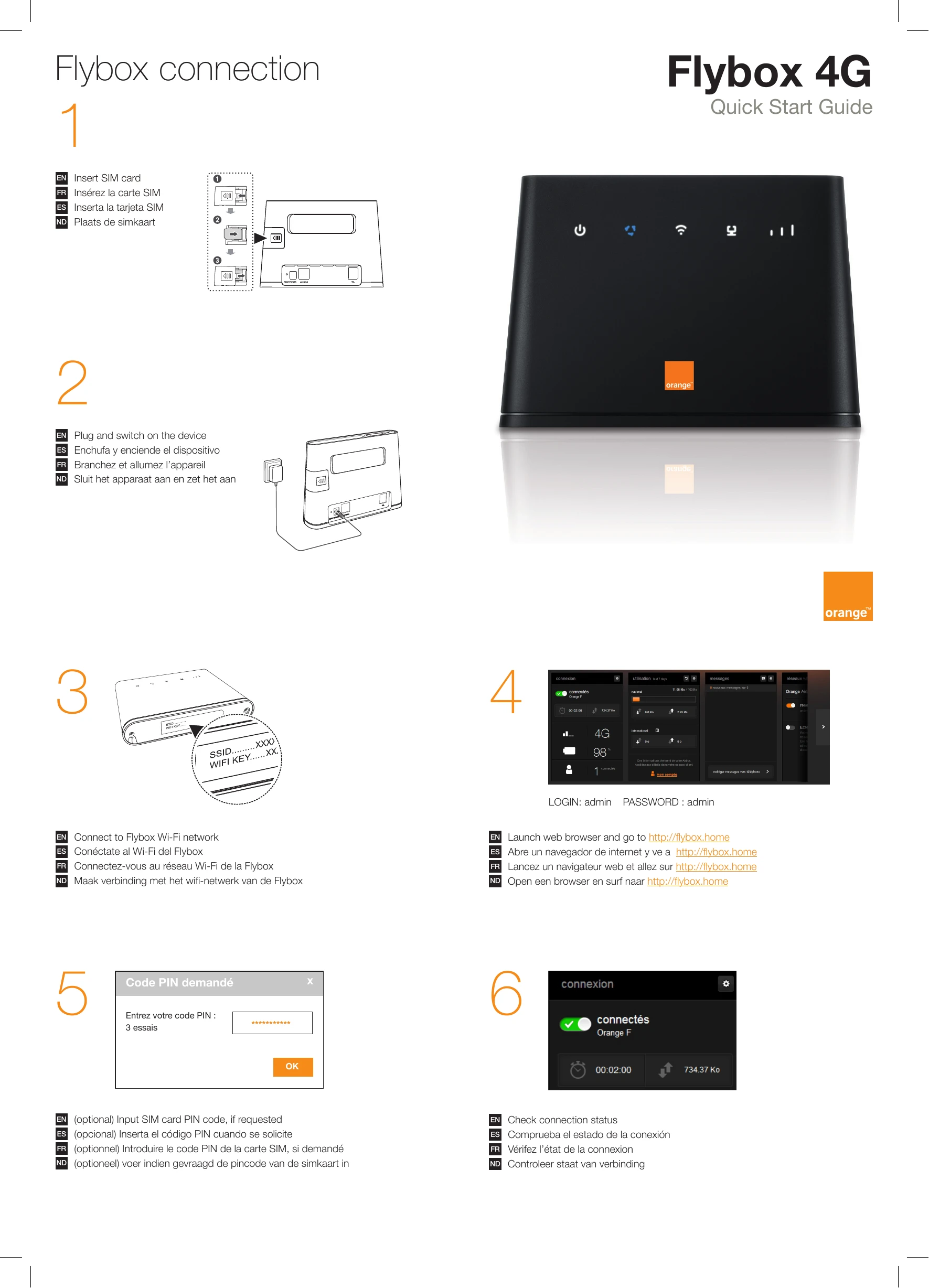
1. Insert SIM card: Follow the on-screen instructions to insert your SIM card.
2. Power on: Connect the device to power and switch it on.
3. Connect to Wi-Fi: Locate the SSID and Wi-Fi Key on your device and connect your devices to the Flybox Wi-Fi network.
4. Access settings: Launch a web browser and go to http://flybox.home to access the Flybox interface.
5. Enter PIN (if requested): If prompted, enter your SIM card PIN code.
6. Check connection: Verify the connection status on the Flybox interface.
Optional: Plug in antennas to enhance mobile network reception or connect devices by cable. For calls, plug in a phone.