Manual for CQ-RD333N

Manual for CQ-RD333N

Brand: Panasonic

Category: Automotive Electronics

Document Type: Manual

Language: EN
Uploaded: Nov. 21, 2025, 8:16 p.m.

Warranty Information

No specific warranty period is mentioned in the provided sections.

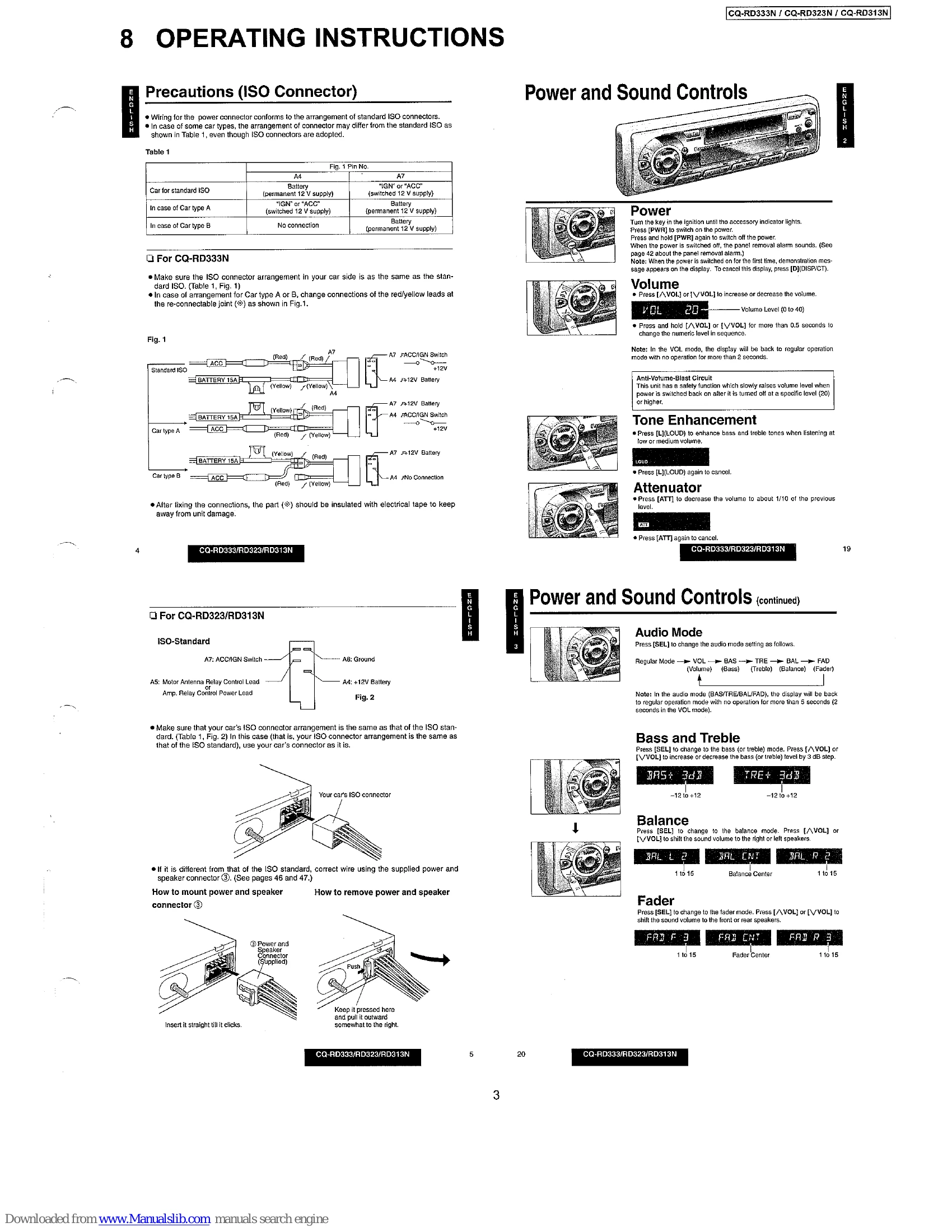
Power and Sound Controls

  • Power: Press [PWR] to switch on/off. Panel removal alarm sounds when power is off.
  • Volume: Press [VOL] or [VOL] to adjust volume. Holding the buttons changes the level faster.
  • Tone Enhancement: Press [L](LOUD) to enhance bass and treble at low/medium volumes.
  • Attenuator: Press [ATT] to decrease volume significantly.
  • Audio Mode: Press [SEL] to cycle through Volume, Bass, Treble, Balance, and Fader modes.
  • Bass & Treble: Adjust bass and treble levels using [VOL] or [VOL] in their respective modes.
  • Balance: Shift sound balance between left and right speakers.
  • Fader: Shift sound balance between front and rear speakers.

Radio Basics

  • Mode Selection: Press [MODE] to switch between Radio, Cassette, and CD Changer (CQ-RD333N only).
  • Band Selection: Press [BAND] to cycle through FM1, FM2, FM3, and AM(LW/MW).
  • Manual Tuning: Use [TUNE] to tune frequencies.
  • Seek Tuning: Press and hold [TUNE] to automatically find the next station.
  • Station Preset: Manually preset up to 6 stations per band by holding preset buttons [1]-[6]. Auto Station Preset saves the 6 strongest stations automatically.
  • RDS Reception: Provides features like AF (Alternative Frequency), PS (Program Service Name), PI (Program Identification), PTY (Program Type), and TA (Traffic Announcement).

Troubleshooting and error codes

Error Display MessageDescription
CDC E1 Appears on the display when the compact disc is dirty or inverted. Selects the next available compact disc.
CDC E2 Appears on the display when compact disc is scratched. Selects the next available compact disc.
CDC 0000 Appears on the display when there is no disc in the magazine.
CDC 0003 Appears on the display when the unit stops operating for some reason. Press the reset switch on the CD changer (option).
Privacy Policy