Brand: Panasonic
Category: Digital Camera
Document Type:
Language: EN
Brand: Panasonic
Category: Digital Camera
Document Type:
Language: EN
Uploaded: Aug. 9, 2025, 11:35 p.m.
No specific warranty period is mentioned in the provided excerpt.
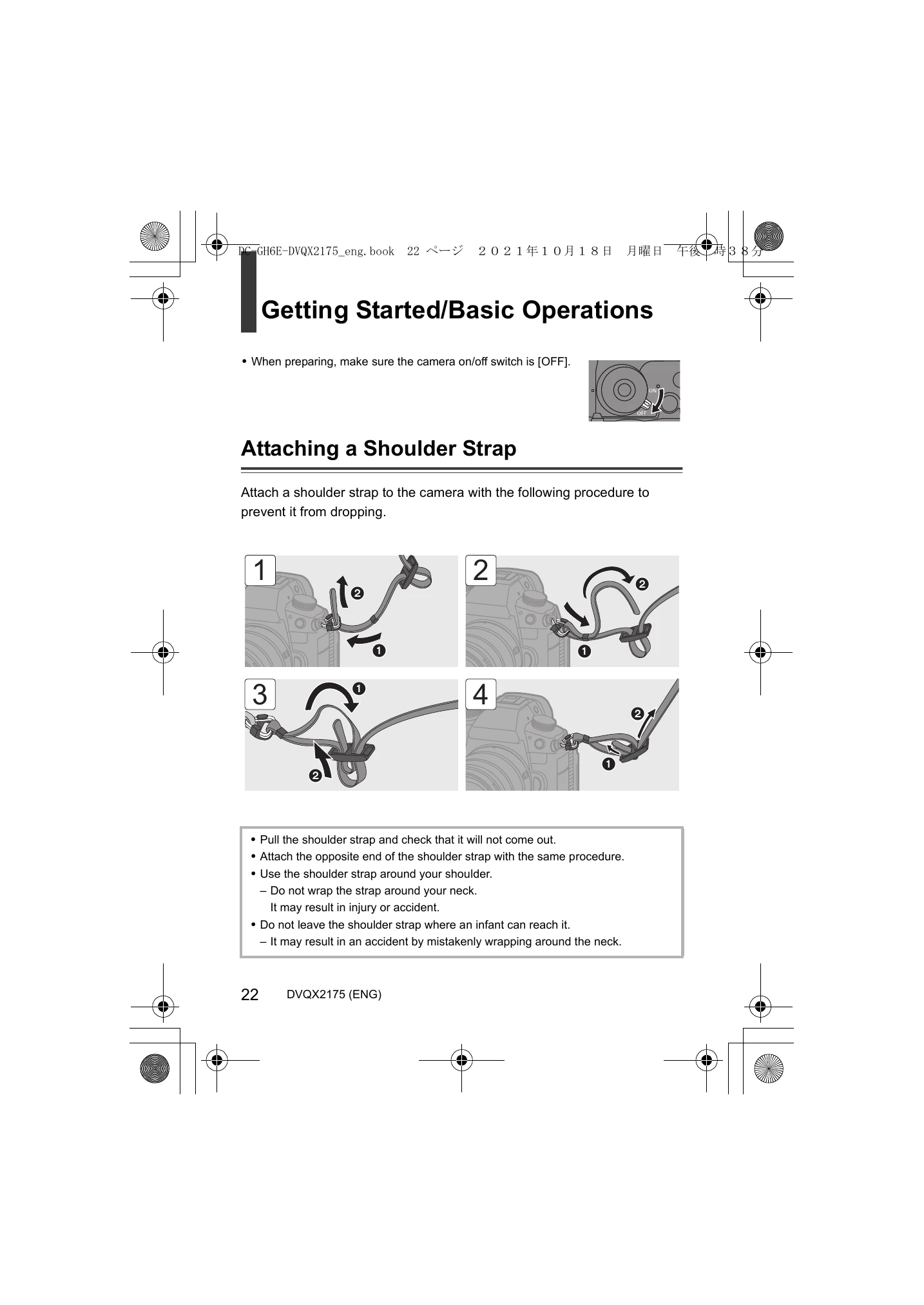
1. Attaching a Shoulder Strap
Important Safety Notes:
Viewfinder/Monitor Displays
The viewfinder and monitor display various icons indicating camera settings and status. Refer to the manual for a detailed explanation of each icon.
| Issue | Cause/Solution |
|---|---|
| The brightness or color of the recorded image is different from the actual scene. | This is due to the characteristics of the light source and does not indicate a unit malfunction. |
| The flash does not fire. | The flash may not fire when using the following functions: Moving picture recording, [ELEC.]/[Silent Mode], High Resolution Mode, [Filter Settings]. |
| [ ] is displayed on the screen. | The fan has stopped. Turn the camera off and on again. If the fan does not function after restarting, consult your dealer. The camera temperature will rise if used with the fan stopped, so do not use it for extended periods. |
| An alarm sounds when the card slot cover is opened. | An alarm may sound if the card slot cover is opened while writing to the card. Wait until writing is finished, then turn off the camera and remove the card. |
| A rattling sound is heard when the camera is shaken. | This sound is caused by the built-in image stabilizer. It is not a malfunction. |
| The lens emits vibration noises when the camera is turned on/off or when the camera is rotated. | This is the sound of the lens moving and the aperture operating. It is not a malfunction. |