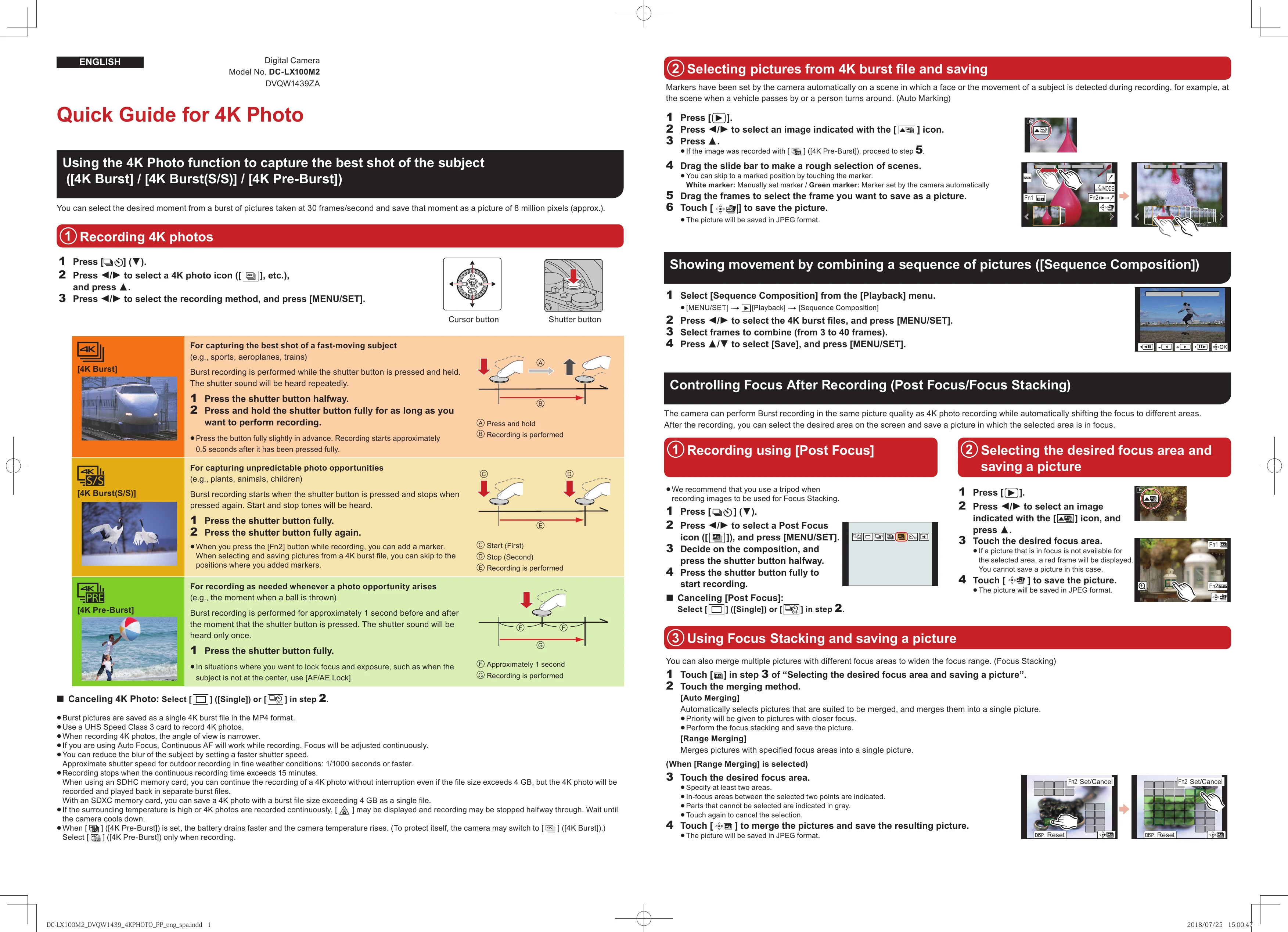
Quick Guide for 4K Photo
Using the 4K Photo function to capture the best shot of the subject
**1. Recording 4K photos**
Press the shutter button halfway, then select a 4K photo icon and press MENU/SET. Choose the recording method (4K Burst, 4K Burst(S/S), 4K Pre-Burst) and press MENU/SET.
* **4K Burst:** Hold the shutter button to record.
* **4K Burst(S/S):** Press the shutter button to start, press again to stop.
* **4K Pre-Burst:** Records approximately 1 second before and after pressing the shutter button.
**2. Selecting pictures from 4K burst file and saving**
Press [], select a marked image with the [▲] icon, and press A. Use the slide bar for rough selection and drag frames to select the desired moment. Touch [] to save.
**3. Showing movement by combining sequences ([Sequence Composition])**
Select [Sequence Composition] from the Playback menu. Choose 4K burst files, select frames (3-40), and press [MENU/SET] to save.
**4. Controlling Focus After Recording ([Post Focus]/[Focus Stacking])**
* **Post Focus:** Records a sequence with focus shifting. After recording, select the desired focus area on screen and save.
1. Press [].
2. Select Post Focus icon and press MENU/SET.
3. Compose and press shutter halfway.
4. Press shutter fully to record.
5. Select desired focus area on the saved image and touch [] to save.
* **Focus Stacking:** Merges multiple pictures with different focus areas.
1. After Post Focus recording, touch [] in step 3.
2. Choose [Auto Merging] or [Range Merging].
3. For Range Merging, specify at least two focus areas and touch [] to merge and save.