Manual for DC-ZS70

Manual for DC-ZS70

Brand: Panasonic

Category: Digital Camera

Document Type:

Language: EN
Uploaded: Aug. 9, 2025, 11:35 p.m.

Warranty Information

Panasonic offers a 1-year warranty on the digital camera and accessories, and a 90-day warranty on peripherals.

Camera Handling

  • Keep the camera away from excessive vibration, force, or pressure.
  • Avoid using the camera in places with excessive dust or sand, or where water can come into contact with the camera.
  • Condensation may occur when the camera is exposed to sudden changes of temperature or humidity.
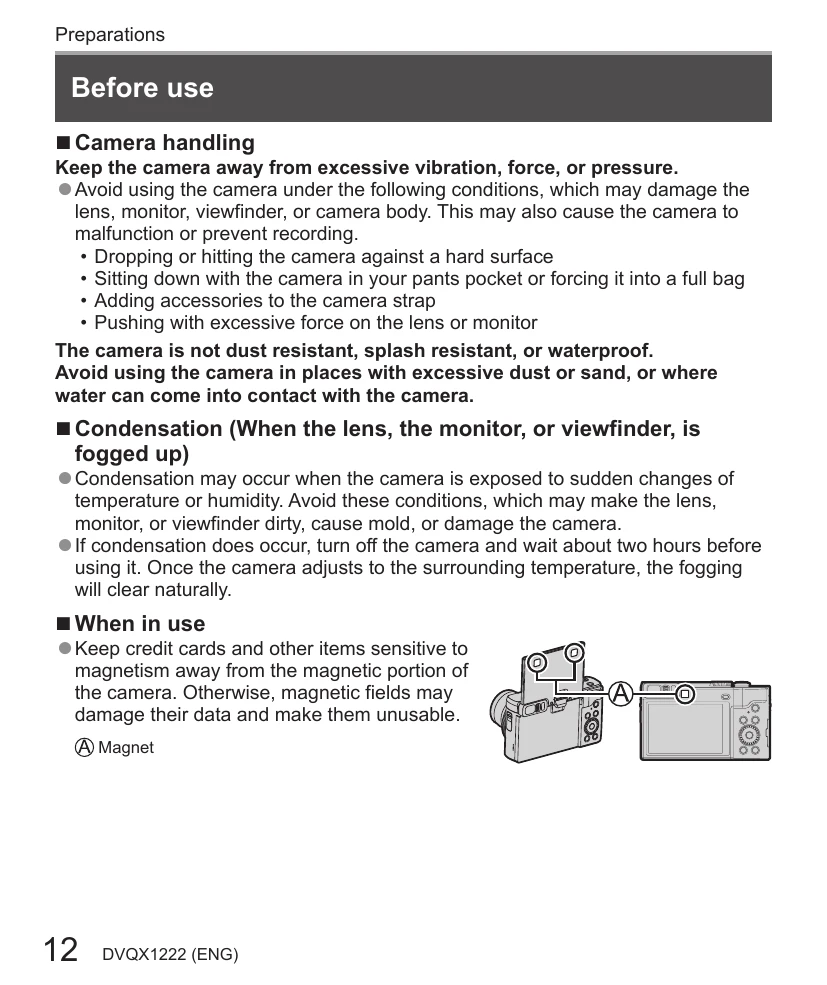
  • Keep credit cards and other items sensitive to magnetism away from the magnetic portion of the camera.

Inserting and removing the battery or SD memory card

  1. Slide the release lever to the OPEN position and open the card/battery door.
  2. Insert the battery and card, making sure that their orientation is correct.
  3. Close the door.

Charging the battery

  • The battery that can be used with this unit is DMW-BLG10PP.
  • Recommend charging in a location where the ambient temperature is between 10 °C and 30 °C.
  • Make sure that the camera is turned off.
  • Insert the battery and connect to the AC adaptor or a PC.

Setting the clock

  1. Turn the camera on.
  2. Press [MENU/SET].
  3. Press navigation buttons to select the language and press [MENU/SET].
  4. Press [MENU/SET].
  5. Press navigation buttons to select items and press to set.
  6. Press [MENU/SET].
  7. When clock setting is completed, press [MENU/SET].
  8. When [Please set the home area] is displayed, press [MENU/SET].
  9. Press navigation buttons to set your home area and press [MENU/SET].

Troubleshooting and error codes

Problem Possible Cause Solution
The camera does not turn on. The battery is exhausted. Charge the battery.
Pictures are not recorded. The memory card is full or not inserted. Insert a memory card or delete unwanted pictures.
The monitor is blank. The camera is in standby mode. Press the shutter button halfway.
Privacy Policy