Brand: Panasonic
Category: Digital Camera
Document Type: Manual
Language: EN
Brand: Panasonic
Category: Digital Camera
Document Type: Manual
Language: EN
Uploaded: Nov. 21, 2025, 6:20 p.m.
None
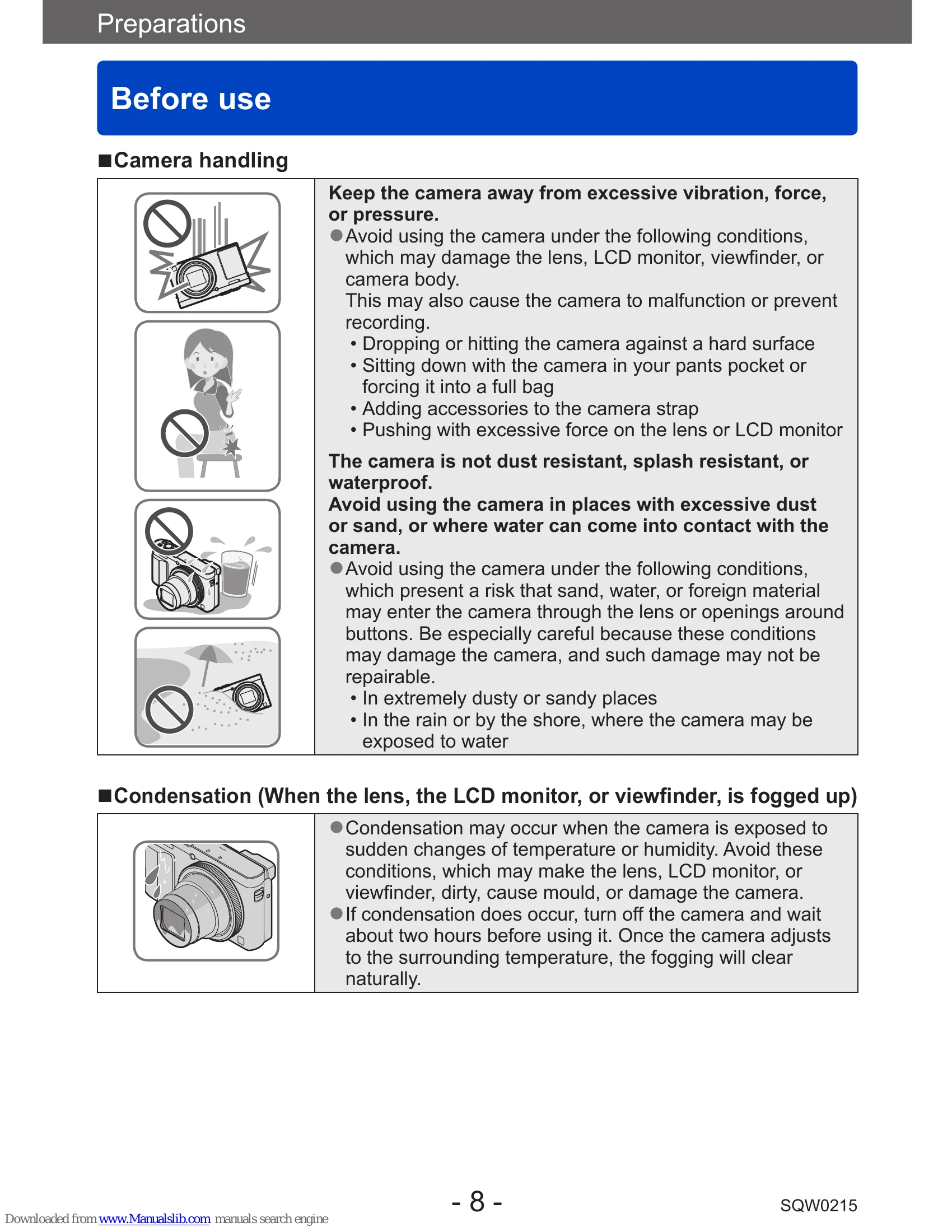
Avoid excessive vibration, force, pressure, dust, sand, and water. Protect the camera from damage. If condensation occurs, turn off the camera for two hours.
Always take a test shot before important events. Observe copyright laws. Note that actual controls may differ from illustrations.
Check all supplied accessories. Cards are optional; the camera has built-in memory.
Identifies external buttons, dials, and ports like Flash, Control Ring, Zoom Lever, Shutter Button, Motion Picture Button, and various sockets.
Explains how to switch between the LCD monitor and viewfinder, and how to adjust diopter for clear viewing.
Details the functions of these controls for menu navigation, settings adjustment, and performing operations like exposure compensation and flash control.
Instructions for charging the battery using the supplied AC adapter or USB cable. Emphasizes using genuine Panasonic batteries and provides charging time estimates.
Explains how to check the remaining battery capacity and provides estimated numbers of recordable pictures and operating time under various conditions.
| Issue | Possible Cause | Solution |
|---|---|---|
| It cannot connect to the wireless LAN. Radio waves get disconnected. | Communication range, wireless access point settings, interference from other 2.4 GHz devices, or incompatibility with 5 GHz/2.4 GHz switchable access points. | Use within range, refer to access point instructions, move away from interfering devices, ensure compatibility. |
| Wireless access point is not displayed. Or it cannot be connected. | Access point not in operation, radio wave condition, or SSID not broadcast. | Check access point status, move closer, remove obstacles, change direction, manually input SSID, check access point settings. |
| It takes long time every time to connect to a smartphone. | Wi-Fi connection setting of the smartphone. | Not a malfunction. Connection time depends on the smartphone's settings. |
| This unit is not displayed in the Wi-Fi setting screen of the smartphone. | Wi-Fi function not enabled on smartphone or camera. | Switch Wi-Fi ON/OFF on smartphone. Check [NFC Operation] on the camera. |
| I have forgotten the login ID or password for the “LUMIX CLUB”. | Forgotten credentials. | Check login screen information or recover via the provided URL. |
| I do not have a wireless access point at my home, but I would like to perform service user registration of the “LUMIX CLUB”. | Service registration requires a wireless access point. | Service user registration for "LUMIX CLUB" is not possible without a wireless access point. |
| The camera cannot be connected to Mac computer/Windows PC via Wi-Fi connection. | Incorrect login name/password, or time/date mismatch between camera and computer. | Confirm login details, ensure clock and world time settings match on both devices. |
| I am having a problem connecting to my Windows 8 PC. The user name and password are not recognised. | Windows 8 user account type (local vs. Microsoft account). | Use the local account and its user name and password. |
| The Wi-Fi connection is not recognising my PC. | Workgroup name mismatch. | Change the workgroup name in the camera's [Wi-Fi Setup] menu to match the PC's. |
| Pictures cannot be transmitted to the computer. | Firewall or security software blocking connection. | Check OS or security software settings. |
| Images cannot be transmitted to the WEB service. | Incorrect login information, busy server, or network issues. | Confirm login details, try again later, check WEB service status. |
| It takes time to transmit an image to the WEB service. | Large image size, distance to access point, or server status. | Divide motion pictures, reduce image size, move closer to access point, or wait for server to reflect upload. |
| The image that was supposed to have uploaded to the WEB service is not there. | Disconnection during transmission, or server latency. | Wait and try again, check transmission status via "LUMIX CLUB". |
| I would like to return the image in the WEB service to the camera. | Images cannot be saved (downloaded) to the camera from WEB service. | Do not delete uploaded images; make backups. |
| I cannot display or delete the images uploaded to the WEB service by this unit. | Camera limitations. | Perform tasks using a smartphone or PC. |
| Your "LUMIX CLUB" login ID and password were deleted after sending the camera in to be repaired. | Settings may be deleted during repair. | Always make a copy of important settings. |
| There is an image that could not be transmitted. | Image size too large, or WEB service capacity full. | Divide motion pictures, reduce image size, or check WEB service capacity. |
| I have forgotten the password for the Wi-Fi. | Forgot Wi-Fi password. | Execute [Reset Wi-Fi Settings] in the [Setup] menu. Note that Wi-Fi Setup information will be reset. |
| Transmission of the image fails midway. | Image size too large, battery low, or distance to access point. | Divide motion pictures, reduce image size, ensure battery is not flashing red, move closer to access point. |
| Motion picture cannot be transmitted. | File format incompatibility, image size too large. | Check destination requirements, divide motion pictures if necessary. |
| I cannot send images to an AV device. | AV device operational status or sending time. | Sending may take time or fail depending on the AV device. |
| I cannot connect using the NFC function. | Smartphone not NFC compatible, NFC function off on smartphone, or camera's NFC setting is OFF. | Use NFC compatible devices, ensure NFC is ON on both devices. |