Brand: Panasonic
Category: Office Equipment
Document Type: Manual
Language: EN
Brand: Panasonic
Category: Office Equipment
Document Type: Manual
Language: EN
Uploaded: Nov. 21, 2025, 7:46 p.m.
Manual Publish Date: 2006-01-01
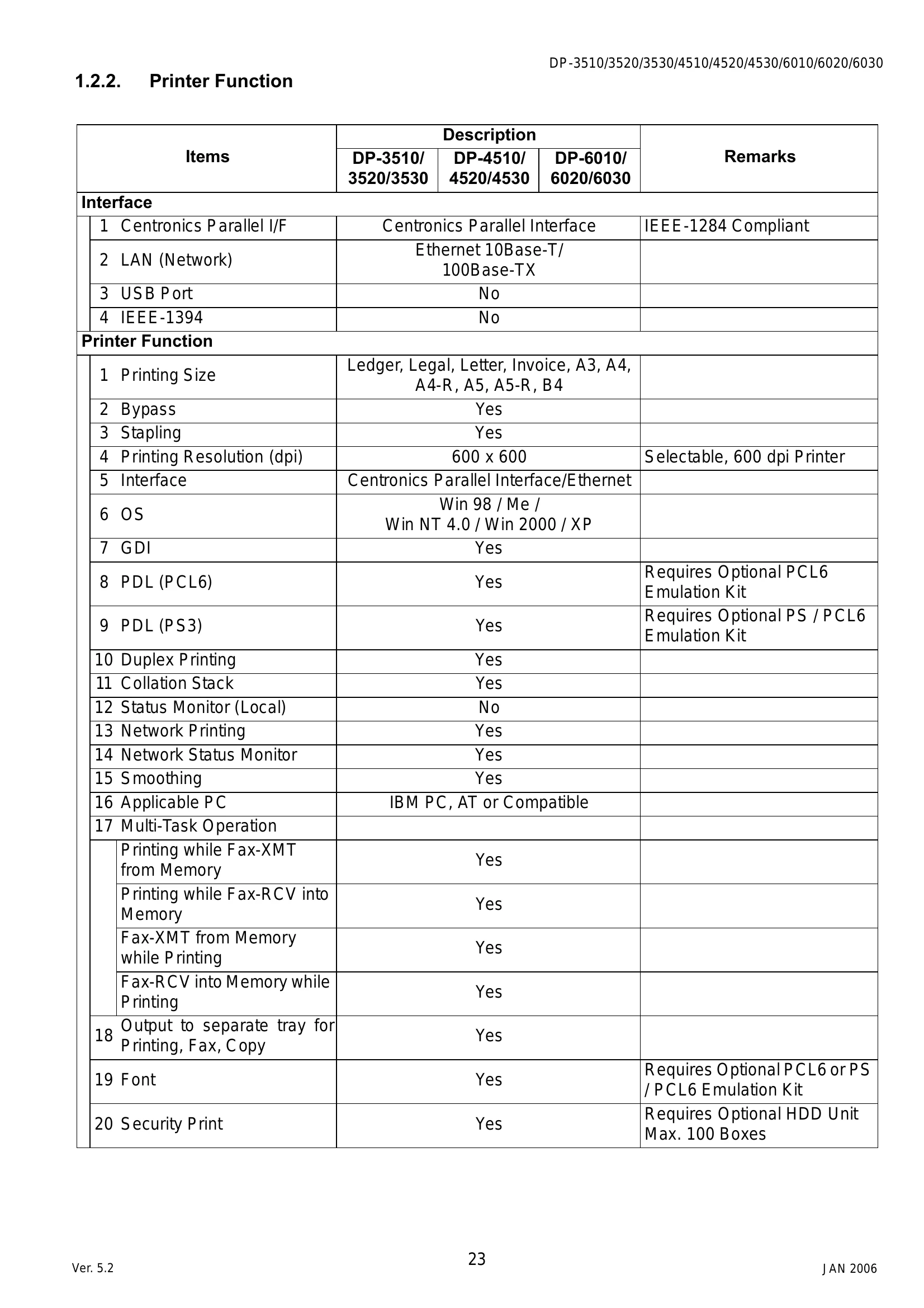
This manual covers the operation, maintenance, and troubleshooting of Panasonic DP-3510/4510/6010, DP-3520/4520/6020, and DP-3530/4530/6030 digital imaging systems. Key functions include copying, faxing, printing, and network scanning. The manual details specifications such as copy speed, paper handling, resolution, and connectivity options. It also provides instructions for installation, firmware updates, and service modes.
| Section | Topic | Page |
|---|---|---|
| 4.1 | Initial Troubleshooting Flowchart | 150 |
| 4.2 | Improper LCD Display | 151 |
| 4.3 | Printed Copy Quality Problems | 152 |
| 4.4 | Troubleshooting the LAN Interface | 168 |
| 4.5 | Error Codes (For Copier) | 176 |
| 4.6 | Information Codes Table (For Facsimile) | 191 |
| 4.7 | Diagnostic Codes (For Facsimile) | 197 |
| 4.8 | Troubleshooting (For Printer) | 204 |
| 9.10 | Troubleshooting from a PC | 459 |