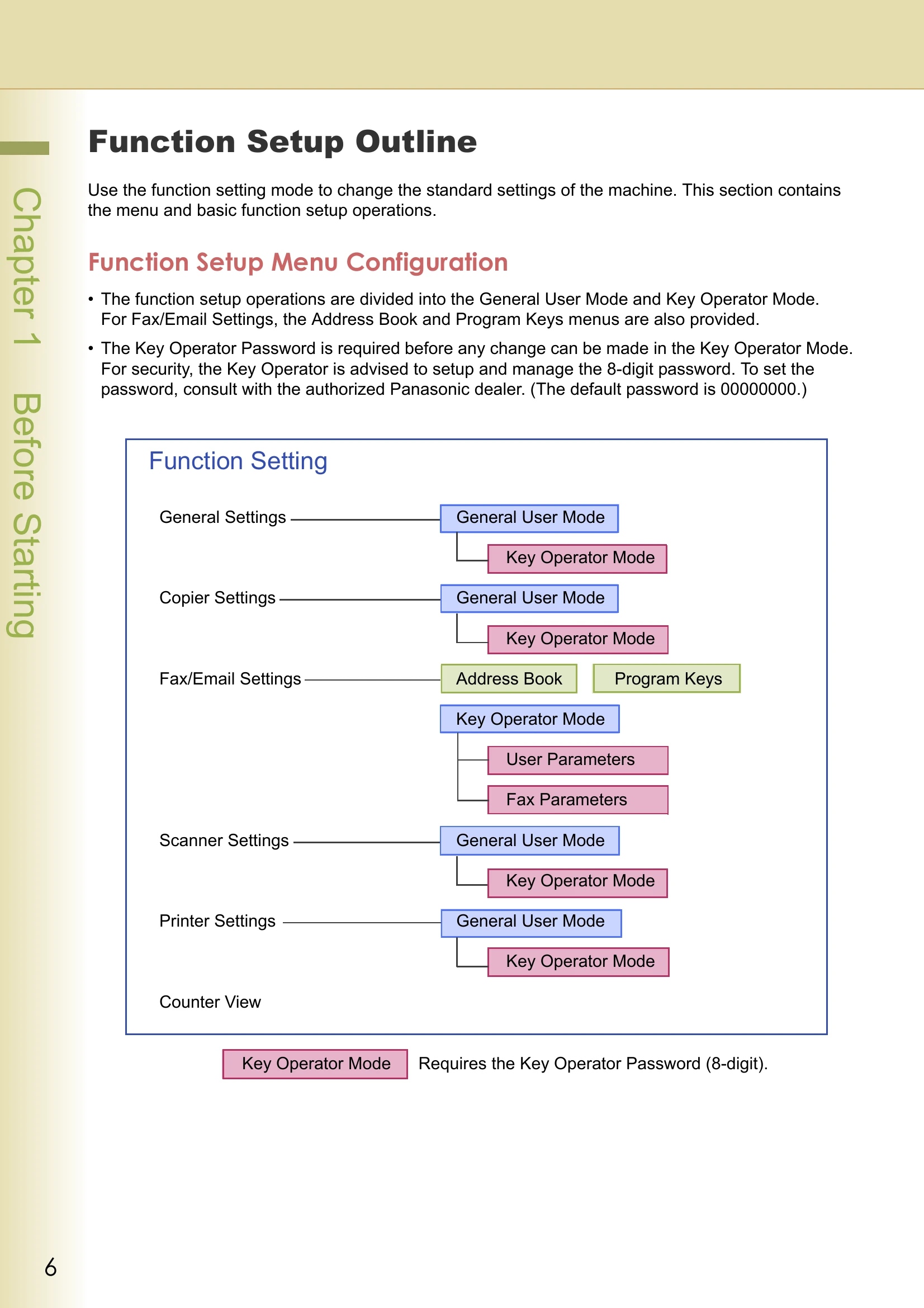
Function Setup Outline: Use the function setting mode to change standard settings. Operations are divided into General User Mode and Key Operator Mode. Key Operator Mode requires an 8-digit password.
Using the Keyboard: Instructions on entering uppercase/lowercase letters and numeric characters/symbols using the on-screen keyboard.
Basic Operations for Function Setup: Procedures for setting up functions by pressing the Function key, selecting settings, tabs, and items, and then changing the settings using input or selection methods.
General Settings: Details the parameters that can be changed in General User Mode, such as Power On Default Mode, Manual Copy Quality Adjustment, Manual Add Toner, Sort Memory Status, Departmental Counter, Manual STR Cleaning, Data Security Kit Info, and Key Operator Mode.
Key Operator Mode: Extensive settings for administrators, including Print General Settings, Paper Size, Network Settings, Special Paper Trays, Auto Paper Out Rotate, Copy/Printer/Fax/Email Output Trays, Auto Reset Time, Power Save Mode Timer, Sleep Timer, Language Default, Panel Beep Sound, Original Set Beep Sound, Dept. Counter Mode, Date Time Setting, Weekly Timer, Daylight Time, DHCP Default, TCP/IP settings, DNS Server Address, MAC Address, Routing Menu Function, Document Distribution Server settings, Hard Disk Initialize/Error Check, Address Book Group ID, Paper Tray Priority, Fold Position, Data Deletion, WINS Server IP, Scope ID, IP Filter, SNMP Community Name, System Contact/Name/Location, SMB settings, Bonjour, IPv6, Auto Tone Adjust, EWS Output Queue, Administrator Name, Authentication Method, User Authentication, ID Timeout, Log-on Attempts, User Auth. Domain, Lockout Time, SD/PC Card Function, Key Operator Password, HD Drive Lock Settings.
Example: Dept. Counter Mode: Demonstrates how to register/change passwords (department codes), clear total counters, print departmental lists, and change departmental limits.
Example: Print Counter List: Guides on how to print the Counter View information, including customer details.
Example: Clear Toner Counter: Explains the manual procedure to clear the Toner Counter after replacing a Toner Cartridge.