Brand: Panasonic
Category: Office Equipment
Document Type: Parts/Service
Language: EN
Brand: Panasonic
Category: Office Equipment
Document Type: Parts/Service
Language: EN
Uploaded: Nov. 21, 2025, 7:56 p.m.
Manual Publish Date: 2006-01-01
This manual is for service technicians and does not contain warranty information.
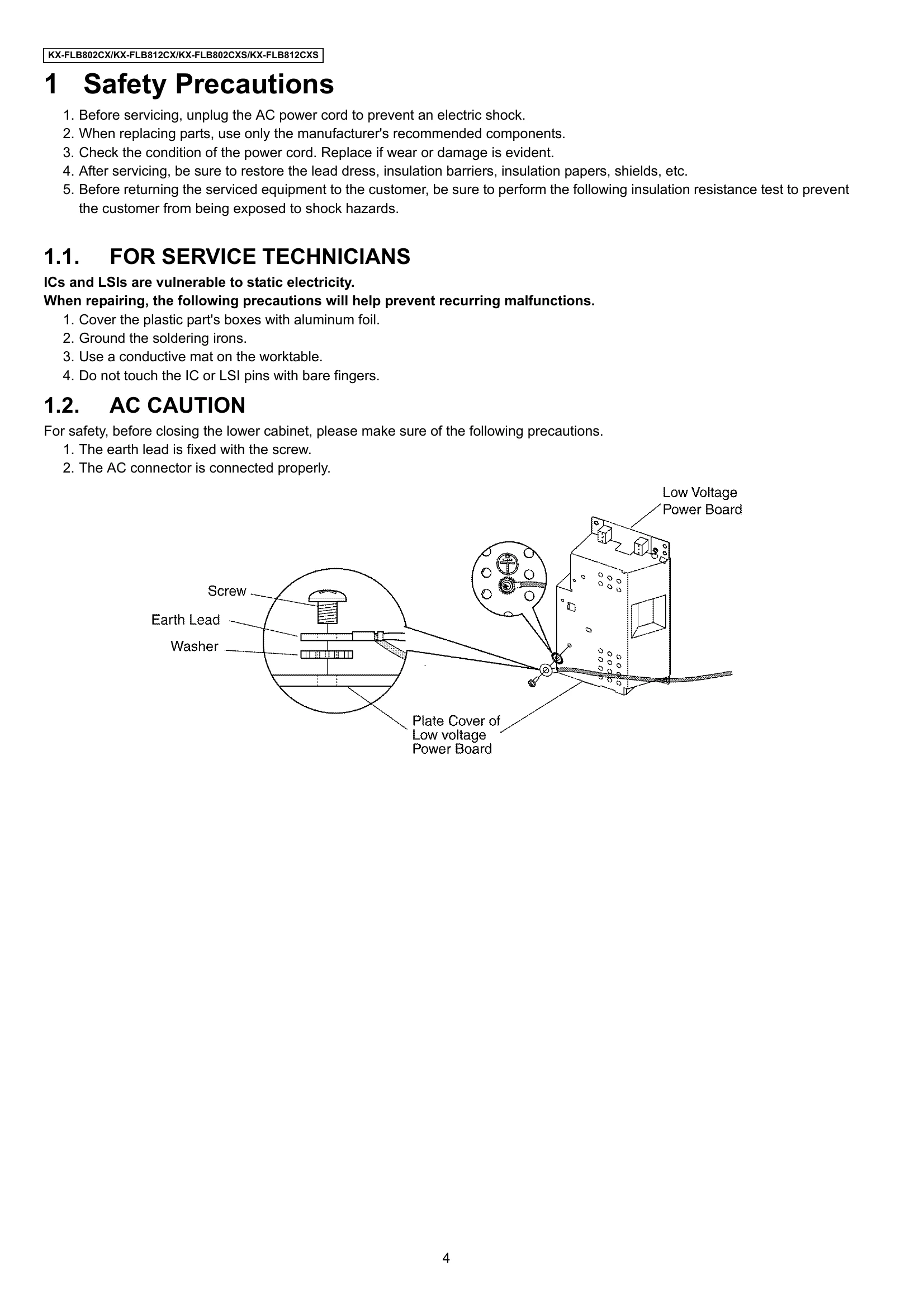
This manual outlines the service and repair procedures for the Panasonic KX-FLB802CX All-in-One Flatbed Laser Fax. It covers safety precautions, technical descriptions of various sections (facsimile, modem, analog, digital, etc.), disassembly and assembly instructions, maintenance procedures, troubleshooting guides, and detailed parts lists.
Key operational aspects include fax transmission and reception, copying, and advanced features for multi-function software. The manual emphasizes safety protocols, especially concerning electrical hazards and static electricity, and provides detailed diagrams and block schematics for component identification and circuit analysis.
| Error Code | Description | Possible Cause | Solution |
|---|---|---|---|
| E01-E09 | General Control Error | Main control board malfunction. | Replace main control board. |
| E10-E19 | Scanner Error | Scanner unit malfunction, CIS unit issue, or related board problem. | Check scanner unit, CIS unit, and related connections. Replace if necessary. |
| E20-E29 | Printer Error | Laser unit issue, fuser unit problem, or HVPS malfunction. | Check laser unit, fuser unit, and HVPS. Replace faulty components. |
| E30-E39 | Document Feeder Error | ADF unit malfunction or sensor issue. | Inspect ADF unit and sensors. Clean or replace as needed. |
| E40-E49 | Memory Error | SDRAM or Flash ROM issue. | Replace relevant memory components. |
| E50-E59 | Communication Error | Modem issue or telephone line problem. | Check modem circuit and telephone line. |
| E60-E69 | Power Supply Error | Low voltage or high voltage power supply failure. | Inspect and replace power supply boards. |
| E70-E79 | Operation Panel Error | Control panel malfunction or connection issue. | Check control panel and its connections. |
| E80-E89 | Network Error | LAN interface or related circuit issue. | Inspect LAN interface. |
| E90-E99 | General Hardware Error | Various hardware component failures. | Refer to specific section for component diagnosis and replacement. |
| User Recoverable Errors | (Refer to Section 12.1) | Various user-resolvable issues like paper jams, toner low, etc. | Follow on-screen prompts or manual instructions. |