Brand: Panasonic
Category: Portable Electronics
Document Type: Manual
Language: EN
Brand: Panasonic
Category: Portable Electronics
Document Type: Manual
Language: EN
Uploaded: Nov. 21, 2025, 8:13 p.m.
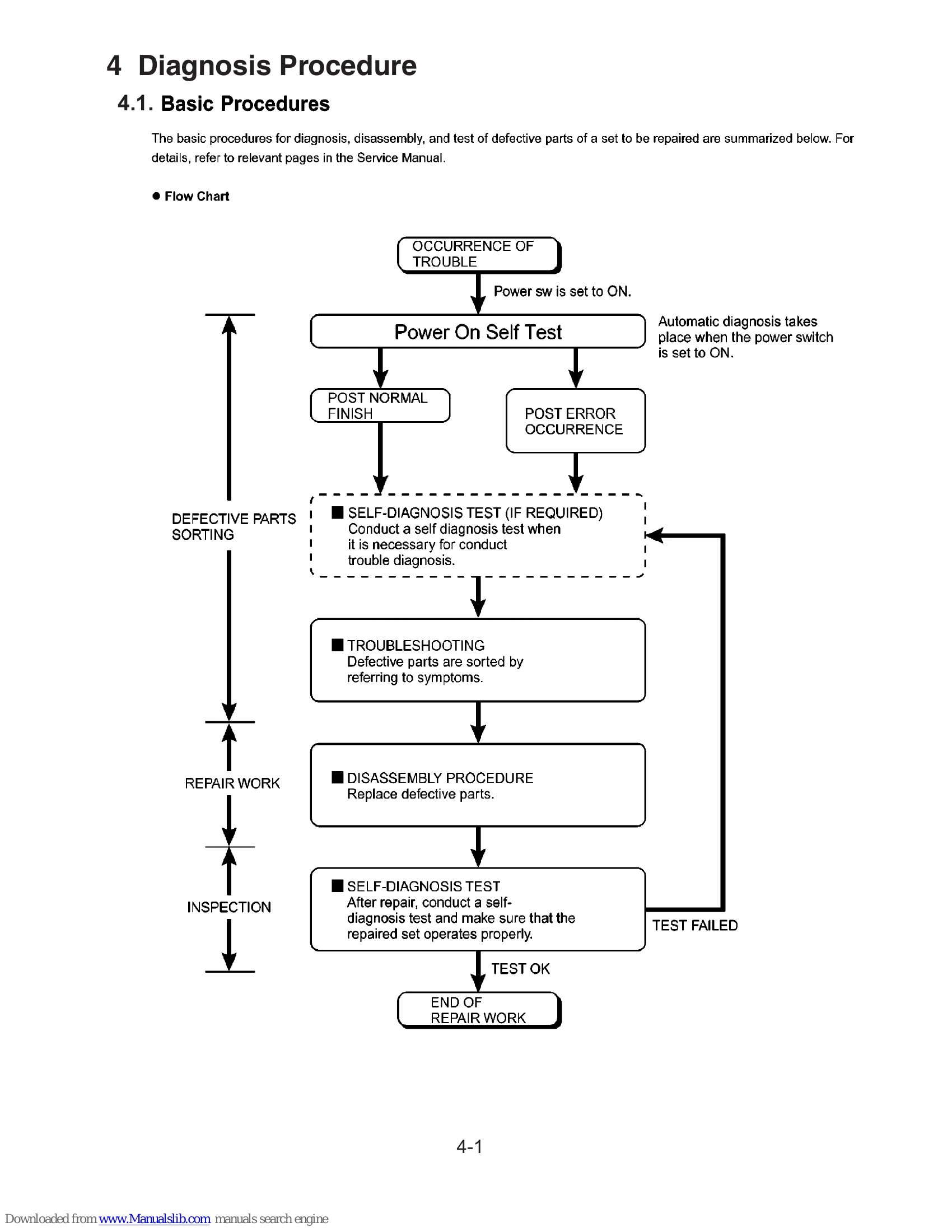
Basic Procedures:
Self Diagnosis Test:
| Symptom | Possible Cause/Action | Page Ref |
| Set cannot be supplied with current. Power lamp fails to light up. | Check AC Adaptor/Battery output voltage. Replace AC Adaptor/Battery if defective. Check Power lamp. Replace Power SW if defective. | 4-2 |
| Dark display on screen. Screen fails to display. | Check inverter board. Replace inverter board if defective. Check inverter cable continuity. | 4-2 |
| Failure in starting | Check LCD back light. Replace LCD back light. Check LCD unit. Replace LCD unit. Check BIOS operation. Replace main board (check fuse at power source). Refer to POST error code table. Replace main board. Set-up utility starting fails. Reset set-up utility setpoint to factory default. | 4-2 |
| Not displayed properly on screen. Some or all keys cannot be input. | Check HDD cable connection and continuity. Replace if defective. Reinstall HDD. Replace main board. Check K/B connector. Replace keyboard or main board. | 4-2 |
| DVD/CD CALL not practicable. | Check DVD/CD media for flaws. Clean DVD-ROM drive. Replace DVD drive. Reinstall HDD. Replace main board. | 4-2 |
| Starts but operates unstably. | Replace main board. | 4-2 |
| Beep sounds during POST | Refer to the table of errors classified by beep sounds for diagnosis (e.g., BIOS ROM error, RAM error, Keyboard controller error). | 5-1 |
| BIOS Error Codes | Refer to the List of Error Codes for detailed explanations and remedies. | 6-1, 6-2 |