Brand: Panasonic
Category: Portable Electronics
Document Type: Parts/Service
Language: EN
Brand: Panasonic
Category: Portable Electronics
Document Type: Parts/Service
Language: EN
Uploaded: Nov. 21, 2025, 8:42 p.m.
This service manual is for experienced repair technicians only and does not contain consumer warranty information.
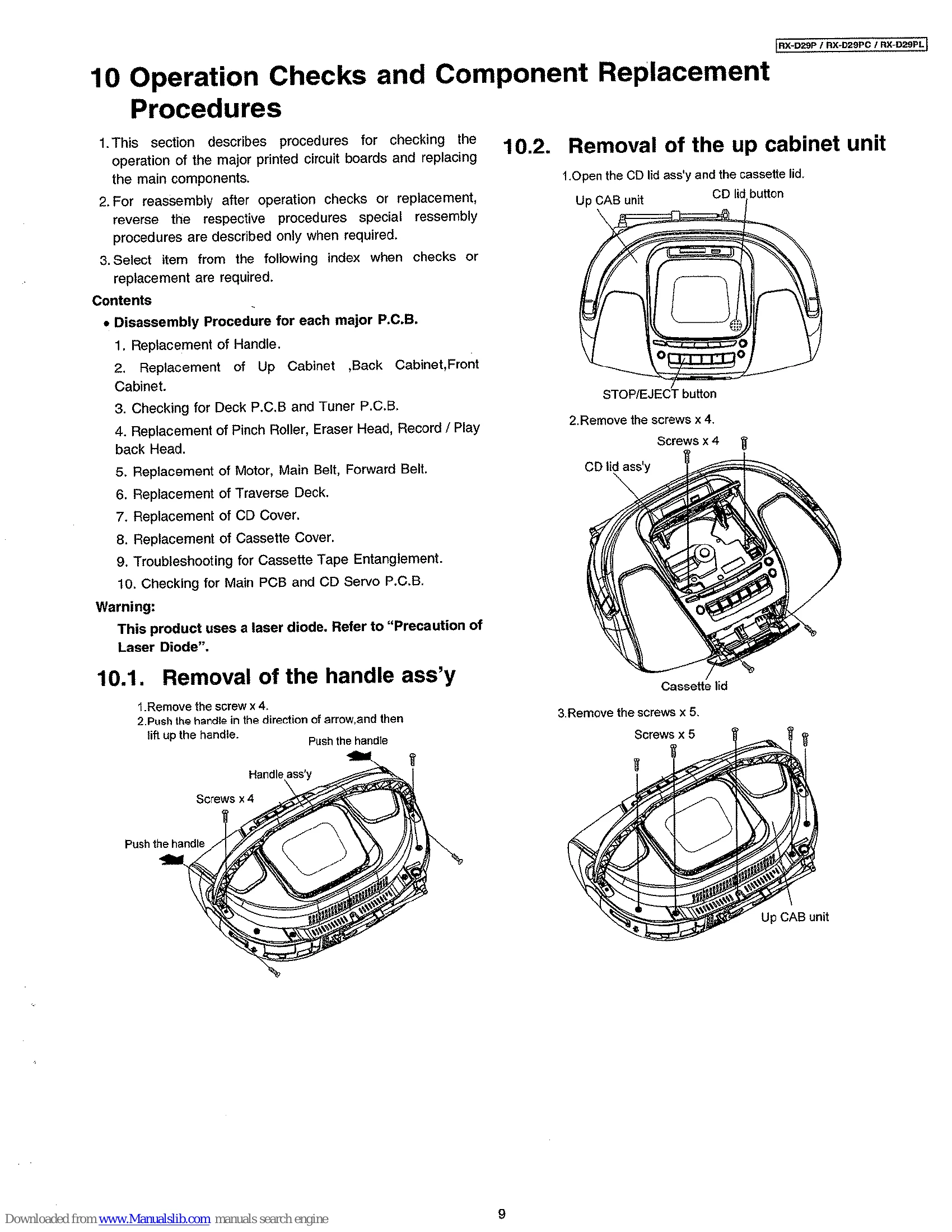
This manual covers service procedures for the Panasonic RX-D29P portable stereo CD system. Key operations include:
The manual details component replacement, schematic diagrams, and troubleshooting guides.
| Common Problems | Check Points |
| The unit doesn't work on batteries. | Is the AC mains lead connected to the unit? Disconnect when using batteries. Have the batteries been inserted correctly? Check that the poles (+ and -) are correctly aligned. Replace the batteries or use household AC power. |
|---|---|
| "UO1" is displayed. | |
| CD | |
| "ERROR" is displayed. | Indicates an incorrect operation. Read the instructions. |
| Play doesn't start or display is incorrect. | Clean the CD. Wait for an hour for condensation to dry, then try again. Make sure the label is facing up. Replace the CD if it is if it is scratched, warped, or irregularly shaped. Play of a multi-session disc may not be possible if there is a blank data segment betweeen sessions. If there is large JPEG data etc. within a MP3 file, sound may become muted and play may not possible. If you try playing a CD that contains MP3 format data and normal audio data (CD-DA), output from one of the above may become silent, and play may not be possible. |
| CD-RW cannot be read. | The disc was incompletely formatted. Use the recording equipment to fully format the disc before recording. |
| Cassette | |
| Recording not possible. | Has the cassette's tab been removed? Cover the hole with adhesive tape. |
| Poor sound quality. | Clean the heads. |
| The cassette cannot be ejected or the lid can't be closed when loading a cassette. | The batteries are flat. Replace the batteries or connect to household AC power Press [PLAY] then [/ STOP/EJECT]. |
| Radio | |
| A lot of noise. | Is another remote control being used? Use it further away from this unit. Is a TV on? Move the unit away from the TV or turn it off. |
| Remote control | |
| The remote control doesn't work. | Check the batteries are inserted correctly. Replace the batteries if they are worn. |