Brand: Panasonic
Category: Tablet Computer
Document Type: Parts/Service
Language: EN
Brand: Panasonic
Category: Tablet Computer
Document Type: Parts/Service
Language: EN
Uploaded: Nov. 21, 2025, 7:50 p.m.
Manual Publish Date: 2006-11-20
This manual is for service technicians and does not contain warranty information.
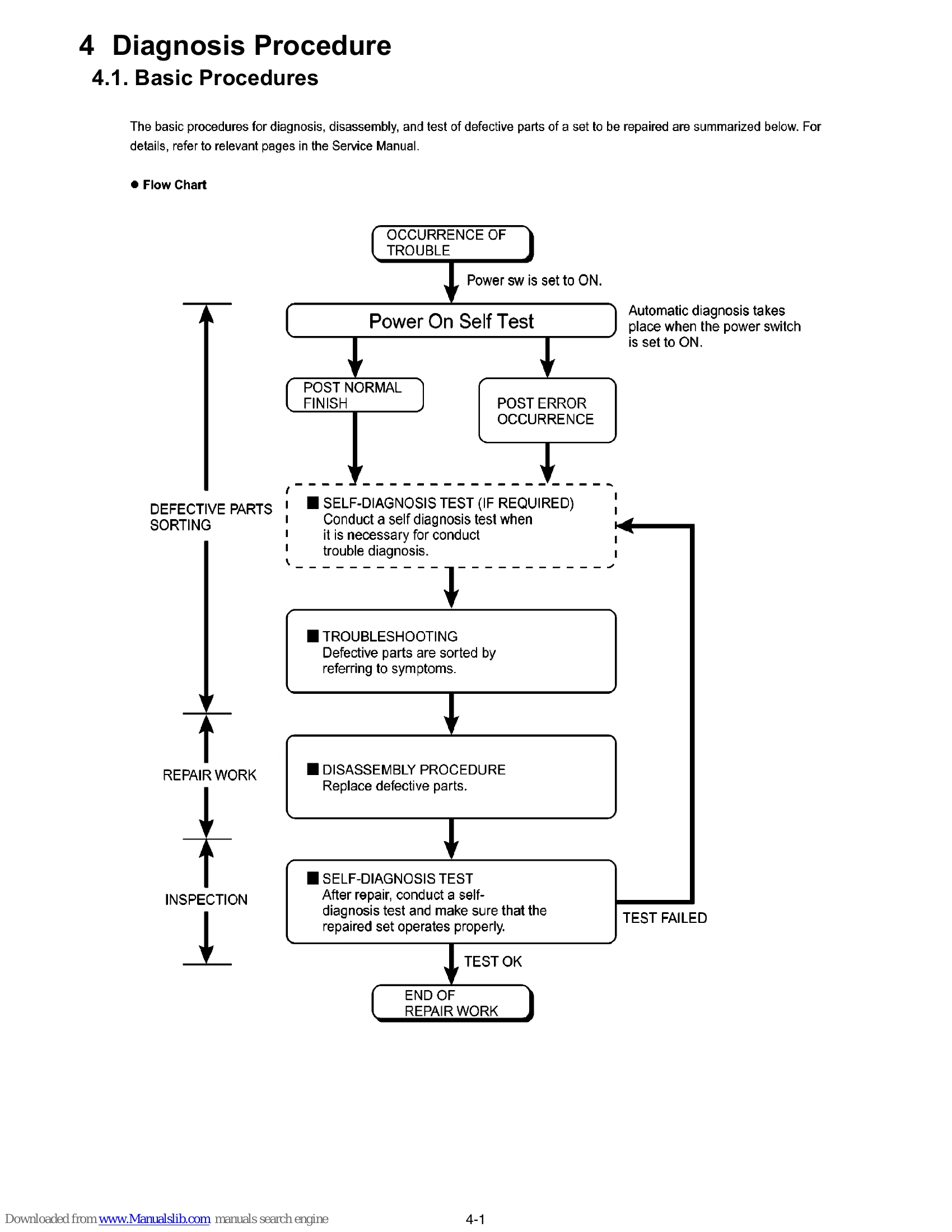
The manual outlines the basic procedures for diagnosis, disassembly, and testing of defective parts. It includes a flow chart detailing the process from trouble occurrence to end of repair work, involving self-diagnosis tests, troubleshooting, and inspection.
Key steps include:
| Trouble Symptoms | Troubleshooting Steps |
|---|---|
| Set cannot be supplied with current. Power lamp fails to light up. | Check AC Adaptor/Battery output voltage. If OK, check power lamp. If OK, check Power SW. Replace AC Adaptor/Battery if NG. |
| Dark display on screen. Screen fails to display. | Check inverter board and cable. If OK, check LCD unit. |
| Failure in starting. | Check BIOS operation. Refer to POST error code table. Replace main board. |
| Not displayed properly on screen. Some or all keys cannot be input. | Check HDD cable. Replace HDD and reinstall OS. Replace main board. Check K/B connector. |
| CD CALL not practicable. | Check CD media for flaws. |
| Starts but operates unstably. | Reinstall HDD. Replace main board. |