Brand: Panasonic
Category: Television
Document Type: Manual
Language: EN
Brand: Panasonic
Category: Television
Document Type: Manual
Language: EN
Uploaded: Nov. 21, 2025, 8:42 p.m.
Manual Publish Date: 1996-01-01
None
Congratulations on your new purchase! This television features an all solid state chassis designed for years of enjoyment. It has been thoroughly tested and adjusted at the factory for best performance. Please read and follow the installation and operating instructions supplied with this product to take full advantage of its features.
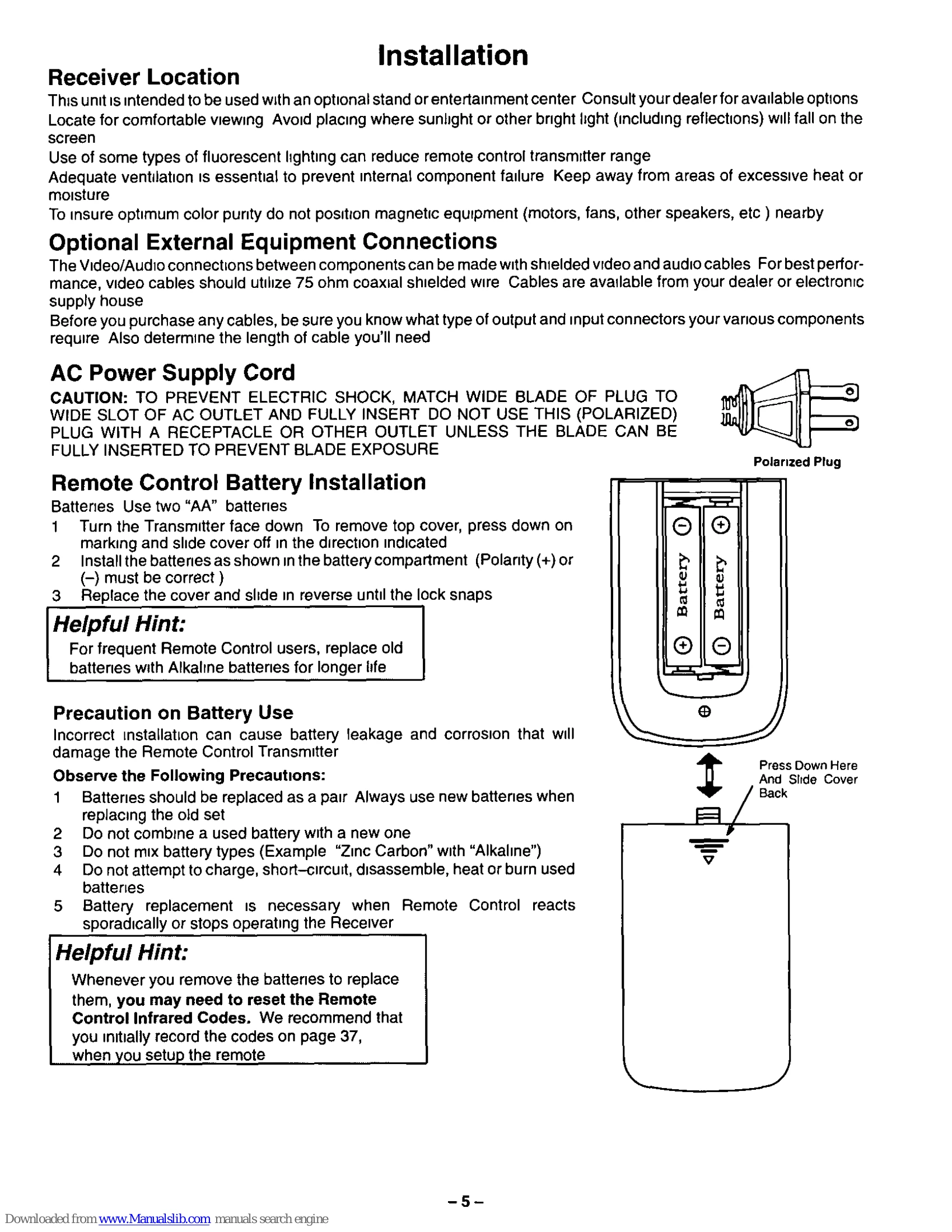
Proper installation is crucial for optimal performance and safety. This includes selecting the right location for the TV, ensuring adequate ventilation, and making correct connections for antennas, cables, and external equipment. The manual provides detailed instructions on:
Familiarize yourself with the front panel controls and the remote control functions. Key operations include:
The universal remote control can be programmed to operate various brands of VCRs, Cable Boxes, CD Players, Receivers, Amplifiers, and more using access codes. Refer to the Infrared Codes Index sections for specific instructions.
| Troubleshooting Chart | ||
|---|---|---|
| Picture | Sound | Check |
| SNOWY PICTURE | NOISY SOUND | - ANTENNA LOCATION AND/OR CONNECTION - ANTENNA DIRECTION AND/OR LOCATION - ANTENNA LEAD-IN WIRE |
| MULTIPLE IMAGE | NORMAL SOUND | - ELECTRICAL APPLIANCES, LIGHTS, CARS AND TRUCKS - DIATHERMY AND OTHER MEDICAL EQUIPMENT |
| INTERFERENCE | NOISY SOUND | - VOLUME CONTROL SETTING - MUTE CONTROL (IF APPLICABLE) - TRY ANOTHER CHANNEL - TV SPEAKERS (IF APPLICABLE) IN THE OFF MODE |
| NORMAL PICTURE | NO SOUND | - TV OR CABLE TUNING MODE SET TO PROPER SETTING - ANTENNA INPUT CORRECT (IF APPLICABLE) |
| NO VIDEO | NOISY SOUND | - CHECK THAT AC POWER LINE IS PLUGGED INTO AC OUTLET - BRIGHTNESS & AUDIO CONTROLS SET PROPERLY - TRY ANOTHER CHANNEL |
| NO PICTURE | NO SOUND | - COLOR CONTROL SETTINGS - TRY ANOTHER CHANNEL |
| NO COLOR | NORMAL SOUND | - RECEIVER IN VIDEO MODE WITH NO SIGNAL |
| BLUE PICTURE | NO SOUND | - CC (CLOSED CAPTION) IN TEXT MODE (IF APPLICABLE) SELECT CAPTION OFF MODE TO ELIMINATE BLACK BOX |
| BLACK BOX IN PICTURE | SOUND | - |
Should this unit turn ON momentarily and then turn OFF, or fail to operate, unplug the AC cord and contact your Authorized Servicer for repairs.