Brand: Panasonic
Category: Video Camera
Document Type: Manual
Language: EN
Brand: Panasonic
Category: Video Camera
Document Type: Manual
Language: EN
Uploaded: Nov. 21, 2025, 8:43 p.m.
Warranty information not explicitly stated in this document. Consult product documentation for details.
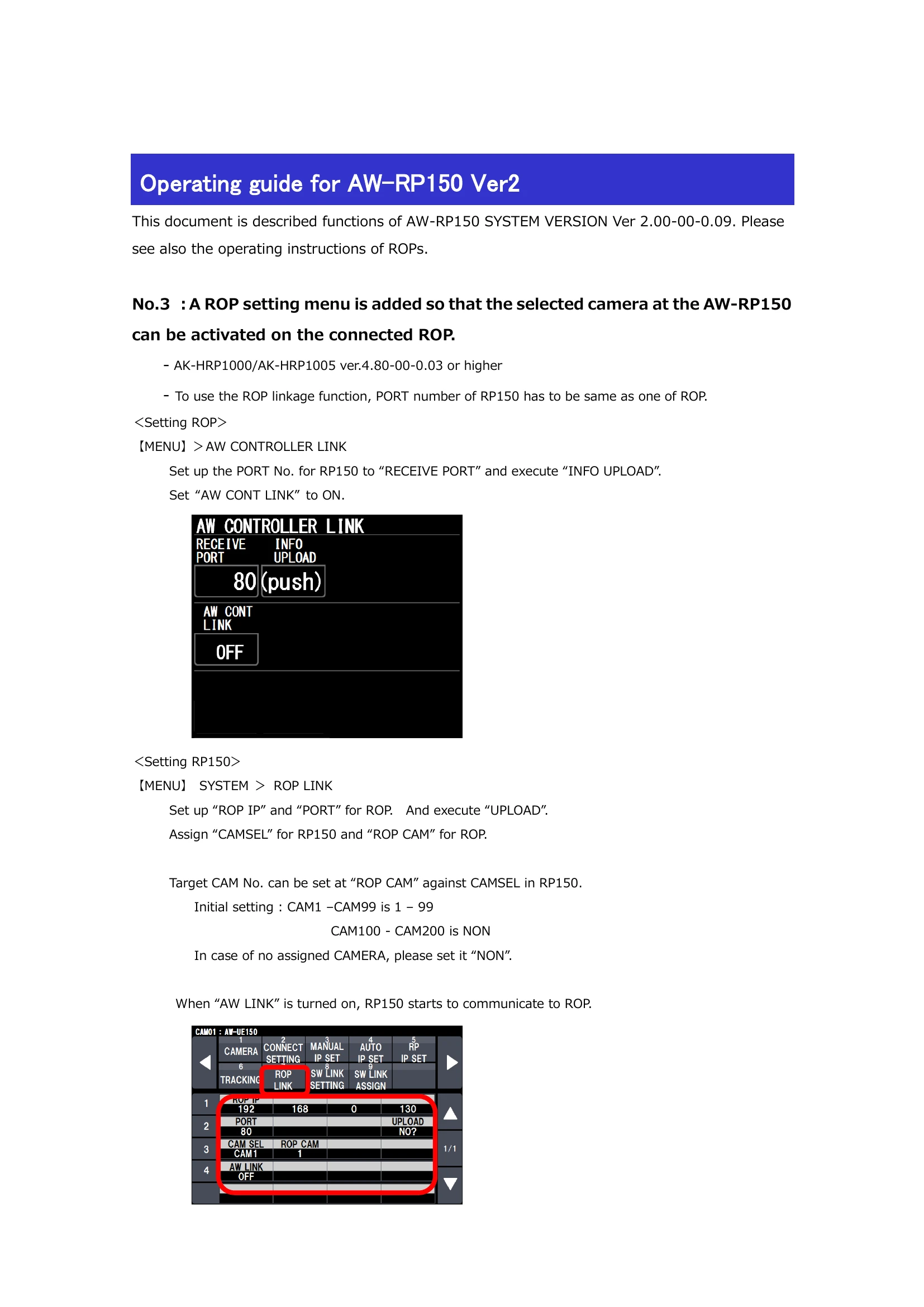
This guide details new functions for the AW-RP150 SYSTEM VERSION Ver 2.00-00-0.09.
| Problem | Possible Cause | Solution |
|---|---|---|
| No communication between RP150 and ROP. | ROP linkage settings are incorrect. | Verify ROP linkage settings (PORT number, IP address, etc.) on both devices. |
| — is displayed on RP150 when AW LINK is on. | AW LINK is not turned on or configured correctly. | Ensure "AW LINK" is set to ON in the RP150 system settings. |
| Camera not responding to commands. | Incorrect camera assignment or connection. | Check CAMSEL assignments and ensure cameras are properly connected and powered. |
| I.Zoom function not working. | Camera does not support I.Zoom or it's not enabled. | Verify camera model supports I.Zoom and ensure it's enabled in Camera Info settings. |
| Preset list not displaying correctly. | Incorrect PRESET setup or display configuration. | Review PRESET settings and ensure the display is configured to show the PRESET list. |