Brand: PARKSIDE
Category: Tools
Document Type: Manual
Language: EN
Brand: PARKSIDE
Category: Tools
Document Type: Manual
Language: EN
Uploaded: Nov. 21, 2025, 8 p.m.
Manual Publish Date: 2014-04-01
The warranty is valid for 3 years from the date of purchase and covers manufacturing defects, not transport damage or wear and tear.
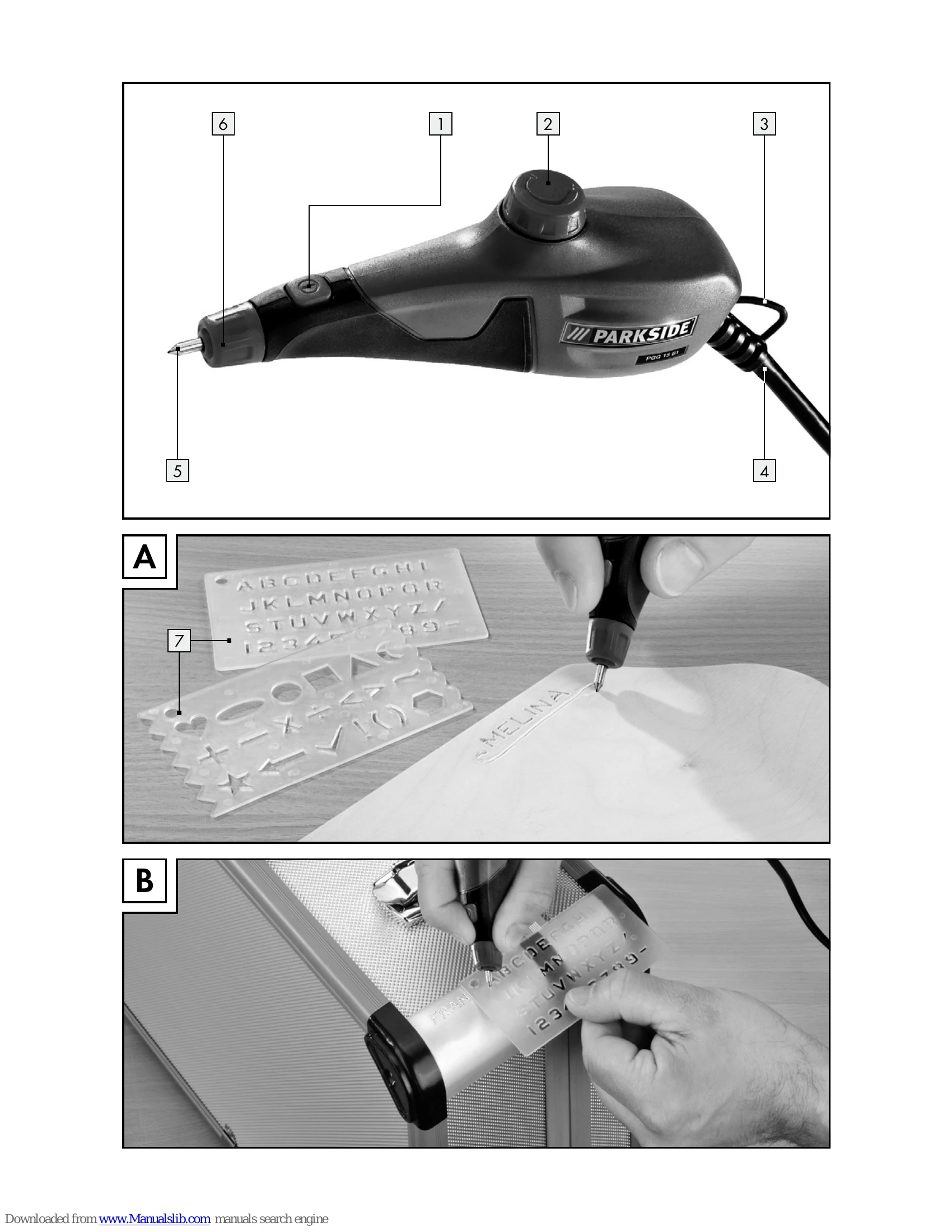
Switching on/off: Insert the mains plug into a mains socket. To switch on, press the ON/OFF switch [1]. To switch off, release the ON/OFF switch [1].
Setting the cutting depth: Use the stroke rate rotary controller [2]. Turn towards the '+' sign to increase depth, and towards the '-' sign to decrease depth. Be careful not to turn too far towards '+' to avoid unscrewing the switch.
Changing the engraving point: WARNING! RISK OF INJURY! Switch off and unplug the device. Unscrew the engraving point holder [6] to remove the worn engraving point [5]. Replace with a new point, spring, and washer, then tighten the holder clockwise. Ensure the point is fixed.
Advice on use: Hold the device like a pencil with your arm resting on a table. Use light pressure. Practice speed on waste material. The included tungsten steel point is not suitable for electronic media like CDs/DVDs.
| Problem | Possible Cause | Solution |
|---|---|---|
| Device does not turn on/off | Switch is defective | Have the power tool repaired. |
| Reduced engraving performance | Engraving point is worn | Replace the engraving point [5]. |