Manual for AUTO 110

Manual for AUTO 110

Brand: PENTAX

Category: Camera

Document Type:

Language: EN
Uploaded: Aug. 9, 2025, 11:46 p.m.

Manual Publish Date: 1980-09-01

Warranty Information

Guaranteed against defects for twelve months from purchase, excluding damage from misuse or non-Pentax lenses.

Loading Film

1. Insert the film cartridge. 2. Close the back cover. 3. Advance the film lever until '1' appears in the back cover window.

Focusing

1. Look through the viewfinder. 2. Turn the focusing ring until the image is sharp. Use the split-image center spot for pinpoint focus.

Shooting

1. Depress the shutter release halfway. A green LED indicates correct exposure; a yellow LED indicates low light, requiring flash or tripod. 2. Cock the shutter by advancing the film lever two full strokes. 3. Take the picture by fully pressing the shutter release.

Film Advance

After each shot, advance the film using the lever. The frame number will update in the back cover window.

Changing Lenses

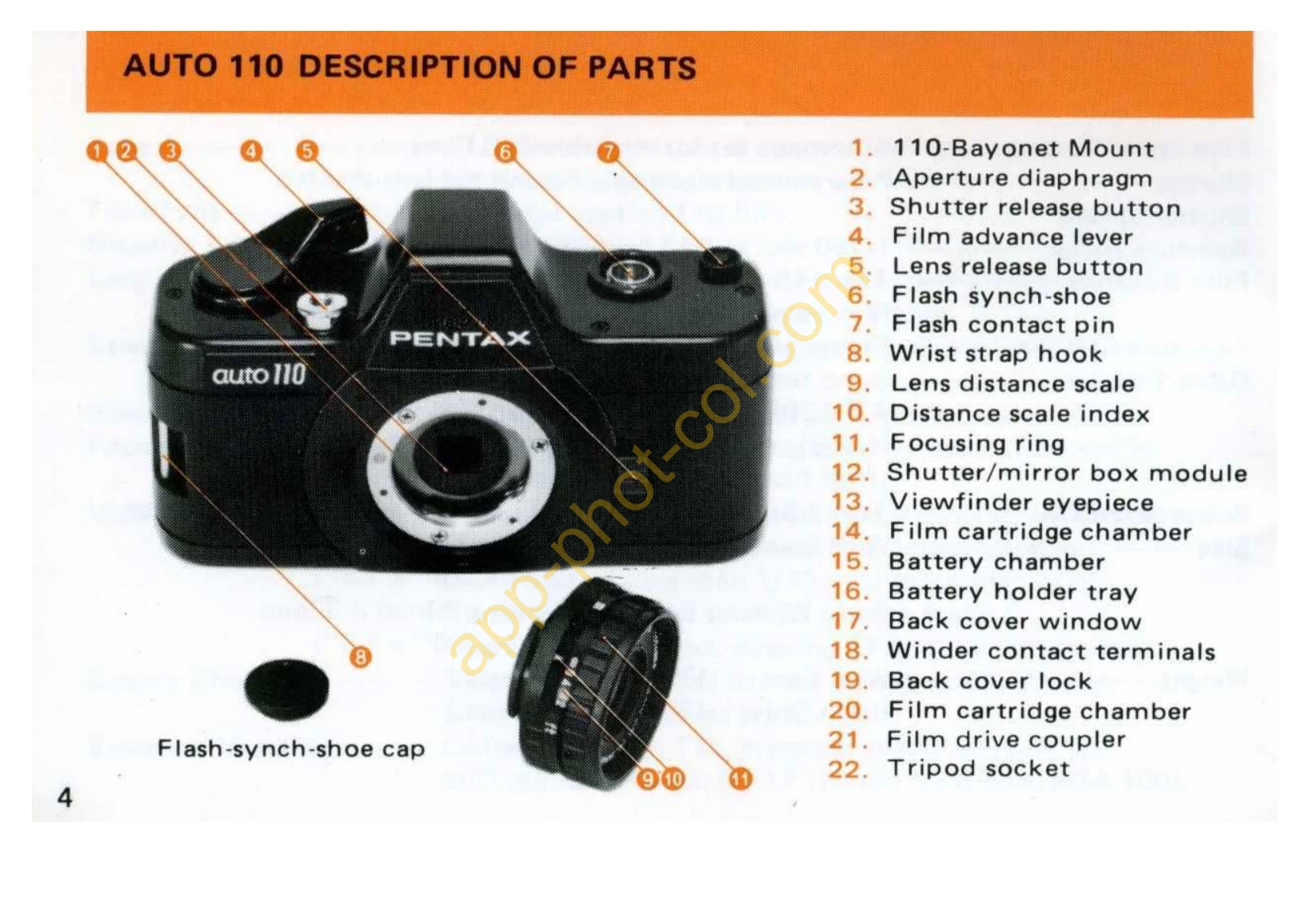
1. Push the lens release lever upwards and turn the lens counter-clockwise to remove. 2. Align the red distance scale index on the new lens with the red dot on the camera body and insert. 3. Turn the lens clockwise until it locks.

Troubleshooting and error codes

Problem Possible Cause Solution
Viewfinder LEDs fail to light Low batteries Replace batteries. Replace BOTH at the same time with equivalent 1.5V Alkaline or Silver-oxide batteries.
Film does not advance Batteries not inserted properly or worn out. Ensure batteries are inserted correctly. Replace if worn.
Flash unit does not fire Batteries improperly inserted or worn down. Check battery installation and condition. Ensure power switch is ON.
Privacy Policy