Brand: PENTAX
Category: Camera
Document Type:
Language: EN
Brand: PENTAX
Category: Camera
Document Type:
Language: EN
Uploaded: Aug. 9, 2025, 11:47 p.m.
12-month guarantee against defects in material or workmanship.
Loading Film: Pull rewind knob to open back, insert film cassette, draw leader to take-up spool, advance film until sprockets engage. Close back. Rewind knob should turn counter-clockwise when advancing film.
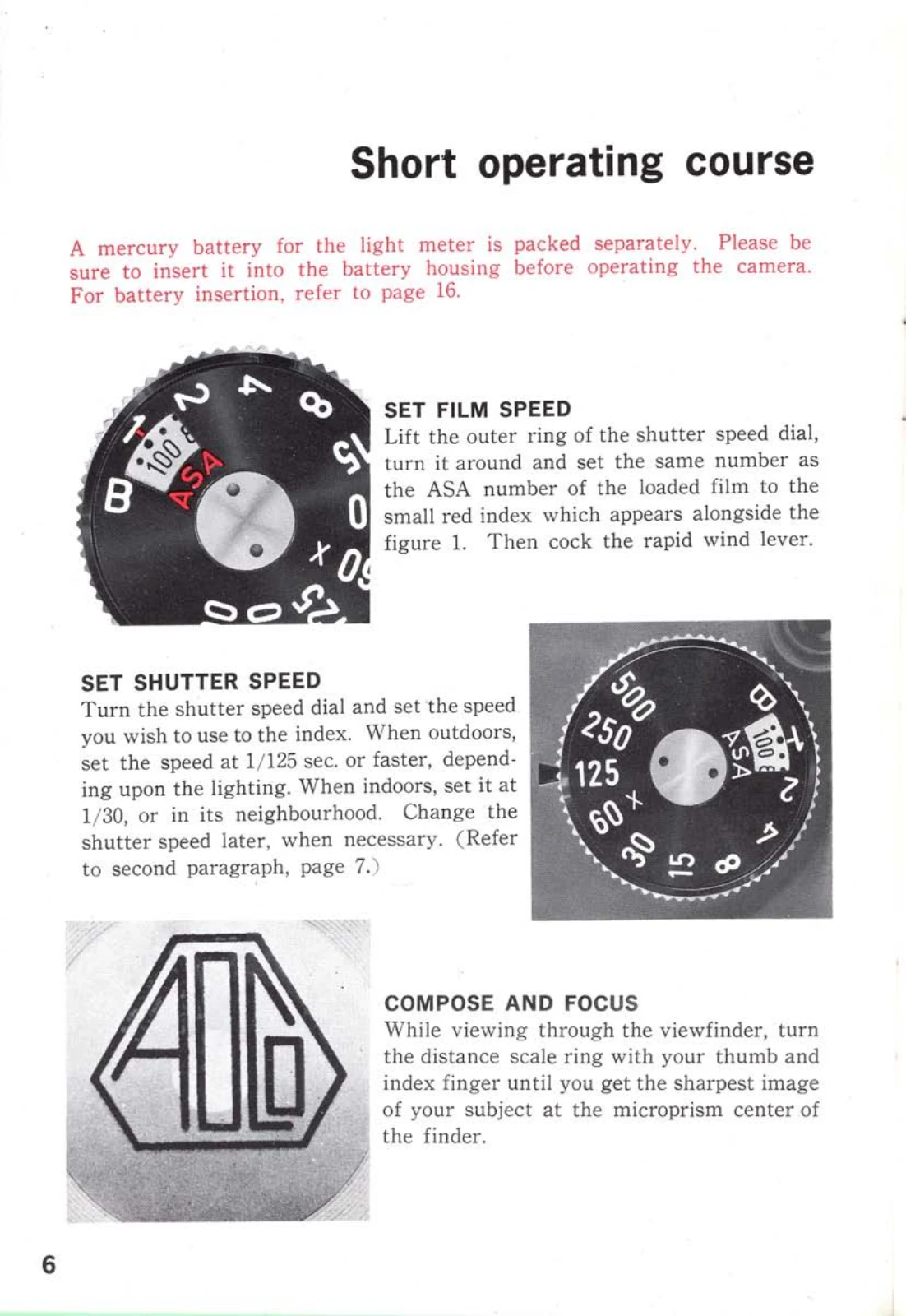
Setting Film Speed: Lift and turn shutter speed dial outer ring to match film's ASA number to red index.
Setting Shutter Speed: Turn shutter speed dial to desired speed. For outdoors, use 1/125 sec. or faster; for indoors, 1/30 sec. or slower.
Focusing: View through the viewfinder, turn the distance scale ring until the image is sharp at the microprism center.
Exposure Meter: Push switch to "on". View meter needle. Adjust diaphragm ring until needle centers for correct exposure. Change shutter speed if needle doesn't center.
Taking a Photo: Hold camera firmly, trip shutter release. Cock rapid wind lever for next shot.
| Problem | Possible Cause | Solution |
|---|---|---|
| Meter needle does not move | Battery exhausted | Replace battery (See page 16) |
| Shutter speed index turns red | Settings outside meter's range | Adjust shutter speed or film speed (See page 15) |
| Camera not advancing film | Film not loaded properly or drive mechanism issue | Re-load film, check rewind knob for counter-clockwise movement; contact service if persists. |
| Double exposure unintentionally | Shutter not cocked after shot | Ensure rapid wind lever is fully cocked before each shot. |
| Blurry images | Camera shake or incorrect focus | Hold camera firmly, use tripod at slow speeds, ensure correct focus. |