Brand: PENTAX
Category: Camera
Document Type:
Language: EN
Brand: PENTAX
Category: Camera
Document Type:
Language: EN
Uploaded: Aug. 9, 2025, 11:47 p.m.
Guaranteed against defects for twelve months from date of purchase, provided the equipment has not been abused or altered.
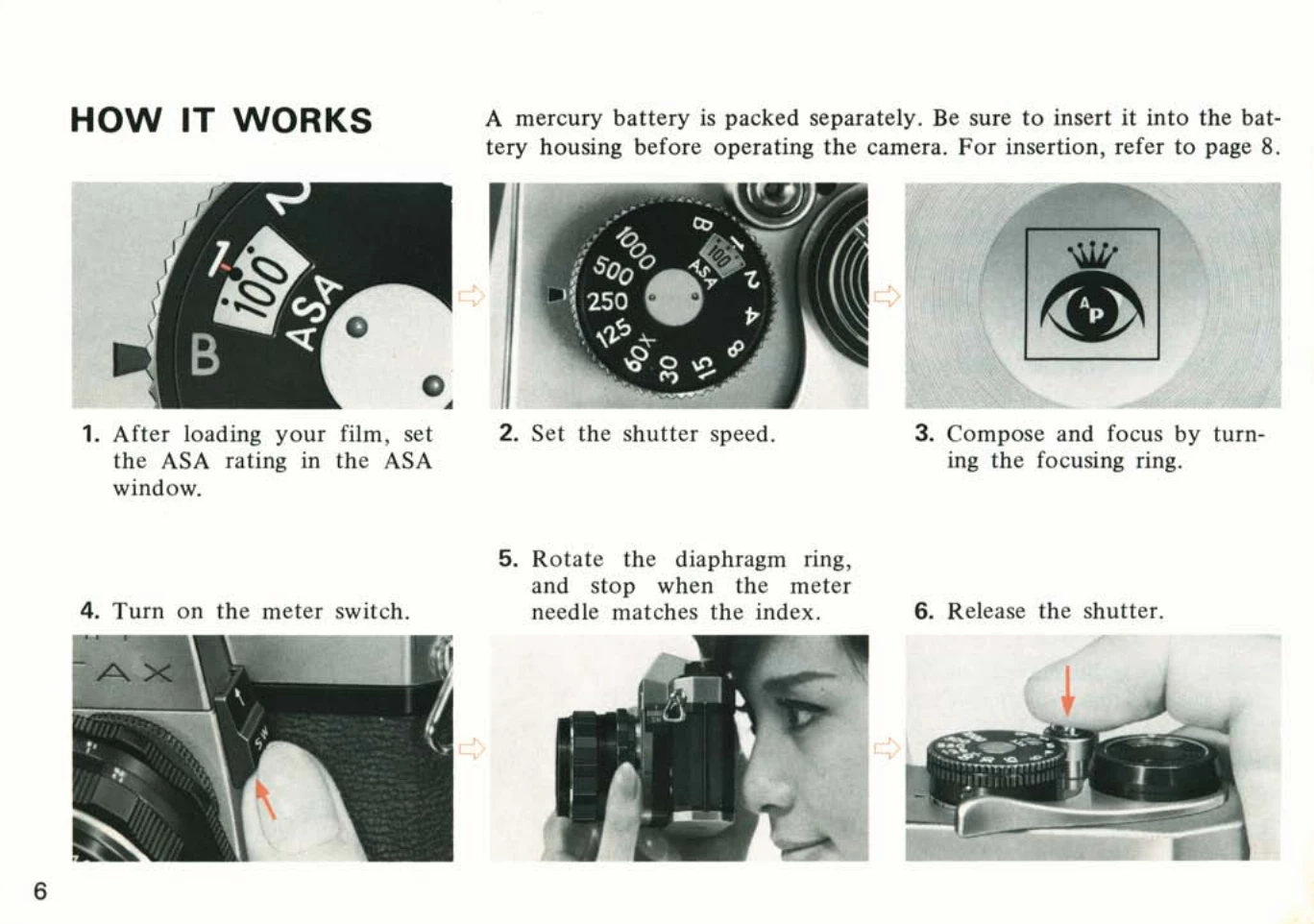
Loading Film: Open the back cover, place the cassette in the chamber, draw out the leader, and insert it into the take-up spool. Advance the film using the lever until sprockets engage the perforations. Close the back cover. The rewind knob should turn counter-clockwise when advancing film.
Setting ASA and Shutter Speed: Set the ASA film speed on the dial. Set the desired shutter speed by turning the shutter speed dial to the index. Ensure these settings are within the meter's measurability range.
Focusing: Look through the viewfinder and turn the focusing ring until the subject image is sharp. The microprism in the center will show a clear image when in focus.
Exposure Metering: Turn on the meter switch. Adjust the diaphragm ring until the meter needle aligns with the index for correct exposure. If the needle is off-center, adjust the shutter speed.
Taking a Photo: Hold the camera steady and trip the shutter. The meter will turn off, and the diaphragm will reopen.
| Issue | Possible Cause | Solution |
|---|---|---|
| Meter needle not moving or moving erratically | Battery depleted or not inserted correctly. | Check and replace battery. Ensure correct insertion. |
| Shutter not firing | Camera not cocked. | Cock the rapid wind lever. |
| Blurry images | Camera shake or improper focus. | Hold camera firmly, use a tripod for slow speeds, ensure proper focus. |
| Over/Underexposure | Incorrect shutter speed or aperture settings for the lighting conditions. | Adjust shutter speed or diaphragm ring to align meter needle with index. |