Brand: PHILIPS
Category: Audio
Document Type: Manual
Language: EN
Brand: PHILIPS
Category: Audio
Document Type: Manual
Language: EN
Uploaded: Nov. 21, 2025, 6:34 p.m.
3 years manufacturers warranty for Australia, 12 months for New Zealand.
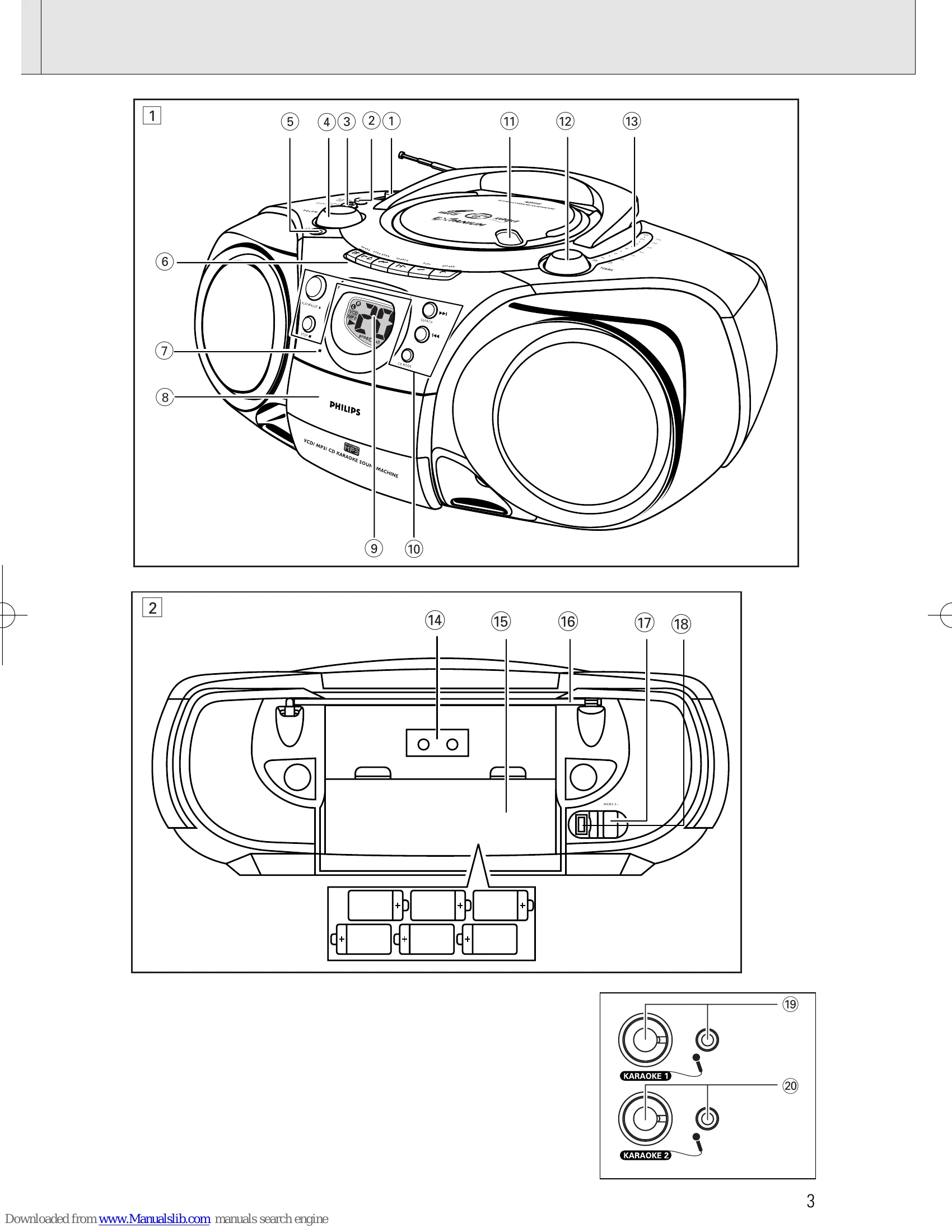
1. Check and connect the mains voltage to the AC MAINS socket and the wall socket.
2. To switch off, pull the mains plug out.
1. To switch on, adjust the source selector.
2. Adjust sound using VOLUME, DYNAMIC BASS BOOST, and INCREDIBLE SURROUND controls.
3. To switch off, set the source selector to TAPE/OFF.
1. Set source selector to FM or MW.
2. Adjust sound using controls.
3. Tune to station using TUNING knob. Adjust FM aerial for reception.
4. To switch off, set source selector to TAPE/OFF.
| Problem | Solution |
| CD/VCD OPERATION "NO DISC" is displayed | - Insert a disc. - Check if the disc is inserted upside down. - Wait until the moisture condensation at the lens has cleared. - Replace or clean the disc, see "Maintenance" - Use a readable disc or correct recorded format MP3-CD. |
| No picture on TV screen | - Connect the cable between the system and TV. - Change the system to the respective PAL or NTSC setting. |
| No colour on TV | - Change the system to the respective PAL or NTSC setting. |
| RADIO RECEPTION Radio reception is poor | - If the signal is too weak, adjust the antenna for better reception. - Increase the distance between the Receiver and your TV or VCR. |
| TAPE OPERATION/RECORDING Recording or playback cannot be made | - Clean deck parts, see "Maintenance". - Use only NORMAL (IEC I) tape. - Apply a piece of adhesive tape over the missing tab space. |
| GENERAL The system does not react when buttons pressed/set does not work/no display on LCD. | - Slide the source sector to TAPE/OFF. Remove and reconnect the AC power plug for 30 seconds and switch on the system again. |
| Sound cannot be heard or is of poor quality | - Adjust the volume. - Make sure the MP3-CD was recorded within 32-320 kbps (128kbps preferably) with sampling frequencies at 8 - 48 kHz (44.1kHz preferably). |
| The remote control does not function properly | - Reduce the distance between the remote control and the system. - Insert the batteries with their polarities (+/- signs) aligned as indicated. - Replace the batteries. - Point the remote control in the direction of the system's IR sensor. |