Manual for AZB600

Manual for AZB600

Brand: PHILIPS

Category: Audio

Document Type: Manual

Language: EN
Uploaded: Nov. 21, 2025, 7:35 p.m.

Warranty Information

Refer to the website for product registration and support.

Getting Started

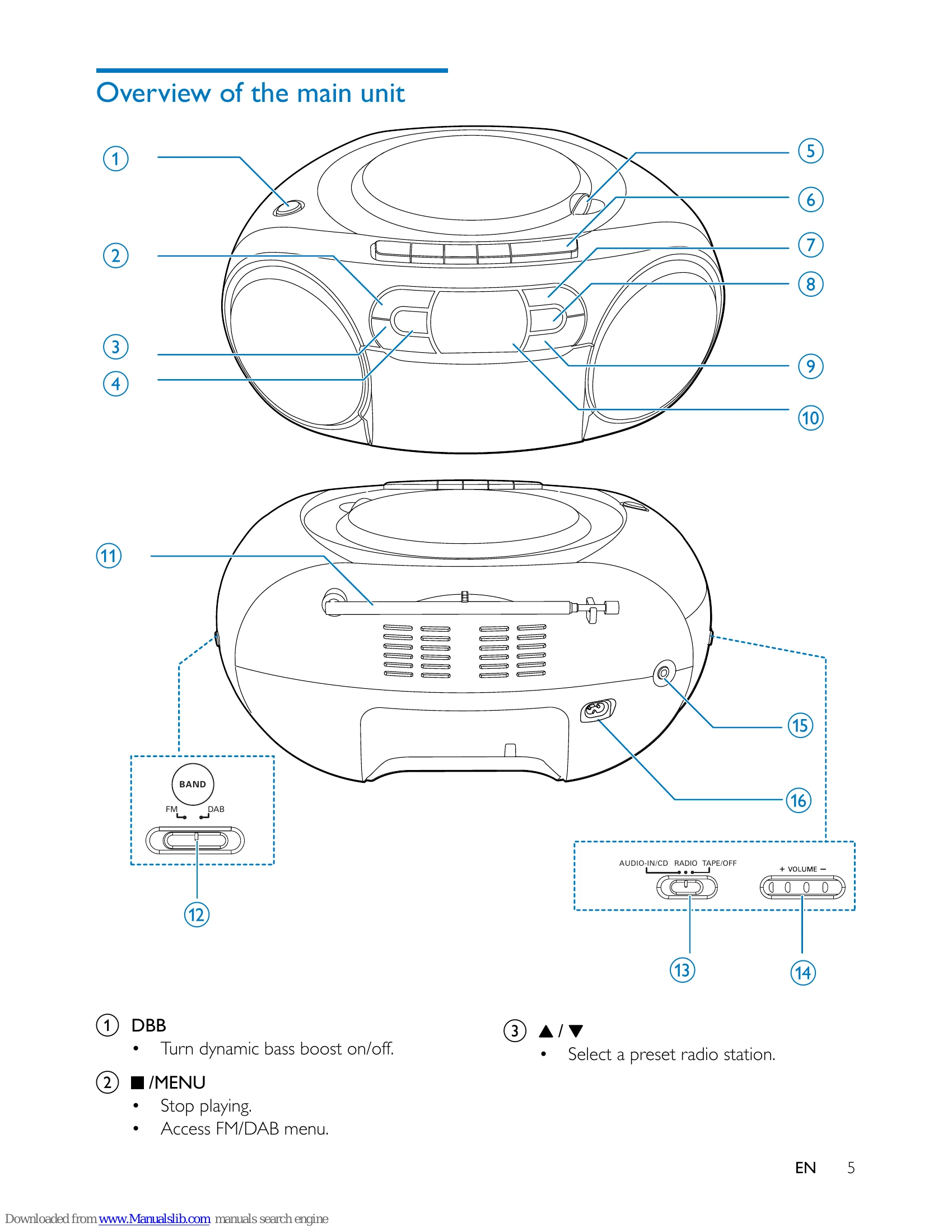
Connect power using AC adapter or batteries. Turn on the unit by switching the source selector to CD/RADIO/TAPE. The unit will enter standby mode if no audio is detected for 15 minutes. Switch the source selector to OFF to turn off the unit.

Playing Music

  • CD Playback: Insert a CD, close the lid, and playback starts automatically. Use playback controls to skip tracks, pause, resume, or stop. Program tracks by pressing STOP, then PROG, selecting track numbers, and confirming.
  • Tape Playback: Slide the source selector to TAPE, open the tape door, load tape, and press PLAY. Use rewind/fast-forward and pause controls.
  • External Device: Connect via AUDIO-IN using a 3.5mm cable and select CD source.

Radio Listening

  • FM Radio: Tune to stations using the seek buttons. Program stations automatically or manually. Select preset stations using arrow keys.
  • DAB Radio: Tune to DAB stations. Perform a full scan for available stations. Program stations and display DAB information. Access DAB menus for settings like MANUAL tune, DRC, PRUNE, and SYSTEM.

System Menus

Access menus using the MENU button. Options include RESET (factory defaults), UPGRADE (software), and SW VER (software version).

Troubleshooting and error codes

Problem Solution
No disc detected
  • Insert a disc.
  • Check if the disc is inserted upside down.
  • Wait until moisture condensation at the lens has cleared.
  • Replace or clean the disc.
  • Use a finalized CD or correct format disc.
Poor radio reception
  • Increase the distance between the unit and your TV or VCR.
  • Fully extend the FM antenna.
No power
  • Ensure that the Mains cord is connected securely.
  • Ensure that there is power at the AC Mains.
  • Ensure that the batteries are inserted correctly.
No sound or poor sound
  • Adjust the volume.
No response from the unit
  • Disconnect and reconnect the AC power plug, then turn on the system again.
  • The unit switches off automatically after 15 minutes of inactivity as a power-saving feature.
Poor cassette sound quality
  • Ensure that heads in the cassette holder are clean.
  • Ensure that a NORMAL (IECI) cassette tape is used for record.
Cassette does not work for record
  • Ensure that cassette tabs are not broken.
Privacy Policy