Brand: PHILIPS
Category: Audio
Document Type: Manual
Language: EN
Brand: PHILIPS
Category: Audio
Document Type: Manual
Language: EN
Uploaded: Nov. 21, 2025, 6:41 p.m.
None
Connect and charge the device.
Install necessary software like Philips Device Manager and Windows Media Player.
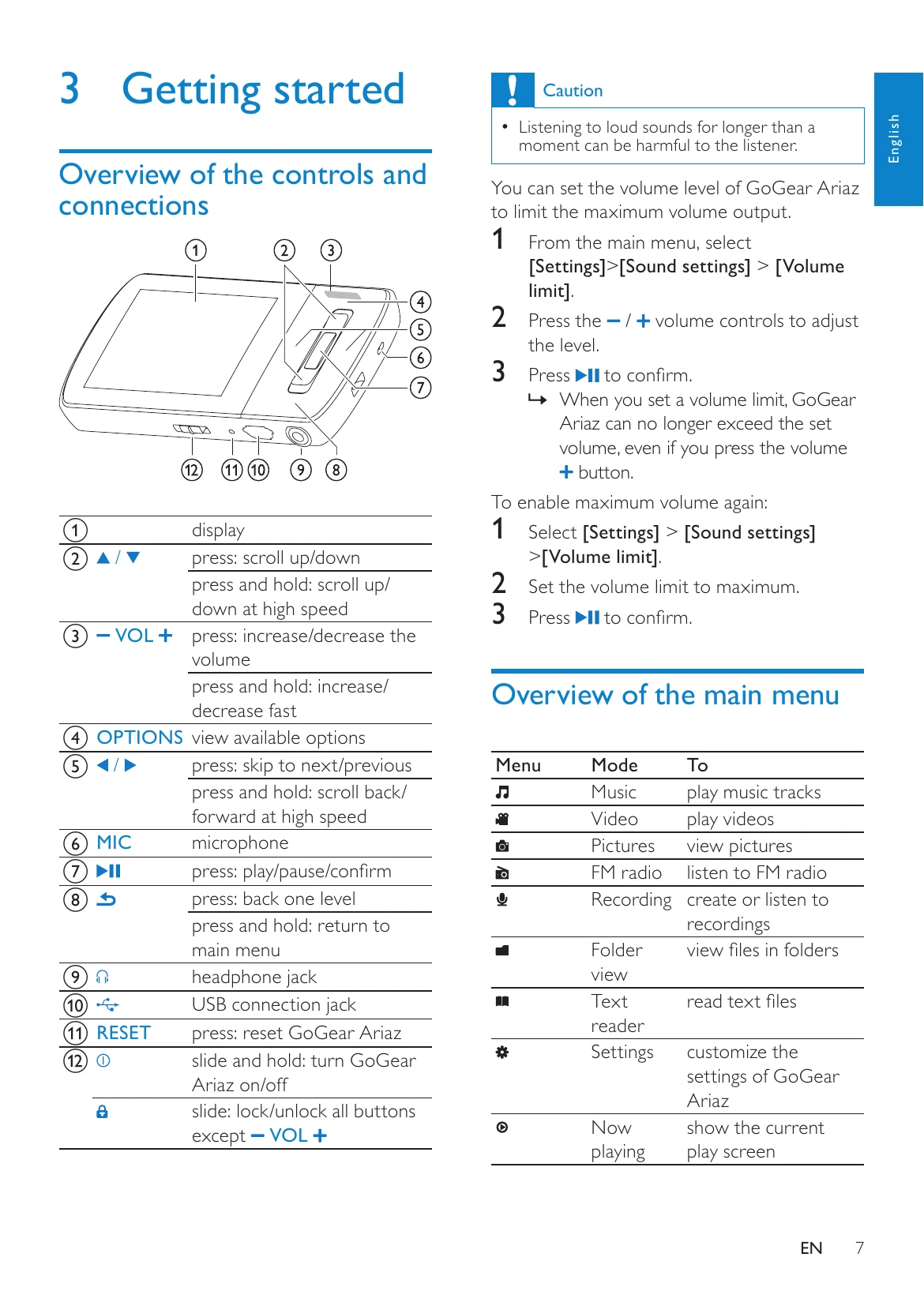
Learn to navigate the device menus to play music, videos, listen to FM radio, and make recordings.
Transfer files using Windows Explorer or Windows Media Player.
Manage music, audiobooks, and pictures through various modes.
Customize settings such as display, sound, and language.
Update the device firmware using Philips Device Manager.
Reset or recover the device if it is not working properly.
| Issue | Solution |
|---|---|
| GoGear Ariaz not working properly or display freezes | Reset the device by inserting a pen tip into the reset hole. If unsuccessful, use Philips Device Manager to recover the device. |