Manual for SA1VBE04

Manual for SA1VBE04

Brand: Philips

Category: Audio

Document Type: Manual

Language: EN
Uploaded: Nov. 21, 2025, 8:35 p.m.

Manual Publish Date: 2009-01-01

Warranty Information

Philips respects the intellectual property of others, and we ask our users to do the same.

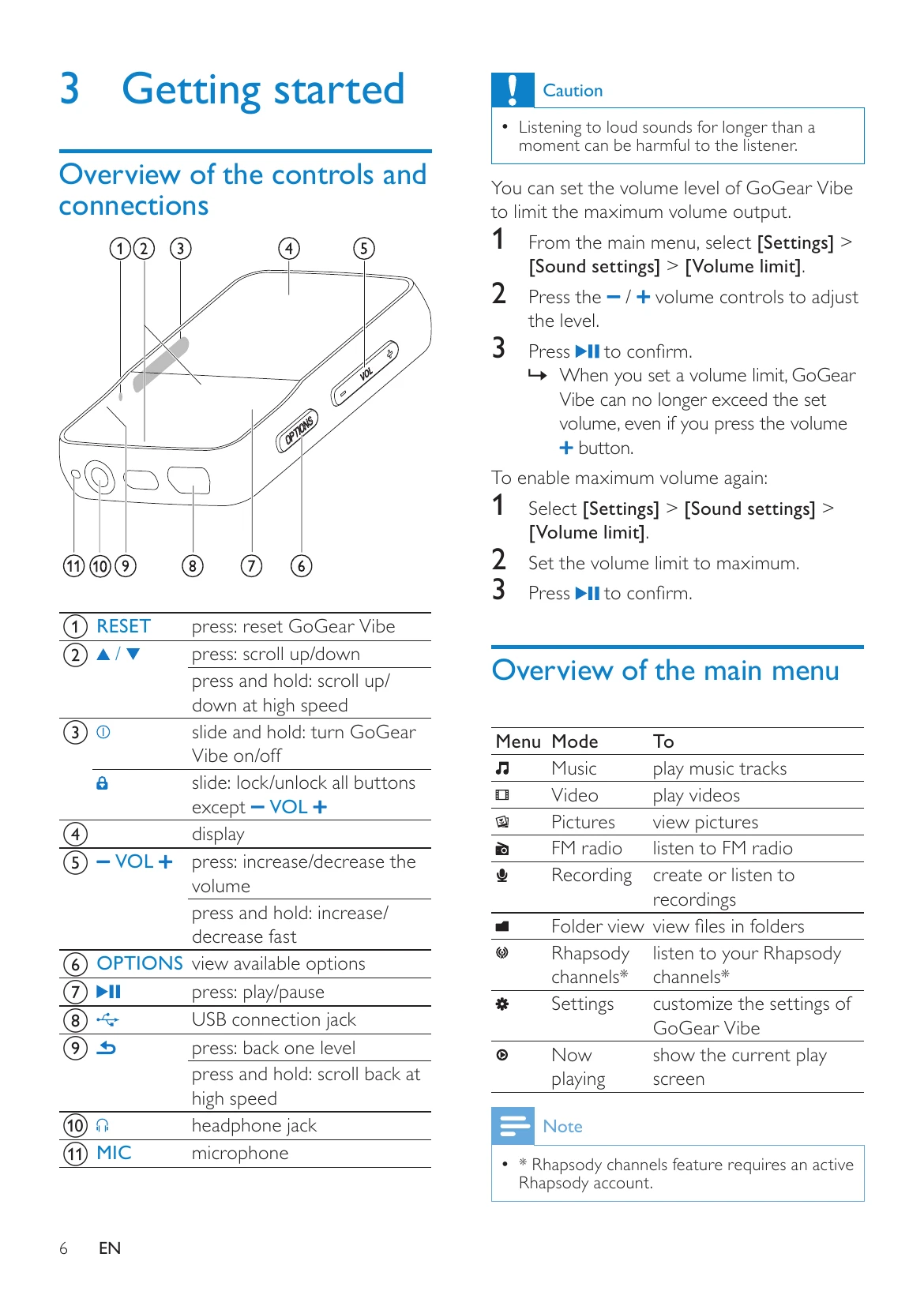
  • Playing Music: Navigate to the Music menu to play your music tracks. Use the controls to play, pause, skip, and adjust volume.
  • Viewing Videos: Access the Video menu to play video files. Use the controls for playback, pause, and fast scan.
  • Viewing Pictures: Go to the Pictures menu to view individual pictures or start a slideshow.
  • Listening to FM Radio: Select the Radio mode to listen to FM stations. You can manually tune or use auto-tune to find stations.
  • Recordings: Use the Recordings mode to record audio/voices with the built-in microphone and listen to them.
  • Settings: Customize playback modes, sound settings, volume limits, and display options in the Settings menu.
  • File Transfer: Connect the device to a computer using Windows Explorer to transfer music, video, and picture files.
  • Updates: Use Philips Device Manager to check for and install firmware updates.

Troubleshooting and error codes

ProblemSolution
GoGear Vibe not working properly or display freezesReset the device by inserting a pen tip into the reset hole. If unsuccessful, use Philips Device Manager to repair the device.
Privacy Policy