Brand: PHILIPS
Category: Audio
Document Type: Manual
Language: EN
Brand: PHILIPS
Category: Audio
Document Type: Manual
Language: EN
Uploaded: Nov. 21, 2025, 6:30 p.m.
Specifications are subject to change without notice. Consult warranty information online.
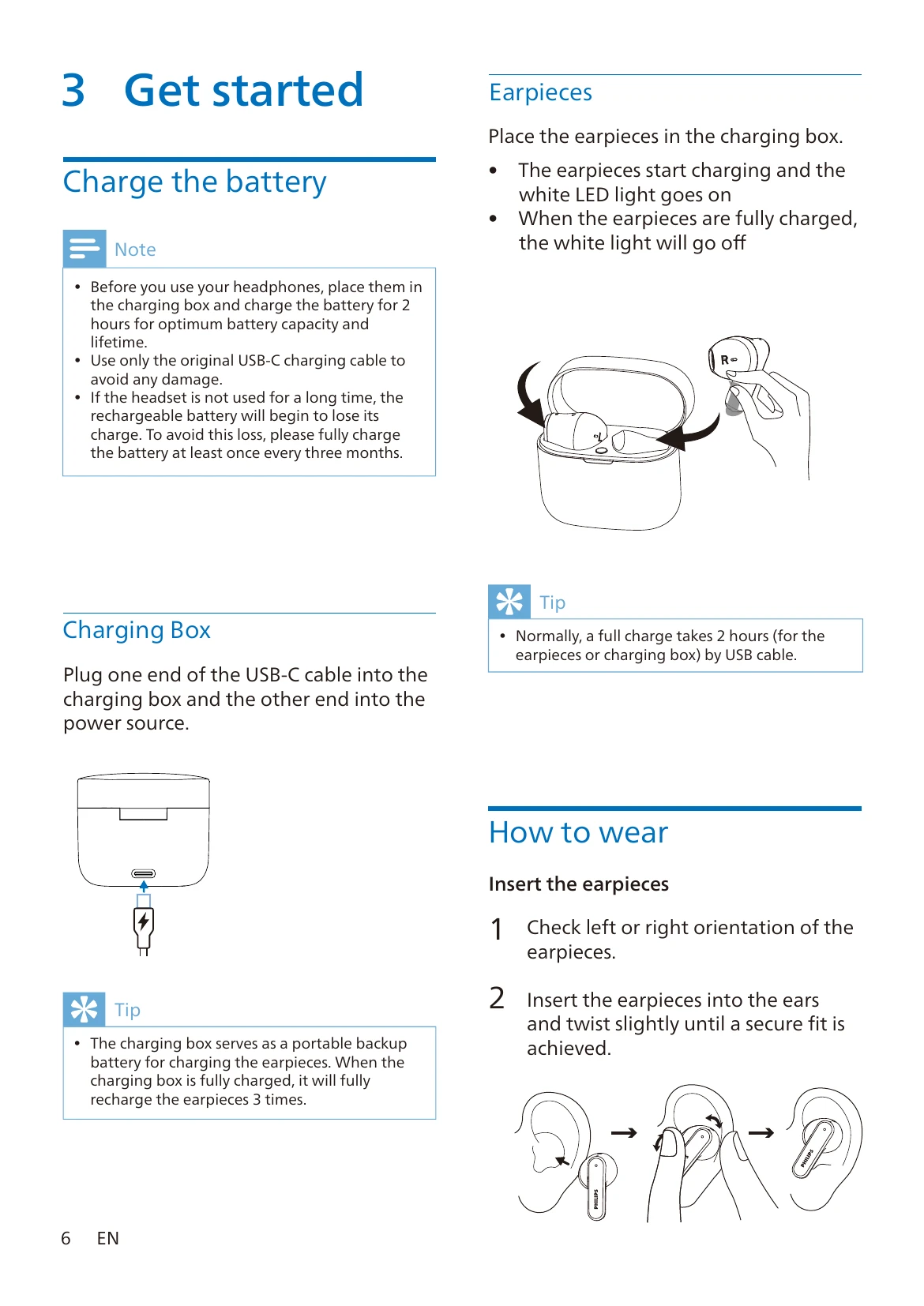
Charge the battery: Place earpieces in the charging box. Use the original USB-C cable to charge the box and earpieces. A full charge takes approximately 2 hours.
How to wear: Insert earpieces into ears, ensuring left and right orientation. Twist slightly for a secure fit.
Pairing: Fully charge and power off earpieces. Open the charging box; LEDs will flash. Turn on Bluetooth on your device and select 'Philips TAT2139'. For subsequent pairings, put earpieces in pairing mode by pressing the box button for 3 seconds.
Power on/off: Open the charging box to power on; close the box to power off.
Music Control: Double tap right earpiece to play/pause. Triple tap right for next track, left for previous track. Tap and hold for volume adjustment.
Calls: Single tap for pick up/hang up. Double tap to reject calls.
Voice Assistant: Right earpiece: continue touching after beep to trigger. Left earpiece: double tap for gaming mode.
If earpieces don't turn on, charge them. If pairing fails, ensure Bluetooth is enabled, clear previous pairings, and re-pair. If the device cannot find earpieces, check if connected to another device or reset pairing.
| Issue | Solution |
|---|---|
| My Bluetooth earpieces do not turn on. | The battery level is low. Charge the earpieces. |
| I cannot pair my Bluetooth earpieces with my Bluetooth device. | The Bluetooth is disabled. Enable the Bluetooth feature on your Bluetooth device and turn on the Bluetooth device before you turn on the earpieces. |
| Pairing does not work. |
|
| The Bluetooth device cannot find the earpieces. |
|
| My Bluetooth earpieces are connected to a Bluetooth stereo-enabled mobile phone, but music only plays on the mobile phone speaker. | Refer to the user manual of your mobile phone. Select to listen to music through the earpieces. |
| The audio quality is poor and a crackling noise can be heard. |
|
| The audio quality is poor when streaming from a mobile phone is very slow or streaming does not work at all. | Make sure your mobile phone not only supports (mono) HFP but also supports A2DP and is BT4.0x (or higher) compatible (see ‘Technical data' on page 11). |